


When looking for a graphics card that balances performance, price, and power efficiency, Nvidia’s 4060 and 4060 Ti often come up as top contenders. Both cards belong to Nvidia’s 40-series of GPUs, offering significant advancements in gaming and productivity performance. However, they differ in several key aspects. In this article, we’ll dive deep into the 4060 vs. 4060 Ti, comparing their specifications, performance benchmarks, use cases, and which one is the better choice for specific needs.
What is the Nvidia 4060?
The Nvidia GeForce RTX 4060 is a mid-range graphics card that brings next-generation gaming performance, ray tracing, and AI-powered enhancements at an affordable price. Built on Nvidia’s Ada Lovelace architecture, the 4060 offers improved power efficiency and performance over its predecessors while maintaining a price point that’s attractive to mainstream gamers.
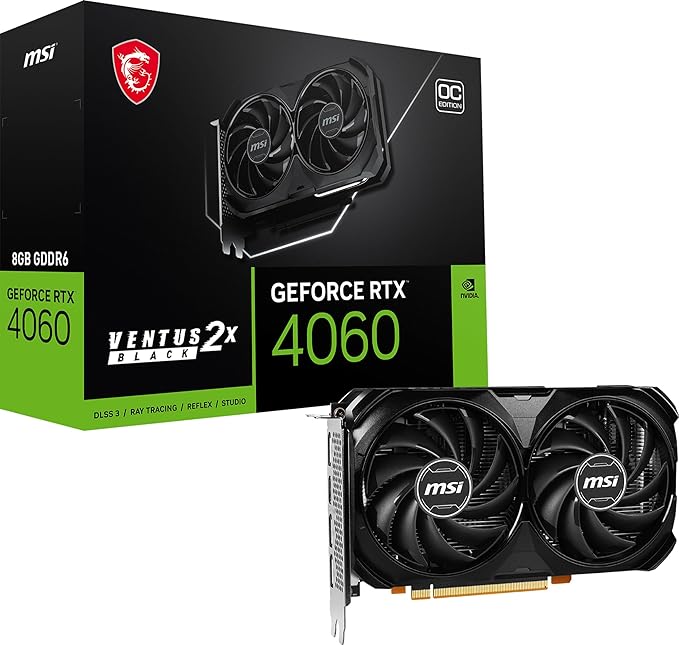
Key Features of the Nvidia 4060:
- CUDA Cores: 3,540 CUDA cores, which helps deliver decent gaming and rendering performance for most AAA titles.
- Memory: 8GB GDDR6 VRAM, which is ideal for most modern games at 1080p and 1440p resolutions.
- Base/Boost Clock: Base clock of 1.83 GHz with a boost clock of 2.54 GHz, providing solid gaming speeds.
- Power Consumption: 115W TDP, offering excellent power efficiency for gamers looking to build energy-efficient systems.
- Ray Tracing and DLSS: Support for ray tracing and Nvidia’s DLSS (Deep Learning Super Sampling), which enhance image quality and gaming performance in supported titles.
Use Cases for the 4060:
- 1080p/1440p Gaming: Great for smooth gaming experiences at these resolutions with high settings.
- Content Creation: Ideal for light video editing, 3D rendering, and other GPU-accelerated tasks.
- Budget-Friendly Builds: For gamers who want solid 60+ FPS in modern titles without breaking the bank.
What is the Nvidia 4060 Ti?
The Nvidia GeForce RTX 4060 Ti is a slightly more powerful version of the 4060, offering better performance for gaming and creative workloads. While it shares much of the architecture with the base 4060, it boasts additional cores, higher clock speeds, and improved overall efficiency for demanding tasks.
Key Features of the Nvidia 4060 Ti:
- CUDA Cores: 4,358 CUDA cores, allowing for better multi-threaded performance and faster rendering times compared to the 4060.
- Memory: 8GB or 16GB GDDR6 VRAM options, providing more memory bandwidth and improved performance in more memory-intensive tasks.
- Base/Boost Clock: Base clock of 1.83 GHz with a boost clock of 2.61 GHz, which results in better overall clock speeds for sustained gaming performance.
- Power Consumption: 160W TDP, which is higher than the 4060 but still quite efficient considering the performance boost.
- Ray Tracing and DLSS: Full support for ray tracing and DLSS, enabling stunning visuals and higher FPS in supported games.
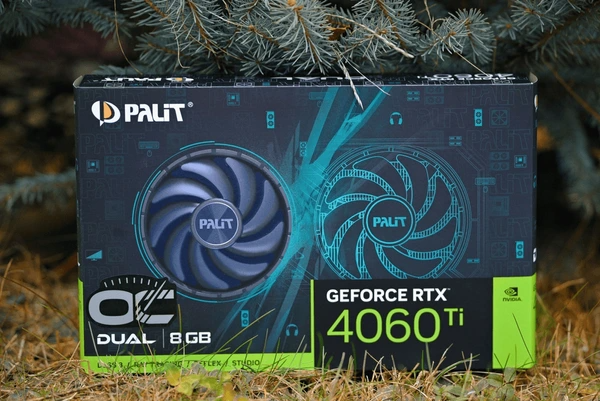
Use Cases for the 4060 Ti:
- 1440p/4K Gaming: Ideal for gamers looking for higher FPS in AAA titles at 1440p or even 4K with DLSS enabled.
- Content Creation: Better suited for creative professionals who work with larger files or demand faster rendering times in software like Adobe Premiere Pro or Blender.
- Performance-Oriented Gamers: For gamers who want a more future-proof GPU for upcoming titles with higher system requirements.
Key Differences Between the 4060 and 4060 Ti
| Feature | Nvidia 4060 | Nvidia 4060 Ti |
|---|---|---|
| CUDA Cores | 3,540 | 4,358 |
| Memory | 8GB GDDR6 | 8GB or 16GB GDDR6 |
| Base Clock | 1.83 GHz | 1.83 GHz |
| Boost Clock | 2.54 GHz | 2.61 GHz |
| Power Consumption | 115W TDP | 160W TDP |
| Target Resolution | 1080p, 1440p | 1440p, 4K |
| Ray Tracing | Yes | Yes |
| DLSS Support | Yes | Yes |
Performance Comparison: 4060 vs 4060 Ti
The 4060 Ti outperforms the 4060, especially in demanding titles and higher resolutions. Benchmarks show a 10-15% performance boost in 1080p and 1440p gaming. It also handles 4K gaming at medium settings more smoothly than the 4060.
- Gaming: In titles like Cyberpunk 2077 and Red Dead Redemption 2, the 4060 Ti consistently delivers higher frame rates at ultra settings.
- Ray Tracing: With ray tracing enabled, the 4060 Ti handles it more efficiently, providing smoother performance at higher resolutions. This is thanks to additional CUDA cores and higher clock speeds.
- DLSS: Both cards support DLSS 3, which boosts frame rates without sacrificing image quality, but the 4060 Ti performs better when DLSS is used at higher resolutions.
When comparing the 4060 vs. 4060 Ti, Eureka Technical Q&A offers detailed insights, helping you assess differences in performance, power efficiency, and cost-effectiveness, so you can select the best GPU for your gaming or professional needs.

Price and Value: Which One Is Right for You?
Nvidia 4060: Best for Budget-Conscious Gamers
At a lower price point than the 4060 Ti, the 4060 offers excellent value for gamers who primarily play 1080p or 1440p games. Its lower TDP makes it an excellent choice for small form-factor builds or those who are conscious of energy consumption.
- Best for: Budget gamers, 1080p/1440p gaming, light content creation.
Nvidia 4060 Ti: Best for Performance Seekers
While the 4060 Ti is more expensive, it offers better performance for those who plan to game at 1440p or 4K or use the GPU for demanding creative workflows. The extra VRAM and higher core count make it a more future-proof option, especially for gamers who want a GPU that can handle next-gen titles.
- Best for: 1440p/4K gaming, content creators, performance-driven users.
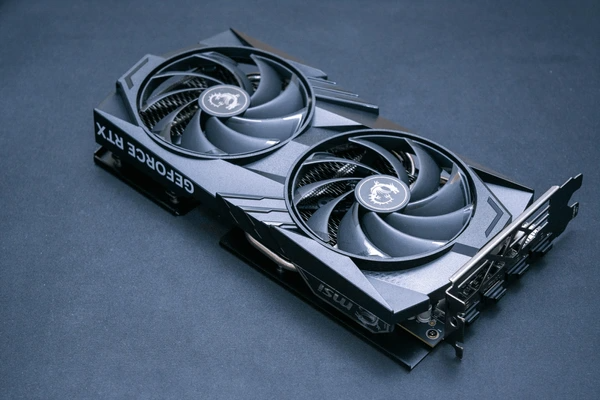
Real-World Case: Gaming Benchmarks
In practical testing, the 4060 Ti is able to run Cyberpunk 2077 at 1440p with Ultra settings and Ray Tracing enabled at around 70-80 FPS, while the 4060 struggles to break the 60 FPS mark under similar settings. For 4K gaming, the 4060 Ti can maintain playable frame rates with medium to high settings, while the 4060 may experience significant drops in frame rates.
Final Verdict: 4060 vs. 4060 Ti
The 4060 and 4060 Ti are both excellent mid-range GPUs, but they cater to slightly different needs:
- Choose the 4060 if you’re on a budget and mainly game at 1080p or 1440p. It offers great value for the price, especially for gamers who want solid performance without breaking the bank.
- Choose the 4060 Ti if you want better performance at 1440p, plan to game at 4K, or need a more powerful GPU for content creation tasks. The 4060 Ti provides better long-term value for users looking to future-proof their setup.
FAQs
1. What is the difference in memory between the 4060 and 4060 Ti?
The 4060 has 8GB of GDDR6 memory, while the 4060 Ti offers both 8GB and 16GB GDDR6 memory options, with the larger memory size providing more bandwidth for demanding applications.
2. Is the 4060 Ti worth the extra cost over the 4060?
Yes, if you plan to game at higher resolutions like 1440p or 4K, or if you need a more powerful GPU for creative work. The additional CUDA cores and memory make the 4060 Ti a more future-proof option.
3.Can the 4060 handle 4K gaming?
The 4060 can handle 4K gaming, but only at lower settings. If you want to maintain higher frame rates at 4K, the 4060 Ti would be a better choice.
To get detailed scientific explanations of 4060 vs. 4060 Ti, try Patsnap Eureka.
