


Introduction
When shopping for a new TV, one of the most overlooked yet impactful specs is refresh rate. In the debate of 60Hz vs 120Hz TVs, the numbers may seem small—but the difference can be dramatic. A 60Hz TV refreshes the image 60 times per second, while a 120Hz model doubles that speed to 120 times per second. But does that really matter for what you watch or how you play?
PatSnap Eureka AI Agent helps electronics companies and consumers decode innovation by analyzing patent trends, identifying top players in display refresh technologies, and uncovering the engineering edge behind smoother, faster visuals. This blog compares 60Hz vs 120Hz TVs across performance, use cases, and technology advancements.
What Is a 60Hz TV?
A 60Hz TV refreshes the image on screen 60 times per second. This standard has been widely used for decades and aligns with the 30fps and 60fps content formats that dominate traditional TV broadcasts, Blu-rays, and most online streaming platforms. While 60Hz TVs perform well for casual use, they may struggle with motion-heavy content such as sports or fast-paced gaming. The image can appear blurred or choppy during rapid movements due to motion judder and frame duplication artifacts, particularly on large screens or 4K panels where motion is more noticeable.
Key Characteristics of 60Hz TVs:
- Refresh Rate: Fixed at 60 frames per second
- Input Handling: Optimized for 30fps and 60fps content
- Motion Clarity: May suffer from motion blur in action-heavy scenes
- Processing Features: Usually includes basic motion interpolation (“MotionFlow”, “TruMotion”) but less effective than on 120Hz models
- Use Case Fit: Best for movies, casual TV, and budget buyers
- Display Panel Types: Common in LED-backlit LCD TVs and budget OLEDs
What Is a 120Hz TV?
A 120Hz TV refreshes the screen 120 times per second. This higher refresh rate delivers significantly smoother motion, especially when displaying content with high frame rates or during real-time input like gaming. Most 120Hz TVs also support Variable Refresh Rate (VRR) and Auto Low Latency Mode (ALLM), making them ideal for next-gen consoles and PC gaming. They often include advanced motion processing chips that interpolate frames for smoother cinematic playback, even if the original source is below 120fps.
Key Characteristics of 120Hz TVs:
- Refresh Rate: Capable of displaying up to 120fps content
- Adaptive Sync: Often includes VRR (G-Sync/FreeSync) for tear-free gaming
- Input Lag: Significantly reduced in Game Mode, often below 10ms
- Motion Processing: Advanced frame interpolation and black frame insertion for clearer motion
- Panel Technology: Common in high-end OLED, QLED, and Mini-LED displays
- Use Case Fit: Ideal for high-frame-rate gaming, sports, and premium home theaters
- Content Upscaling: Can upscale 60Hz sources for smoother playback, depending on the chipset
60Hz vs 120Hz TVs: Feature-by-Feature Comparison
Refresh Rate (The Core Difference)
60Hz: A 60Hz TV refreshes the image 60 times per second. That’s enough for everyday viewing—movies, shows, or news look smooth. But when fast motion kicks in—like sports or action scenes—you might spot blur or “judder.” This happens because 60Hz isn’t fast enough to keep up with rapid frame changes. Many 60Hz TVs also use interlaced scanning, which alternates between even and odd lines. That effectively lowers the real-time frame perception to 30Hz, making motion even less fluid.
120Hz: A 120Hz TV doubles that rate to 120 refreshes per second. This upgrade means less motion blur and reduced judder. Fast action scenes feel smoother. This is made possible through progressive scanning, where all pixel rows refresh in one go. Some models even add backlight scanning, frame interpolation, or flashing technology. While not all of these deliver true 120Hz performance, they significantly reduce motion artifacts.
Motion Handling and Smoothness
60Hz: For general use, 60Hz is fine. But it struggles with rapid motion. Fast scenes can look blurry or choppy. That’s because fewer frames are shown per second, so your eyes miss transitions. The effect is especially visible in panning shots or live sports.
120Hz: Here, things get much smoother. A 120Hz TV shows more frames, filling the gaps between fast-moving images. The result: sharper motion and fewer artifacts. Many 120Hz TVs use frame interpolation to create “in-between” frames from the original signal. Some panels also use a 120Hz, 50% duty scanning backlight system, which has proven more effective than simply pushing frame rates to 240Hz—especially for LCDs with 4.5ms response times.
Gaming Performance
60Hz: Older consoles like PS4 or Xbox One usually run at 30 to 60 FPS. A 60Hz TV can handle these games without issue. However, for fast-paced titles, the gameplay might feel a bit sluggish. The screen can’t keep up with rapid inputs, leading to motion blur or stutter.
120Hz: Modern consoles like the PS5 and Xbox Series X can output up to 120 FPS. With a 120Hz TV, you can take full advantage of this. Gameplay becomes more responsive, smoother, and sharper—especially in shooters or racing games. For games like Call of Duty or Fortnite, the difference is noticeable. Competitive players benefit most, though only a limited number of titles support native 120Hz as of now.
Input Lag
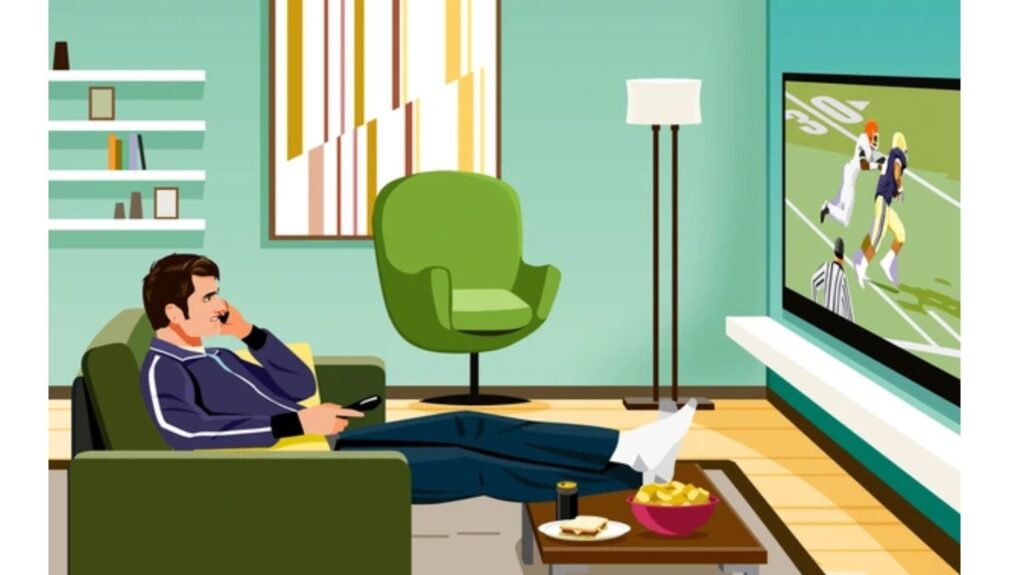
60Hz: Input lag is the delay between pressing a button and seeing the action on screen. Most 60Hz TVs today manage low input lag. But because the screen refreshes less often, reaction time can still feel a bit delayed—especially when gaming at high intensity.
120Hz: A 120Hz TV processes inputs faster. It refreshes more frequently, which helps reduce lag significantly. This is vital for gamers who need every millisecond of responsiveness. When paired with Game Mode and VRR, 120Hz TVs offer a much tighter control feel.
Cost
60Hz: These TVs are budget-friendly. They use simpler hardware, and manufacturers can keep costs low. For most casual viewers, a 60Hz TV hits the sweet spot between performance and price.
120Hz: You’ll pay more for a 120Hz panel. These TVs include higher-end processing chips, better panel quality, and advanced features. True 120Hz capability adds manufacturing cost, which translates to a higher retail price.
Content Availability
60Hz: Most video content today is made for 30 or 60 FPS. That includes streaming platforms, broadcast TV, and even Blu-ray movies. A 60Hz TV plays these formats perfectly, with no need for extra processing.
120Hz: True 120Hz content is rare. Streaming services don’t yet support it widely, and even High Frame Rate (HFR) movies top out around 48Hz. While some TVs claim 120Hz support at 4K, they often require resolution drops—like to 1440p or 1080p—to achieve it. Still, 120Hz TVs can enhance lower frame-rate content using motion smoothing tech.
Innovation in 120Hz TV Technology
Native 120Hz Panels
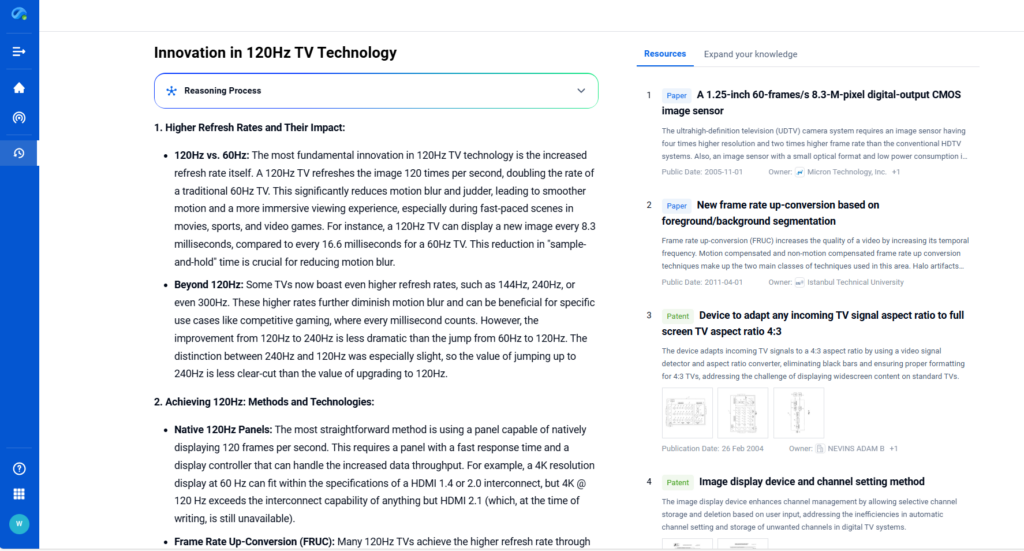
Some TVs use native 120Hz panels. These panels refresh 120 frames per second and require fast response times and advanced display controllers. For 4K at 120Hz, only HDMI 2.1 supports the required bandwidth. Older HDMI standards can’t handle the data load.
Frame Rate Up-Conversion (FRUC)
Most TVs don’t display native 120Hz. Instead, they simulate it using frame interpolation.
- Basic FRUC repeats or blends frames. It’s simple but often creates blur or judder.
- Motion-Compensated FRUC (MC-FRUC) adds “in-between” frames by analyzing motion between real ones. It uses motion estimation (ME) and motion compensation (MC).
- ME finds how objects move using block-matching algorithms.
- MC then builds new frames using that motion data.
These methods improve smoothness but can introduce artifacts like halos or jagged edges. Advanced systems reduce these flaws using segmentation, adaptive motion analysis, and smarter vector handling.
Backlight Scanning/Flashing
Some TVs dim or strobe the backlight between frames. This reduces blur without changing the actual refresh rate. However, it can cause flicker and doesn’t increase frame count.
Dual Line Gate (DLG) Technology
DLG tricks a 60Hz panel into simulating 120Hz. It cuts vertical resolution to do this—dropping 4K to 1080p, for example. Some TVs offset this with sharpening tools like Hardware Super Resolution. Motion does look smoother, but it’s not a true 120Hz experience.
Which Refresh Rate Is Right for You?

When to Choose 60Hz
- Budget Constraints: If you’re looking for an affordable TV and don’t prioritize high-frame-rate content or gaming, a 60Hz TV is a cost-effective choice.
- Casual Viewing: For general TV watching, streaming, and movie viewing, a 60Hz TV is usually sufficient, especially if the content is primarily 30fps or 60fps.
- Energy Efficiency: If minimizing power consumption is a priority, a 60Hz TV may be preferable.
When to Choose 120Hz
- Gaming: If you’re a gamer, a 120Hz TV can provide a competitive edge, offering smoother gameplay and reduced input lag. The compatibility is there with the launch of the PS5 and Xbox Series X with both consoles supporting the new HDMI 2.1 standard which means sufficient video output bandwidth to deliver 4K resolutions at 120Hz. Previously, the Xbox One X and S supported 120Hz but only at 1080p and 1440p.
- Sports and Action Movies: For fans of fast-paced sports or action films, a 120Hz TV can reduce motion blur and provide a more immersive experience.
- High-Frame-Rate Content: If you have access to or anticipate watching content at higher frame rates (e.g., 120fps), a 120Hz TV can display it without issues.
- Future-Proofing: If you want a TV that will be compatible with future advancements in content and gaming, a 120Hz model is a good investment. The next Apple TV model might support 120Hz refresh rates, presumably at 4K, according to a report from 9to5Mac.
PatSnap Eureka AI Agent Capabilities
PatSnap Eureka AI Agent empowers display manufacturers and product teams by providing:
- Patent landscaping of motion optimization technologies
- Competitive analysis on top filers in refresh rate innovation
- Timeline views of historical advancements in 60Hz and 120Hz TVs
- Geographic insights into where innovation is accelerating
Eureka’s AI-driven platform connects the dots between innovation, IP strategy, and market needs—making it indispensable for anyone competing in the fast-evolving consumer electronics space.
Conclusion
Both 60Hz and 120Hz TVs deliver solid performance, but 60Hz vs 120Hz TVs serve different needs. A 60Hz TV works well for everyday use—watching shows, movies, or streaming standard content. It’s budget-friendly and widely compatible with most media formats. On the other hand, 120Hz TVs take motion clarity and responsiveness to the next level. If you’re a casual viewer, 60Hz is enough. But if motion quality, low input lag, and real-time responsiveness matter to you—120Hz is the smarter investment.
To dive deeper into the display technologies that power 120Hz TVs—including patent-protected innovations in frame rate conversion, true motion estimation, and high-speed interfaces—explore PatSnap Eureka AI Agent.
FAQs
Not necessarily. While 120Hz offers smoother motion, the improvement is most noticeable during high-speed content like gaming or sports.
Yes. Most 120Hz TVs can handle 60Hz input seamlessly and use motion interpolation to enhance it.
No. Many streaming services still deliver content in 30fps or 60fps, though some now support 4K at higher frame rates.
Only if you’re interested in gaming or watching fast-action content regularly. For casual viewing, a good 60Hz TV suffices.
To get detailed scientific explanations of 60Hz vs 120Hz TVs, try PatSnap Eureka AI Agent.
