It’s been invaluable to quickly obtain high-quality application cases from my searches. This tool has been a real asset in overcoming the challenges of finding breakthrough solutions, allowing us to move forward with confidence in our R&D efforts.
Patsnap Eureka AI Agent
Pharma Document Analyzer
Extract insights, uncover trends and create summary from your documents
Try Pharma Document Analyzer, Extract and Summarize Instantly.
Before
You manually read through lengthy documents to find drugs, tables, and key information, spending hours with low efficiency and high risk of missing details.

After
With Pharma Document Analyzer, upload your file and instantly extract, summarize, and explore key insights like drugs, tables, and figures.

How to quickly extract and summarize documents with Pharma Document Analyzer?
Upload your documents into Pharma Document Analyzer to instantly extract and summarize key information.
At each stage of research, upload your Word, PDF, PowerPoint, or image file into Pharma Document Analyzer, and instantly get extracted insights and answers to your questions. →
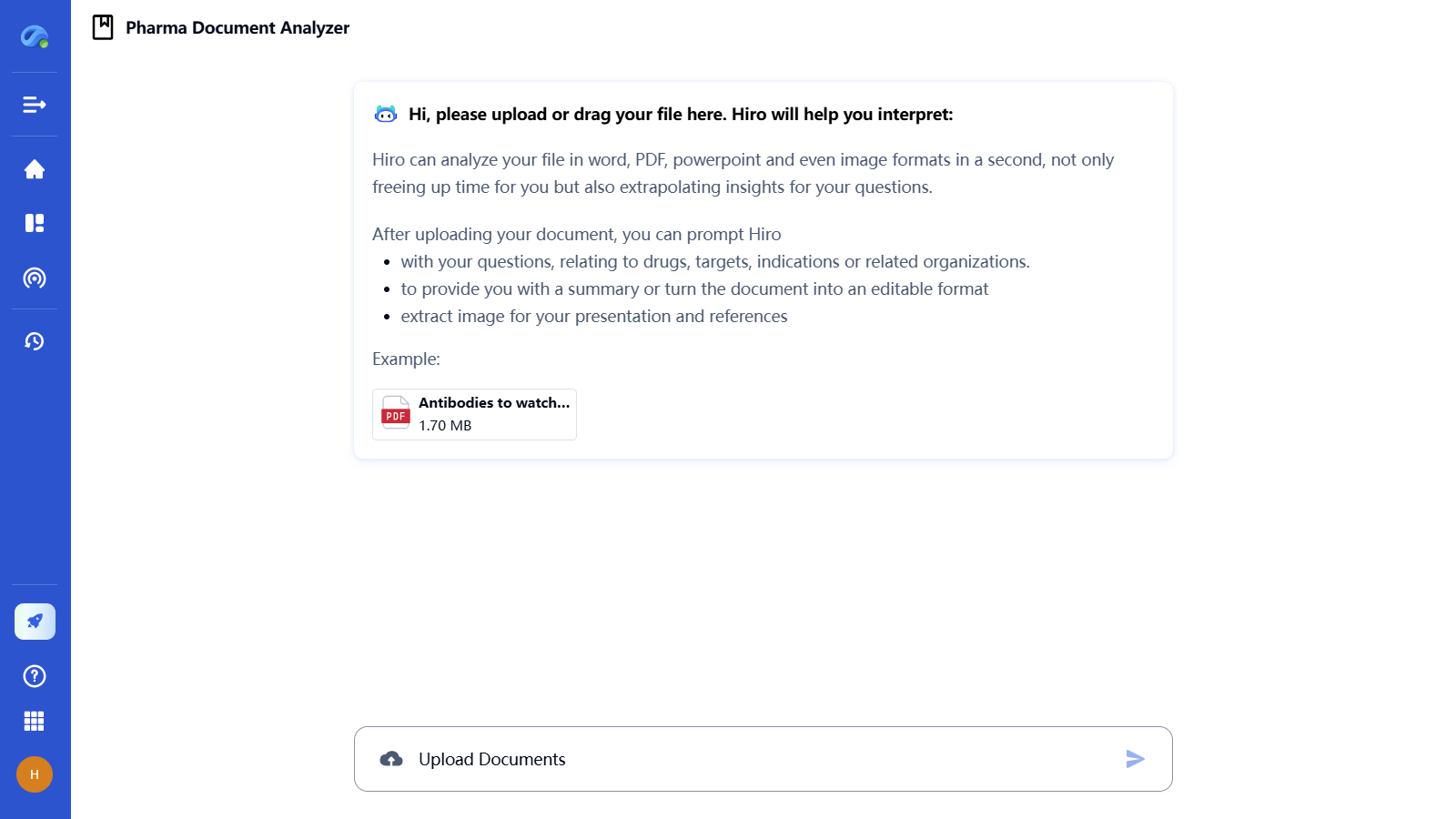
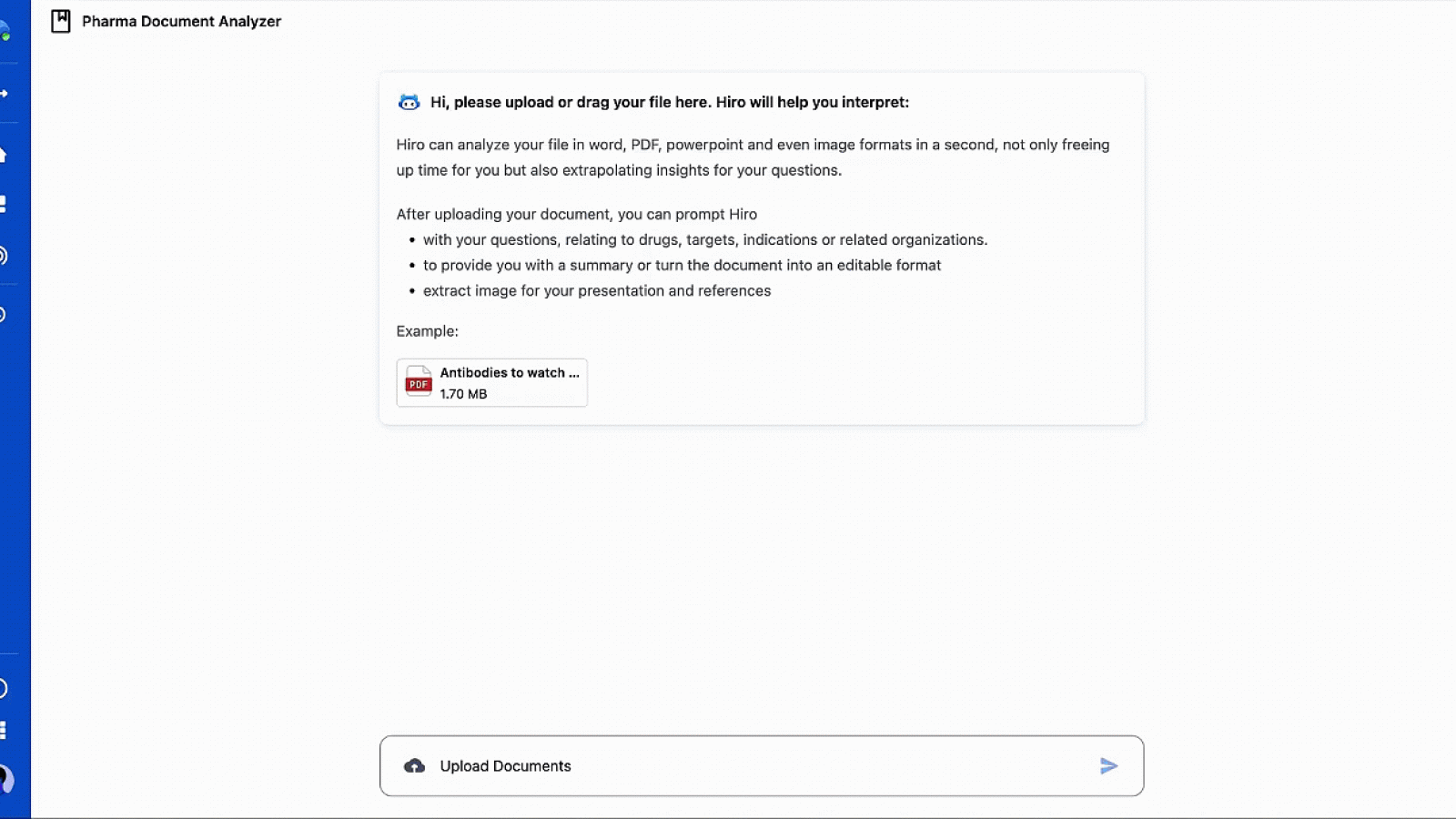
Step 1 – Upload Your Document
Upload or drag your Word, PDF, PowerPoint, or image file into the platform to begin.
Pharma Document Analyzer instantly reads your file and prepares it for deep analysis without any manual effort.
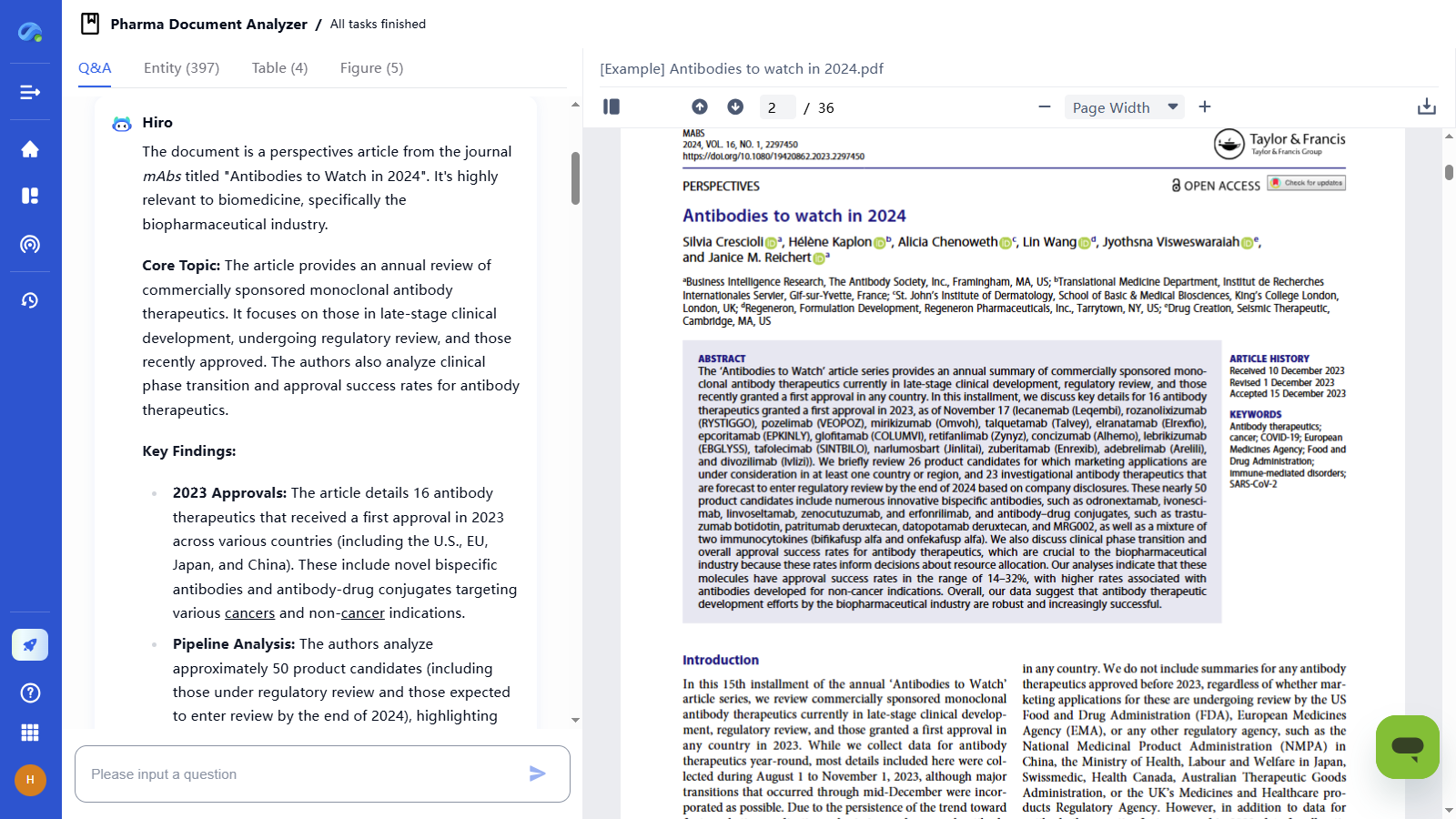
Step 2 – Review the AI-Generated Summary
First, review the AI-generated summary to quickly grasp the core insights of your document.
Pharma Document Analyzer instantly interprets your document’s key ideas, findings, and trends for faster understanding.
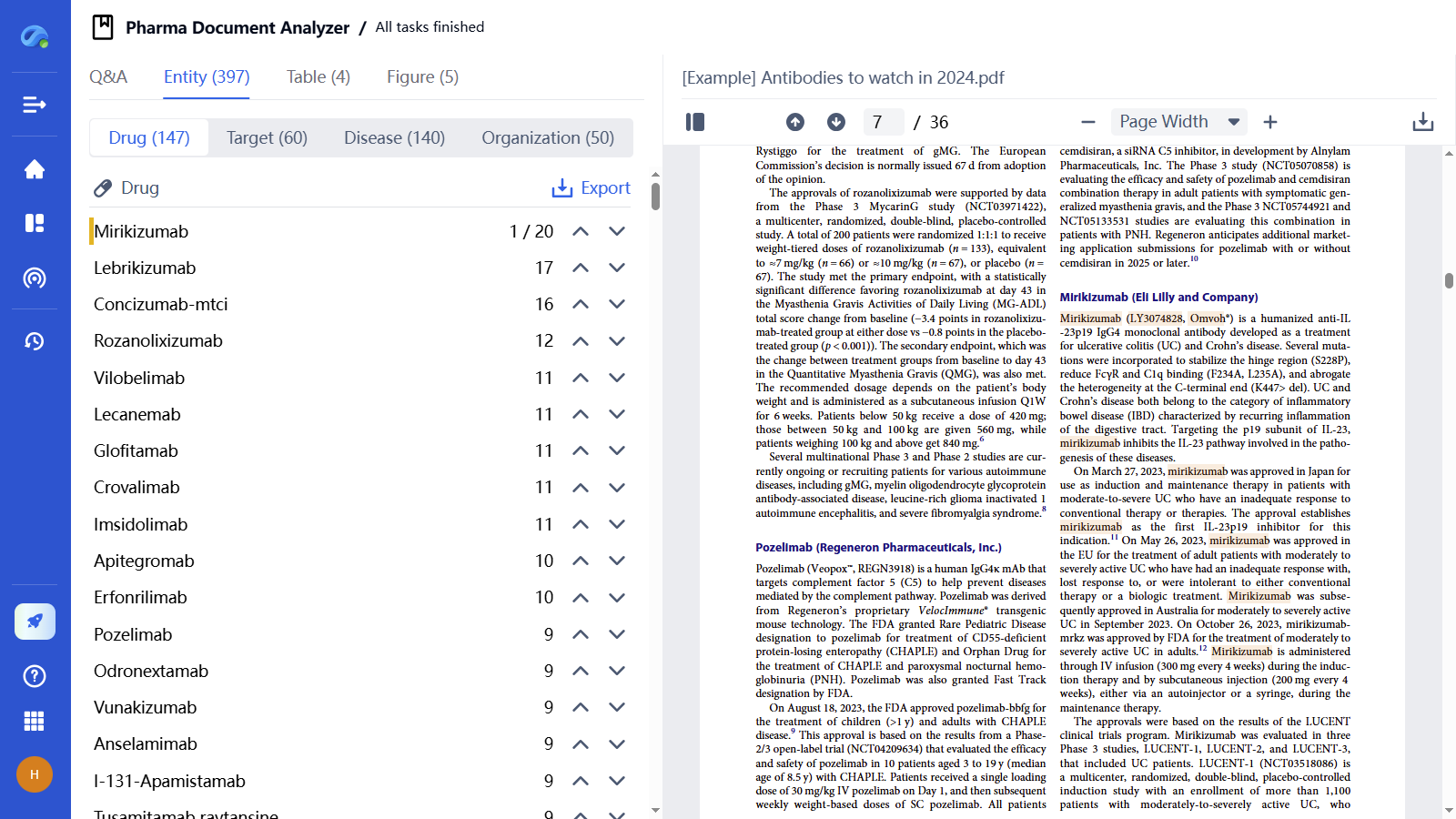
Step 3 - Explore Extracted Entities, Tables, and Figures
Meanwhile, the system automatically extracts tables, figures, and key biomedical entities for you to review.
The AI agent identifies important data points like drugs, targets, diseases, and organizations, making detailed analysis effortless.
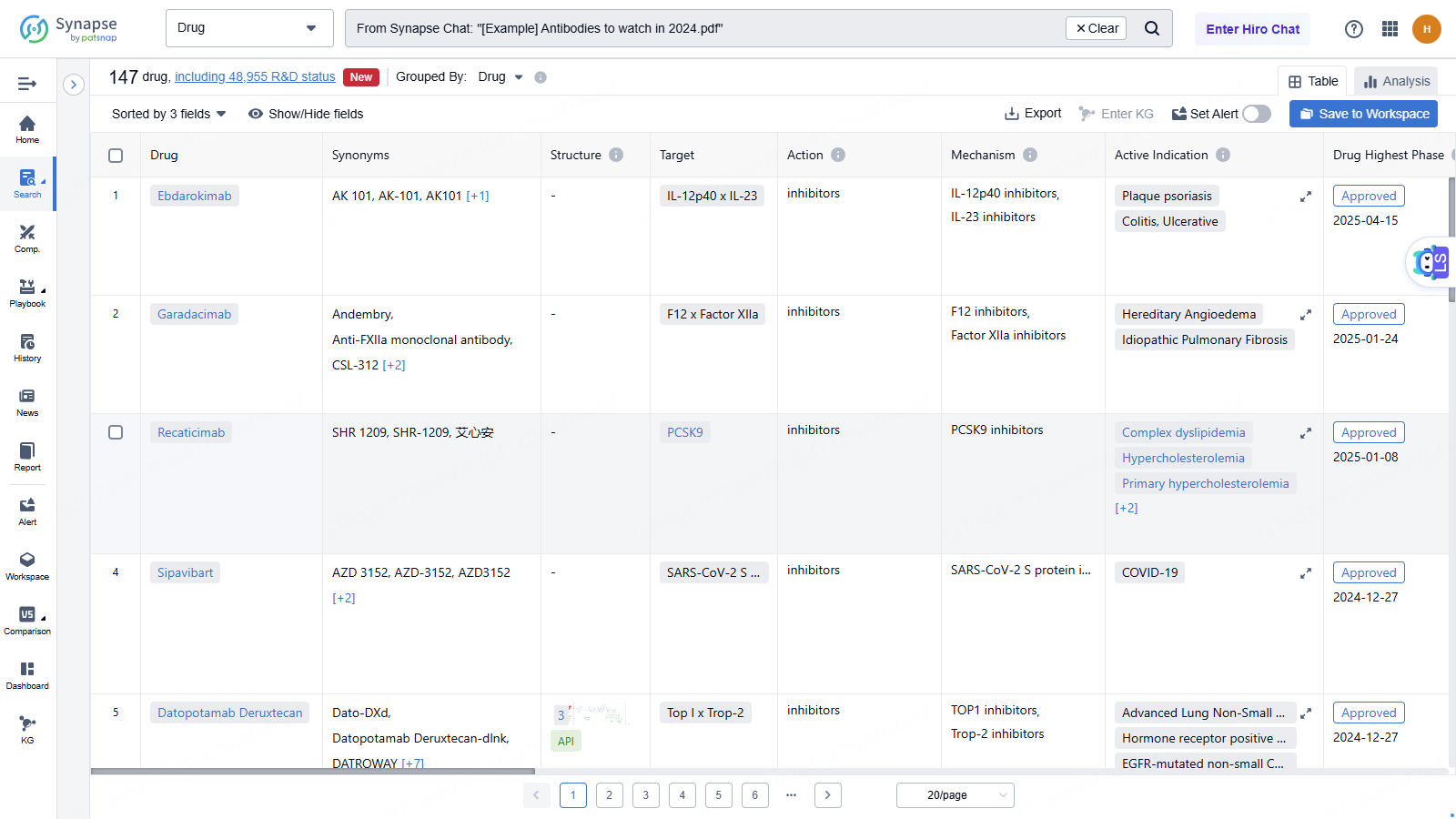
Step 4 – Export Extracted Drugs
Quickly export all the drugs identified from your uploaded document with one click.
The AI agent organizes the extracted drug information into a file, making it easy to review, share, or analyze further.
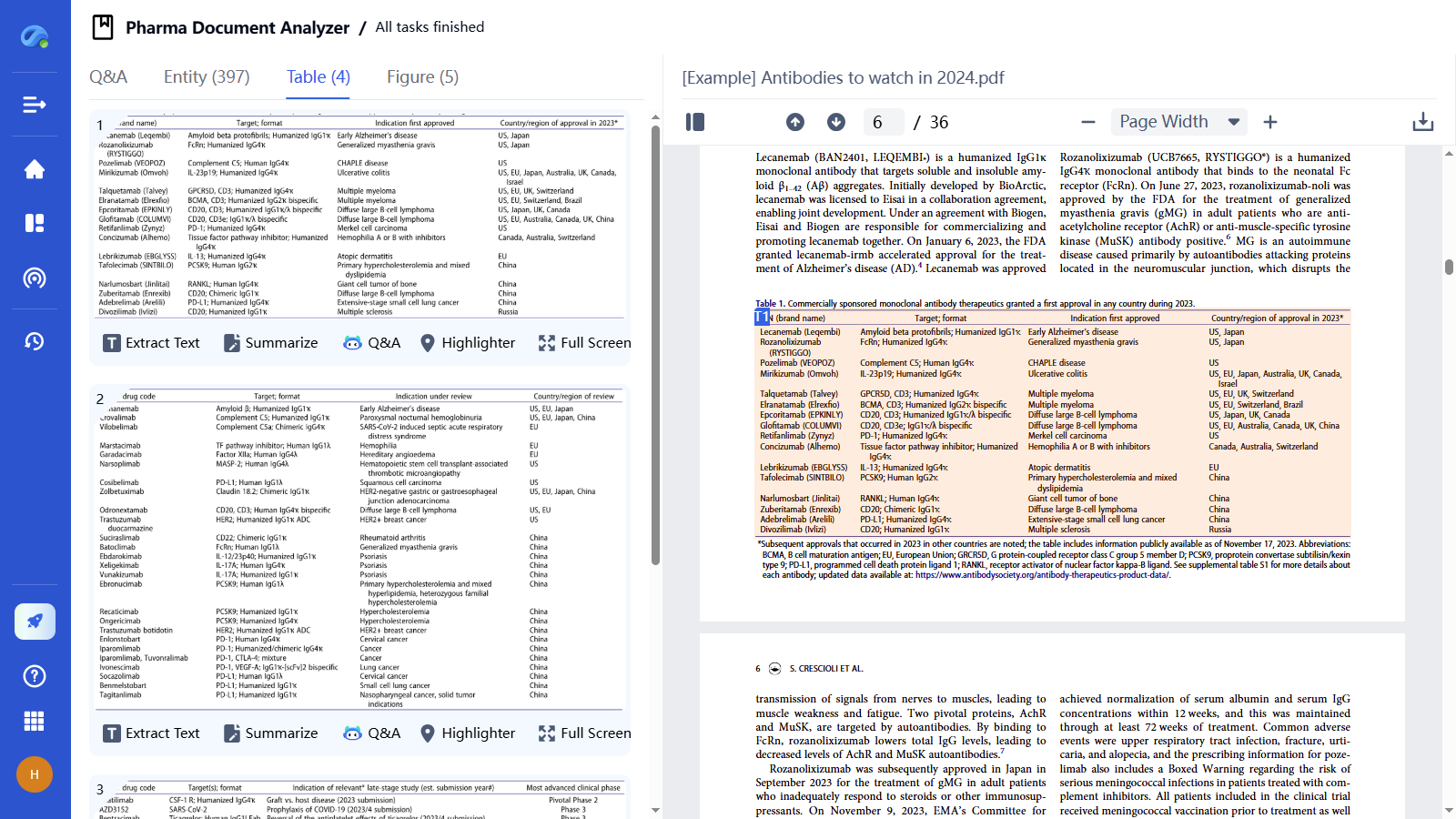
Step 5– Explore and Analyze Tables
You can extract table text, auto-summarize its content, or click Q&A to ask any questions you want about the table.
The AI agent will directly locate the table in your uploaded file and provide instant, clear insights for faster understanding.
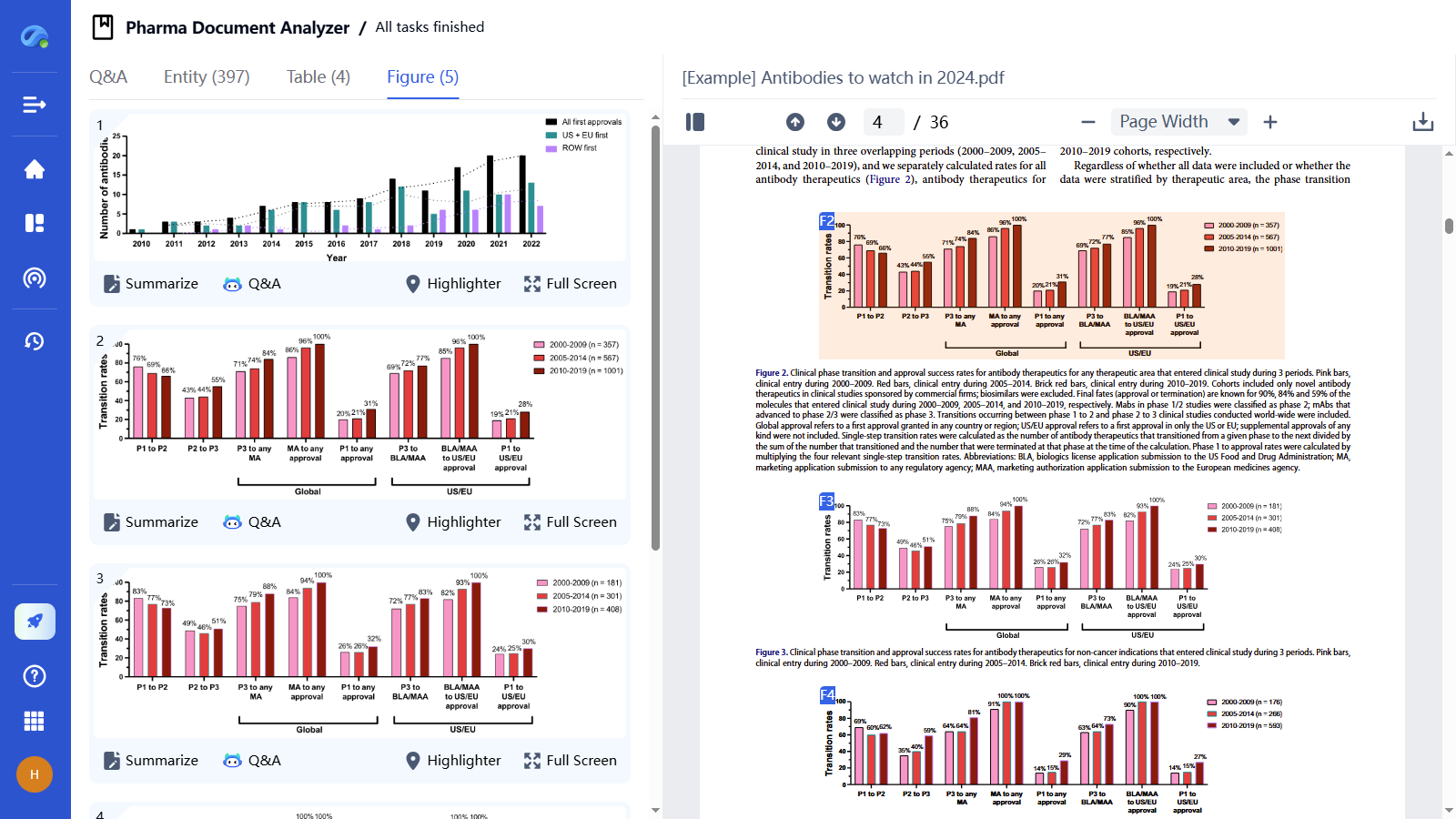
Step 6 - Visualize and Understand Figures
You can click Summarize to get an instant overview of the figure’s key insights, or use Q&A to ask specific questions about the visual data.
The AI agent will locate the figure inside your uploaded document and help you quickly interpret complex charts and trends.
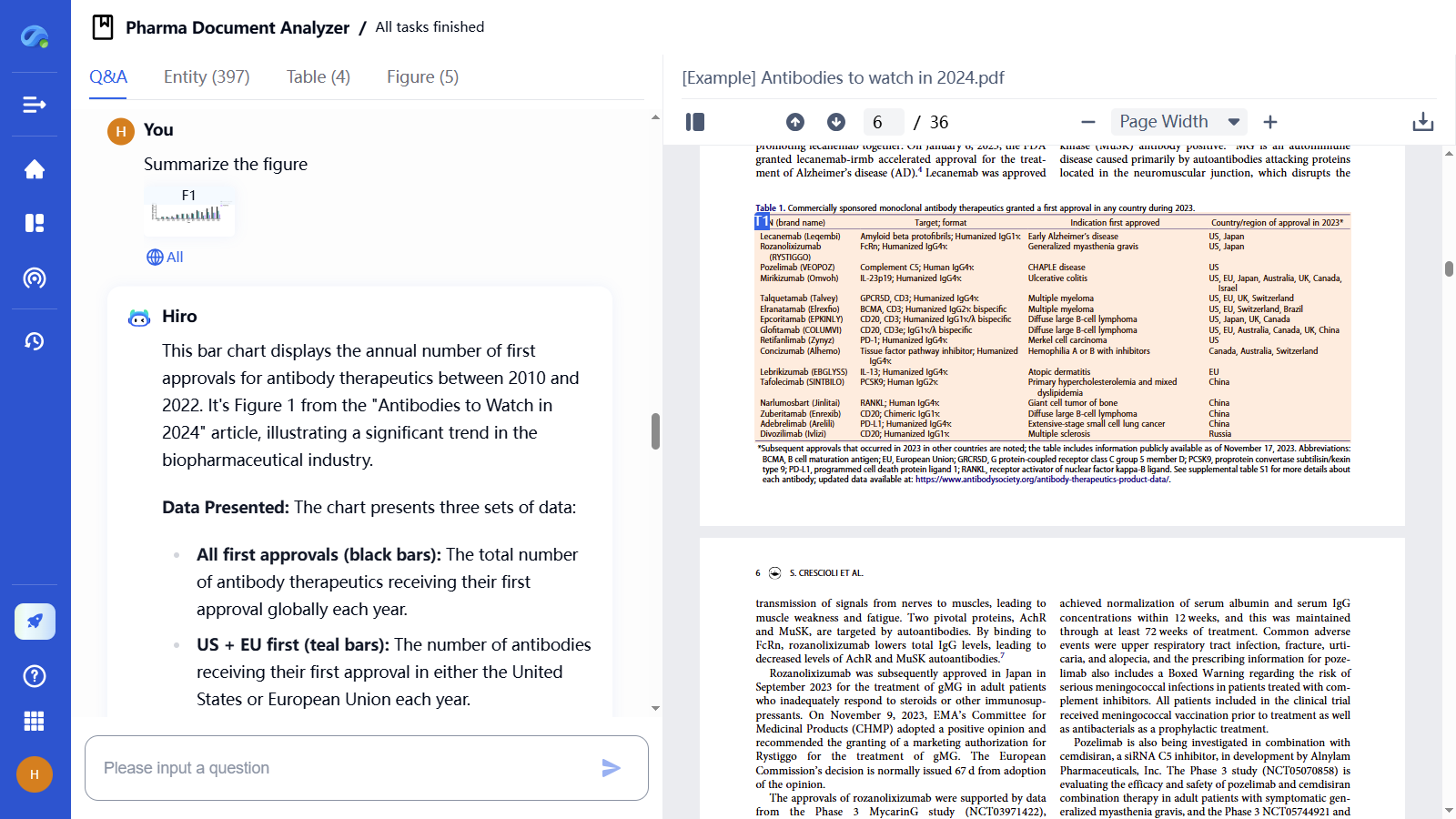
Step 7 - Ask Questions for Deeper Insights
Type your specific questions about the document to receive instant, AI-driven answers.
The agent deeply understands your uploaded content and pulls relevant answers in real-time to support decision-making.
TESTIMONIALS
What Our Clients Say About Us
Patsnap Eureka AI Agent consistently delivers insights that help our clients solve problems faster, innovate smarter, and stay ahead of the curve.
Find solution’s been helpful to analyze problems and find market application cases, it gives instant ideas and understanding of some technical principles, greatly improving my project progress.

The level of detail I’m getting from these searches is exceptional and far exceeds my expectations. It’s a tremendous help when I’m lacking new R&D inspiration and need fresh ideas to push the boundaries of our product development.

Why Choose Patsnap Eureka AI Agent?
RAG Optimization
Maximizing Optimization of General Large Model Hallucinations
High-quality Vertical Data & Data Governance
Power search, drafting, discovery, and assessment.
Deep integration of R&D innovation methodologies
AI outputs linked to verified sources.
Eureka AI Agents built for the complexity of IP and R&D. Automate labor-intensive workflows, freeing experts to focus on high-impact decisions and innovation. Smart Enough for Scientists. Secure Enough for Enterprises.
Sign up for free: Eureka AI Agent. You can find guide to each agent in this page, and try it according to your requirements.
With 3 major capacities:
1. Maximizing Optimization of General Large Model Hallucinations
2. High-quality Vertical Data and Data Governance
3. Deep integration of R&D innovation methodologies
FAQ
Frequently Asked Questions
Everything you want to know about Patsnap Eureka AI Agent Platform. Feel free to contact us if you have any questions: help@patsnap.com.
Better Answers, Faster Decisions
Harness the power of Eureka AI Agent to unlock deep insights, accelerate innovation, and elevate your R&D strategy.