Patsnap Eureka AI Agent

Smart Search

Quickly find patents and papers via keyword or semantic search

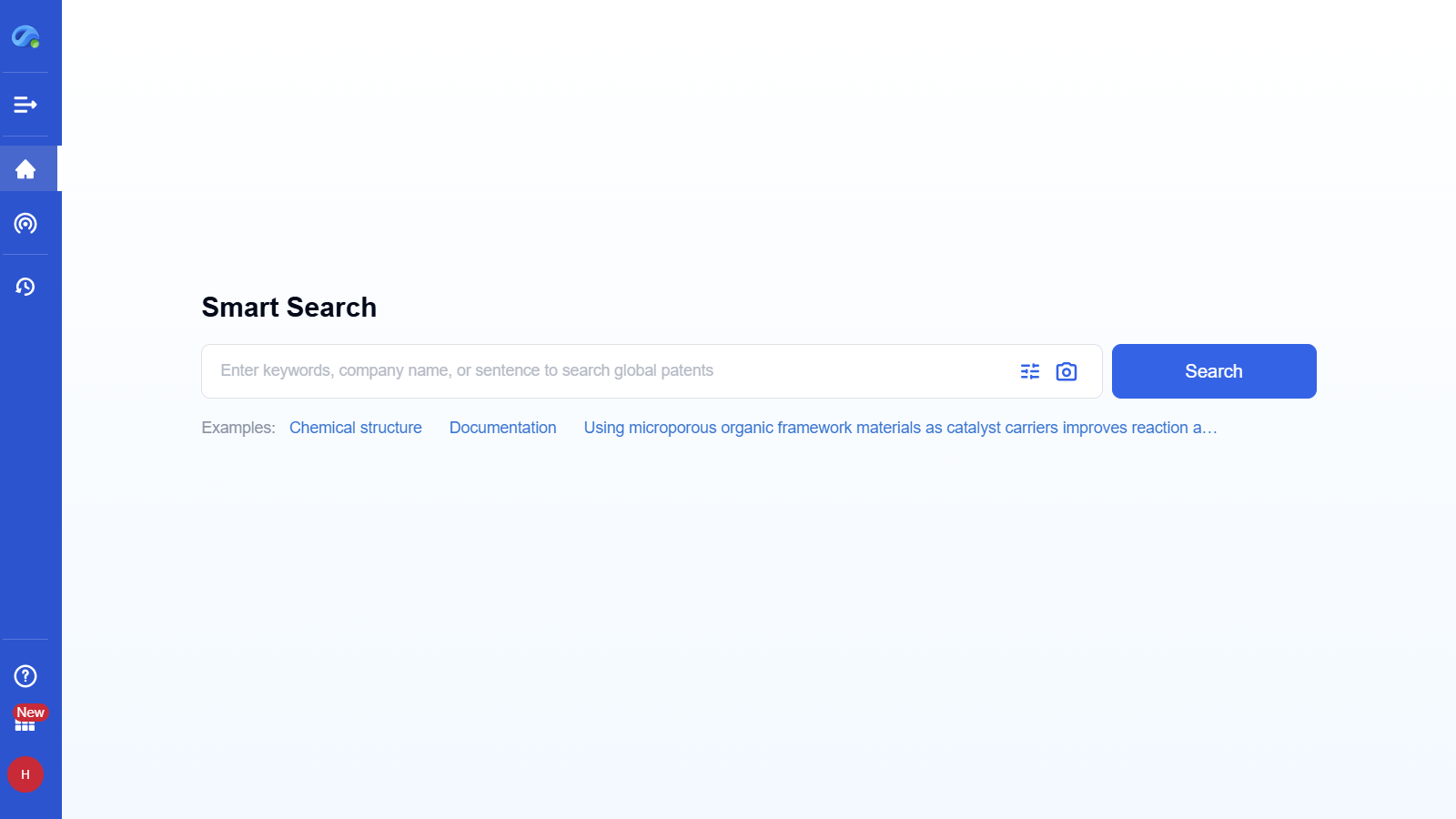
Step 1 – Enter Keywords to Start​

Try Smart Search, Enjoy the Substantial Improvement of Your R&D Efficiency

Before

You struggle with scattered databases, spending hours crafting complex queries and sifting through irrelevant results.

Before Icon
Time-consuming, imprecise, and frustrating for deep tech research.

After

With Smart Search, enter a keyword or phrase and instantly access global patents and papers through AI-powered semantic and keyword search.

After Icon
Smart Search: Fast, accurate, and effortlessly focused on what truly matters to your innovation.
How to quickly find patents and papers via keyword or semantic search with Smart Search?

Step 1 – Enter Keywords to Start

Input technology keywords, a company name, or a full sentence into the search bar and click “Search”.​

Smart Search instantly retrieves relevant global patents, papers, and technical data using keyword and semantic search.​

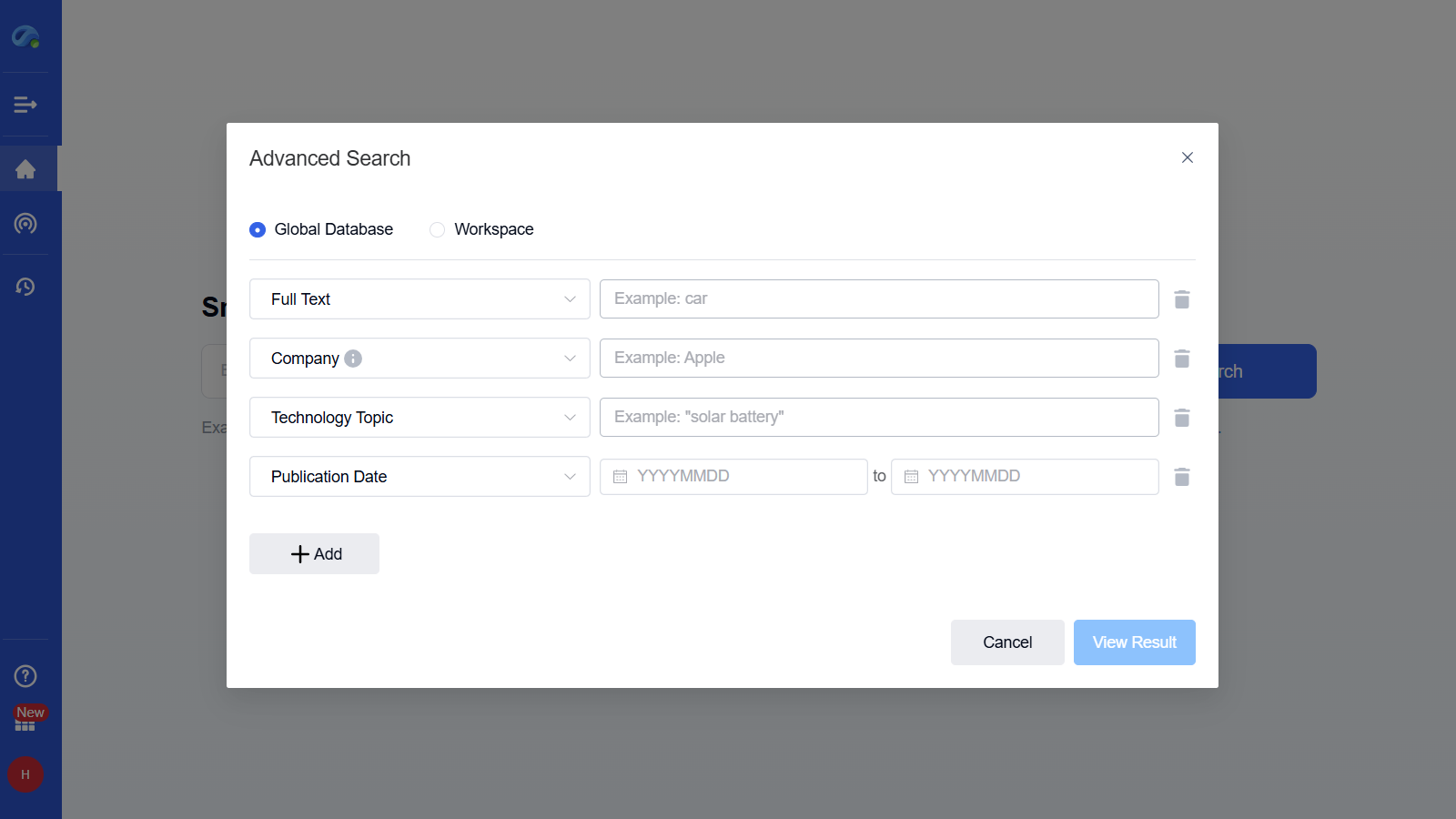
Step 2 – Use Advanced Search for Precision

Click the advanced search icon to select specific fields like full text, company, technology topic, and date range.​

This enables a highly targeted search using structured filters for more refined results.​

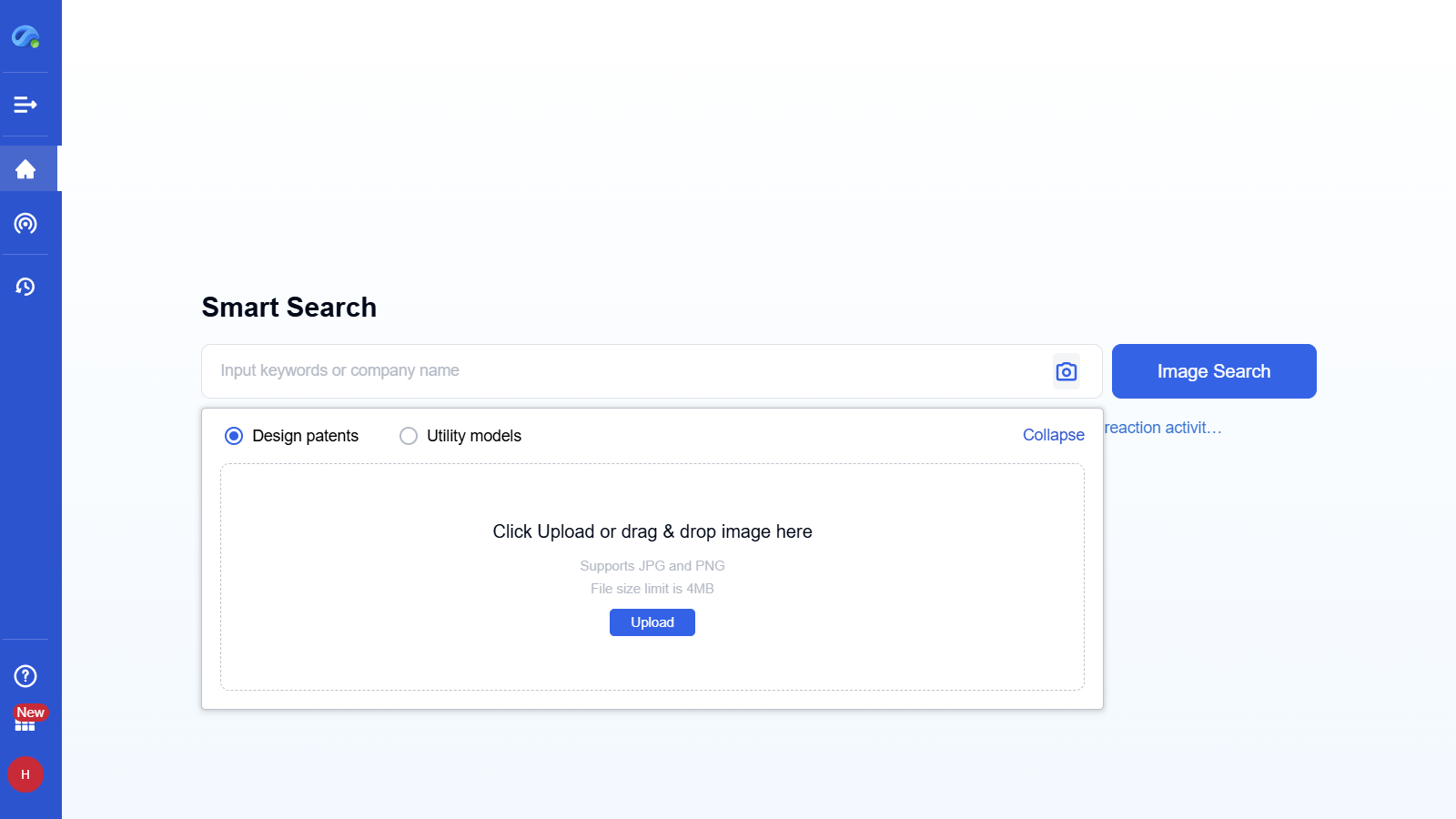
Step 3 – Try Image Search for Design Discovery

Click the image icon, upload a JPG or PNG file, and start the image-based search.

Smart Search supports visual recognition to match your image with relevant design and utility patents.​

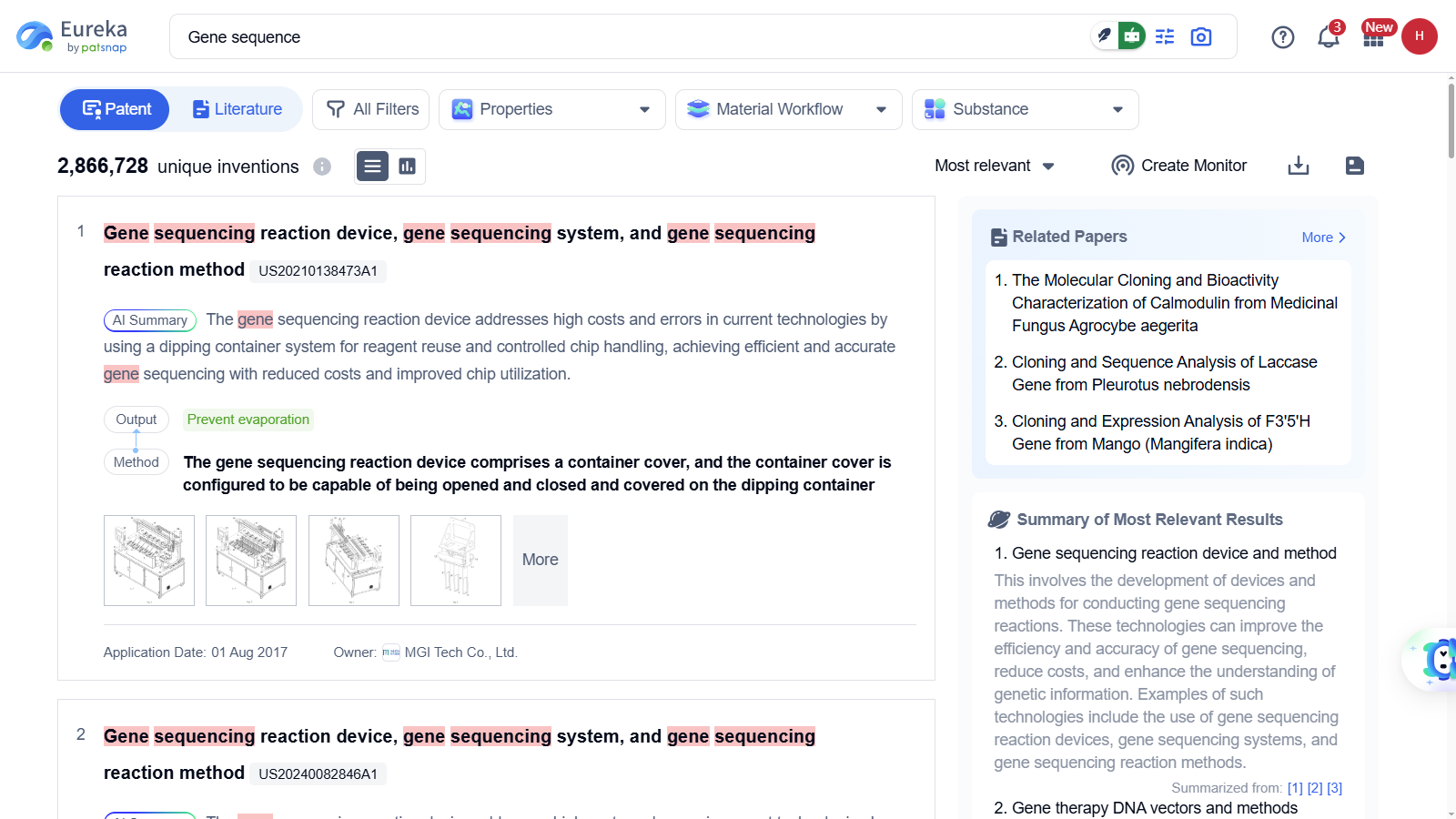
Step 4 – Explore the Results Page

Review patents, literature, and company information directly from the results list.​

AI-generated summaries, highlighted keywords, and structured metadata help you understand the content faster.

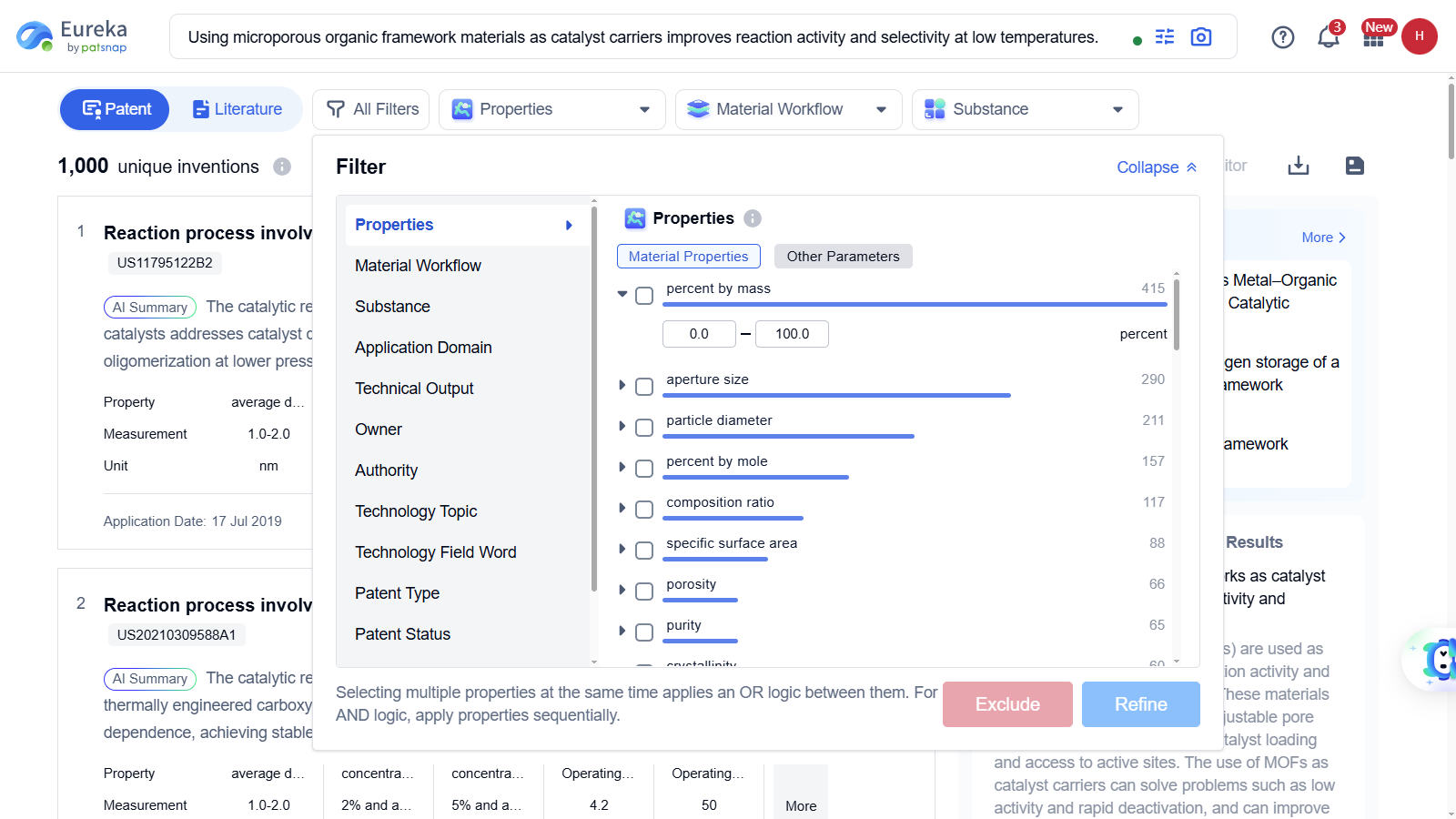
Step 5 – Refine with Filters

Use “All Filters”, including Properties, Workflow, Substance, and more to narrow your results.​

Smart Search enables precise refinement through material parameters, technical outputs, and domain tags.

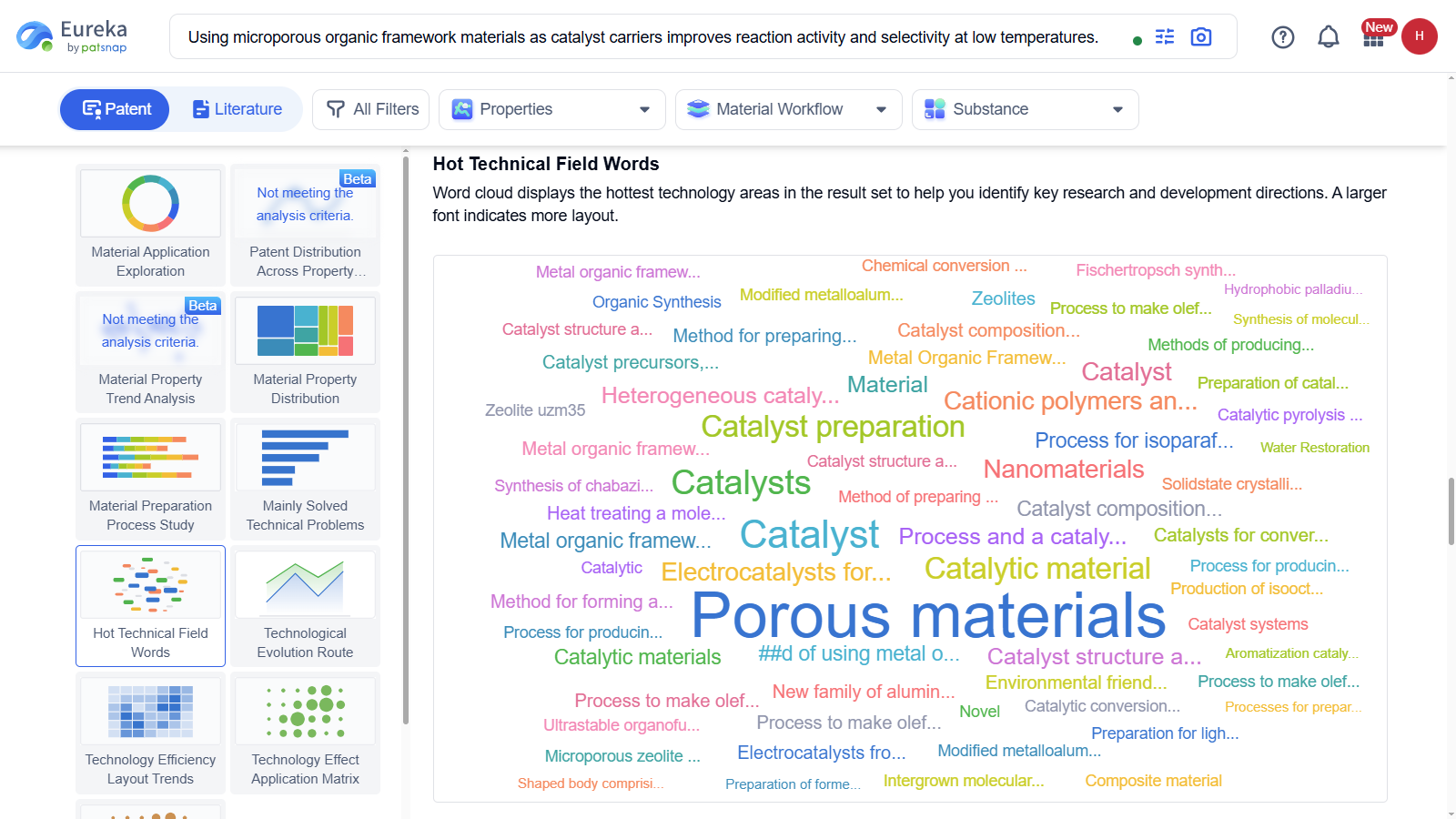
Step 6 – Analyze with Visualization Tools

Click on visualization features like “Hot Technical Field Words”, “Patent Distribution”, or “Trend Analysis”.​

These tools help you uncover innovation hotspots and track technology evolution visually.

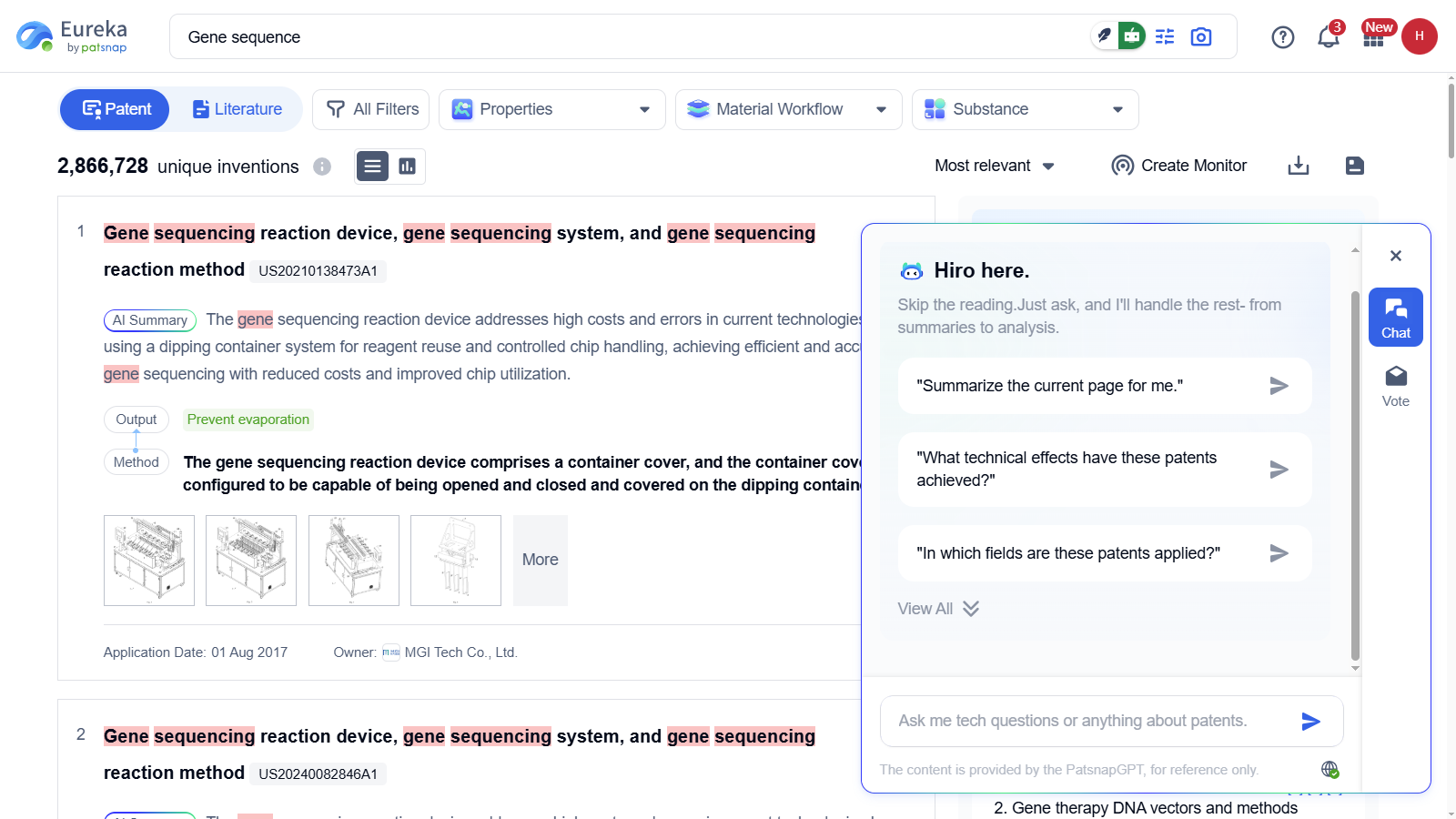
Step 7 – Interact with AI Assistant Hiro

Activate Hiro on the results page to ask questions like “Summarize this page” or “What technical effects do these patents cover?”​

Hiro boosts your research efficiency by offering real-time, contextual insights without manual reading.

TESTIMONIALS

What Our Clients Say About Us

Patsnap Eureka AI Agent consistently delivers insights that help our clients solve problems faster, innovate smarter, and stay ahead of the curve.

Why Choose Patsnap Eureka AI Agent?

11

RAG Optimization

Maximizing Optimization of General Large Model Hallucinations

22

High-quality Vertical Data & Data Governance

Power search, drafting, discovery, and assessment.

33

Deep integration of R&D innovation methodologies

AI outputs linked to verified sources.

Eureka AI Agents built for the complexity of IP and R&D. Automate labor-intensive workflows, freeing experts to focus on high-impact decisions and innovation. Smart Enough for Scientists. Secure Enough for Enterprises.

Sign up for free: Eureka AI Agent. You can find guide to each agent in this page, and try it according to your requirements.

With 3 major capacities:

1. Maximizing Optimization of General Large Model Hallucinations
2. High-quality Vertical Data and Data Governance
3. Deep integration of R&D innovation methodologies

FAQ

Frequently Asked Questions

Everything you want to know about Patsnap Eureka AI Agent Platform. Feel free to contact us if you have any questions: help@patsnap.com.

Better Answers, Faster Decisions

Harness the power of Eureka AI Agent to unlock deep insights, accelerate innovation, and elevate your R&D strategy.