


Introduction: HDMI vs DisplayPort
HDMI (High-Definition Multimedia Interface) and DisplayPort are two popular digital interface standards for transmitting audio and video signals. While both serve similar functions, HDMI vs. DisplayPort have key differences in technology, application, and performance. In this article, we’ll explore these differences and help you decide which is the best choice for your needs.
What is HDMI?
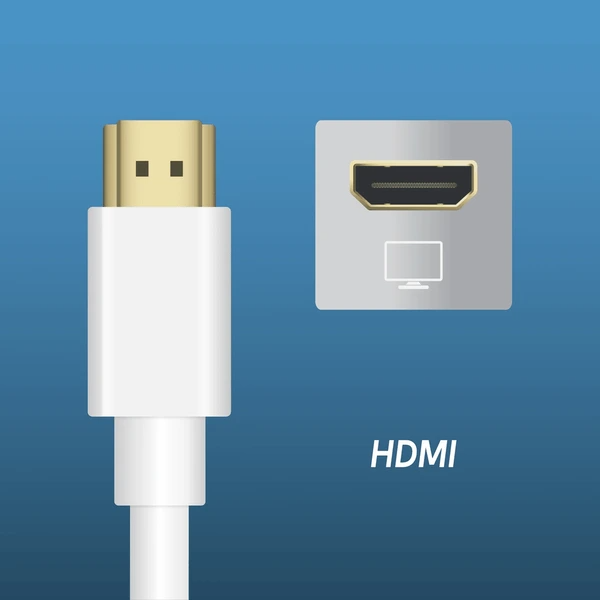
HDMI (High-Definition Multimedia Interface) is a digital standard for transmitting audio and video between devices like computers, gaming consoles, and TVs. It replaced older analog standards such as SCART and RCA. HDMI offers a compact, efficient solution for transferring uncompressed digital signals over a single cable. This technology ensures high-quality audio and video with minimal setup.
What is DisplayPort?
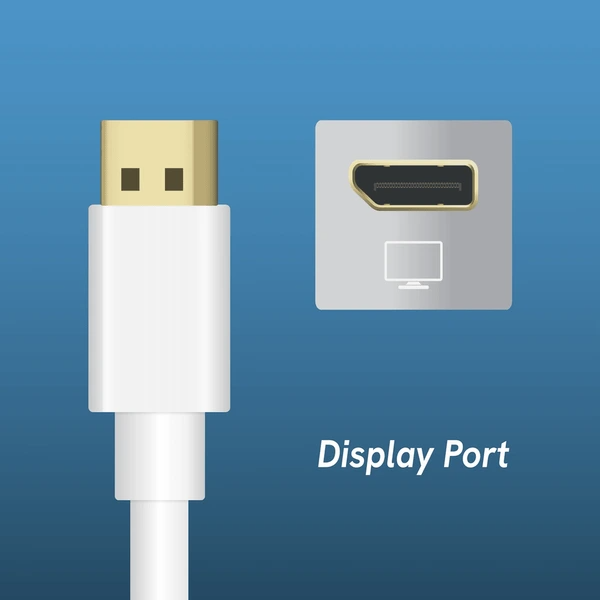
DisplayPort is a digital display standard developed by the Video Electronics Standards Association (VESA). It replaced older standards like VGA and DVI. Introduced in May 2006, DisplayPort offers several advantages over these legacy interfaces. For instance, it supports higher resolutions and refresh rates, making it ideal for modern displays.
Key Differences Between HDMI and DisplayPort
Design Purpose
HDMI is designed primarily for consumer electronics like TVs, Blu-ray players, and gaming consoles. It is popular in home entertainment systems.
In contrast, DisplayPort is designed for computers and IT environments. It is commonly used to connect computers to monitors, especially in professional and gaming setups.
Signal Transmission
HDMI uses a serial data stream with a 10× pixel clock rate. It operates with a direct current (DC) transmission voltage range of 1000 mV-1200 mV.
DisplayPort, on the other hand, uses a micro packet transmission protocol. This allows for future feature additions and operates with an alternating current (AC) voltage range of 400 mV-1200 mV.
Audio and Video Capabilities
HDMI supports multiple audio channels, such as 5.1 surround sound. It also features advanced technologies like Dolby TrueHD and DTS-HD Master Audio.
DisplayPort supports multiple independent video streams (MST), allowing daisy chaining for multiple monitors. It also supports 3D video and higher refresh rates, along with HDCP content protection.
Bandwidth and Resolution
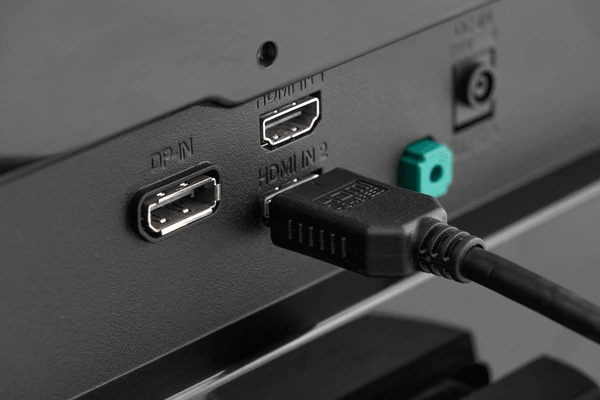
HDMI 1.3 offers a bandwidth of 10.2 Gbps, supporting 4K resolution at 60 Hz.
DisplayPort 1.2 has a bandwidth of 17.28 Gbps, supporting 4K at 60 Hz and 5K at 30 Hz. DisplayPort 1.3 increases bandwidth to 32.4 Gbps, supporting 8K at 30 Hz.
Compatibility and Interoperability
HDMI is backward compatible with DVI, making it easy to use with DVI devices using an adapter.
DisplayPort can connect to VGA and DVI devices with adapters. However, it requires conversion to work with HDMI devices.
Usage Scenarios
HDMI is widely used in consumer electronics, home theaters and gaming consoles.
DisplayPort is primarily used in computers, monitors, and professional displays for higher performance.
Cost and Complexity
HDMI is more cost-effective and commonly used in consumer electronics.
DisplayPort, while versatile and feature-rich for professional setups, is generally more complex and expensive.
Best Choices for Gaming, Video Production, and General Use
For Gaming
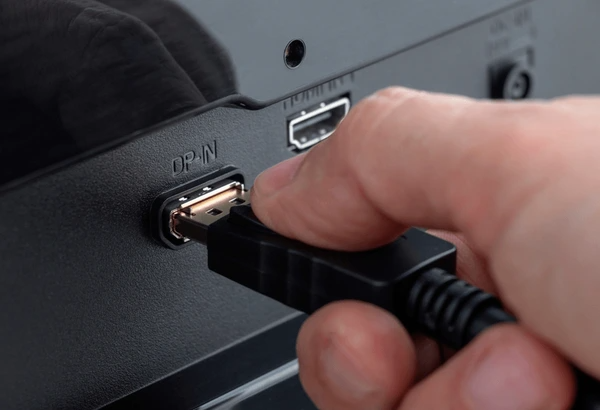
DisplayPort is often the top choice for gaming due to its higher bandwidth. It allows smoother gameplay at higher resolutions and refresh rates. For example, it supports 144Hz and 240Hz refresh rates at 1440p and 4K, perfect for competitive gamers. The low latency and fast frame rates are crucial for serious gaming.
While HDMI is commonly found on gaming consoles and TVs, it also supports high refresh rates. HDMI 2.1 allows 120Hz at 4K, making it suitable for most gaming setups. However, for PC gamers seeking extreme performance and advanced features like G-Sync or FreeSync, DisplayPort remains the better choice.
For Video Production
For video production, DisplayPort is the better option, especially when using multiple monitors or requiring high color accuracy. DisplayPort 1.4 supports 8K at 60Hz and 4K at 120Hz, making it ideal for professionals working with high-definition content. Video editors, designers, and animators will appreciate the high bandwidth and performance.
HDMI is still widely used in video production, mainly for connecting to TVs or projectors. HDMI 2.0 and 2.1 offer 4K support at 60Hz and higher, which is suitable for many tasks. However, DisplayPort’s superior bandwidth and features make it the preferred choice for demanding video production workflows.
For General Use
HDMI is typically the best option for everyday use, including connecting to TVs, laptops, and basic monitors. It’s more common and works well for streaming video and office tasks. HDMI 2.1 supports 4K at 120Hz or 8K at 60Hz, which is more than enough for most users.
DisplayPort is a better choice for high-performance setups, especially with multiple monitors or gaming/workstation configurations. It offers higher bandwidth and better display capabilities, but it may not be as widely compatible as HDMI for everyday tasks.
FAQ
Can HDMI and DisplayPort be used interchangeably?
No, they are not directly interchangeable, but adapters can be used to convert between the two in some cases.
Does HDMI support 144Hz at 1080p?
Yes, HDMI supports 144Hz at 1080p, particularly with HDMI 2.0 or higher.
Which one has lower latency, HDMI or DisplayPort?
DisplayPort typically has lower latency, making it the better option for competitive gaming and high-performance applications.
Can I use DisplayPort to HDMI adapters for my TV?
Yes, you can use DisplayPort to HDMI adapters, but the performance may vary depending on the device and adapter quality.
To get detailed scientific explanations of HDMI vs. DisplayPort, try Patsnap Eureka.
