


What Is a Head-Up Display?
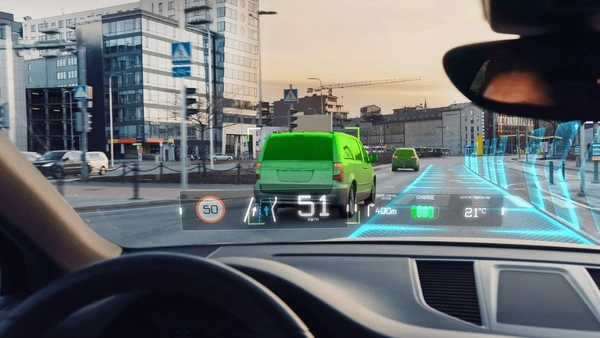
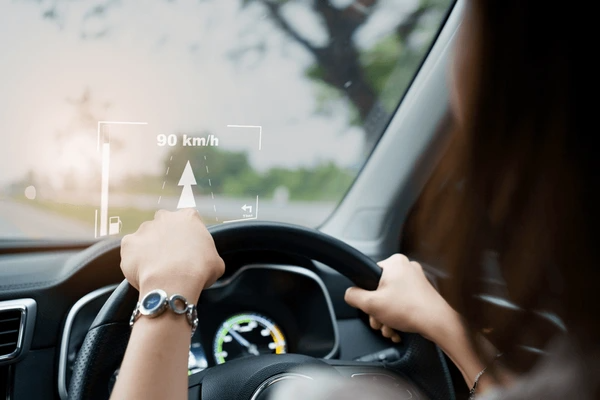
Head-up displays (HUD) are an innovative technology that projects essential driving information onto a transparent surface, often the vehicle’s windshield. This display allows drivers to access key details like speed, navigation, and safety alerts without diverting their eyes from the road. By minimizing distractions, HUDs significantly enhance driving safety and reduce accident risks.
HUDs operate using optical components that reflect critical data into the driver’s line of sight. The virtual image created appears to float ahead, seamlessly integrating with the driving environment. This combination of convenience and safety makes HUDs an increasingly popular feature in modern vehicles.
Key Features of Modern Head-Up Displays
Augmented Reality (AR) Integration
HUDs now incorporate augmented reality, blending real-world views with digital overlays. This enhances situational awareness by projecting virtual images that appear to float above the windshield, enabling drivers to see both the display and the external environment simultaneously.
Advanced Optical Design
Modern HUDs employ optical components like light guides, prisms, and lenses to refine and expand the display light. Waveguides, for example, enhance visibility and clarity by expanding the exit pupil in multiple directions, ensuring the information is crisp and easy to view.
Image Generation and Projection
HUDs use image generators and projection systems to create and display virtual images. Technologies such as laser projection and micro-projection ensure high-resolution visuals, offering drivers a clear and detailed view of critical information.
Symbology and Information Display
These displays provide essential data, including vehicle speed, navigation directions, and flight information. The symbology is carefully designed with readable colors, intensity, and motion coding to communicate effectively without overwhelming the driver.
Stereoscopic and 3D Displays
Advanced HUDs incorporate stereoscopic and 3D displays to add depth perception. This reduces screen clutter and enhances the driver’s ability to process and prioritize displayed information.
Driver-Friendly Design
HUDs focus on minimizing distraction with adjustable brightness and contrast settings. This ensures optimal visibility in different lighting conditions, whether during the day or night.
Integration with ADAS and Mobile Devices
Many HUDs now connect seamlessly with advanced driver-assistance systems (ADAS) and mobile devices. This integration delivers a unified display of critical data, enhancing both safety and convenience.
Cost and Manufacturing Innovations
To make HUDs more accessible, manufacturers are introducing cost-effective solutions. Innovations like LED light sources and rugate coatings improve display performance while reducing production costs.
Head-Up Display vs. Traditional Dashboards
Head-Up Display (HUD)
HUD projects critical information directly onto the windshield or a combiner, keeping it within the driver’s line of sight. It uses advanced display and projection systems to overlay data such as speed, navigation, and alerts onto the real-world view.
Traditional Dashboards
These physical panels display information through gauges, dials, and screens, positioned in the center of the dashboard. Drivers need to look down or away from the road to access this information.
Advantages of HUDs
- Enhanced Safety
HUDs reduce the need for drivers to divert their eyes from the road, improving reaction times and lowering accident risks. - Improved Driver Experience
The integration of augmented reality (AR) features provides an immersive driving experience by projecting real-time data onto the windshield. - Reduced Distraction
Studies show HUDs can lower driver distraction by up to 45%, as drivers can access information without shifting their focus from the road.
Limitations of HUDs
- Technical Challenges
Creating HUD systems with a broad field of view and long virtual image distance adds complexity and raises production costs. - Higher Costs
HUD systems are more expensive and less common than traditional dashboards, limiting their availability across vehicle models.
Advantages of Traditional Dashboards
- Familiarity and Simplicity
Traditional dashboards are intuitive and straightforward, offering a design that most drivers find easy to navigate. - Cost-Effective Option
Manufacturing and maintaining traditional dashboards are more affordable compared to the advanced technology in HUD systems.
Limitations of Traditional Dashboards
- Compromised Safety
Drivers must look down to access information, which can increase reaction times and raise the risk of accidents. - Limited Information Capacity
Physical space constraints can lead to cluttered layouts, making it harder to display and read essential data clearly.
How HUDs Improve Driving Safety and Convenience
Enhanced Safety with Advanced Visual Information
- Reduced Eye Movements
HUDs project critical data, such as speed and navigation, directly onto the windshield. Drivers can keep their eyes on the road, minimizing distractions and reaction times. - Early Warning Systems
By displaying alerts for traffic signs, obstacles, and hazards, HUDs help drivers respond quickly to potential dangers, reducing accident risks. - Augmented Reality Integration
Modern HUDs incorporate AR to overlay virtual cues on real-world views, improving situational awareness and aiding in threat detection.
Convenient, Hands-Free Access to Information
- Navigation Made Easy
Real-time navigation is displayed directly on the windshield, eliminating the need to glance at a separate device. This keeps the driver focused on the road. - Multitasking Support
HUDs show various driving details simultaneously, enabling drivers to manage tasks like navigation and speed monitoring efficiently. - Customizable Displays
Advanced HUDs allow users to tailor what information appears, ensuring a clutter-free and easy-to-read display.
Technological Advancements in HUD Design
- Improved Visibility
Technologies like micromirror laser vector scanning deliver brighter, clearer visuals, ensuring the HUD remains visible in all lighting conditions. - Wider Viewing Angles
New designs offer broader fields of view, so drivers can access more data without shifting their focus. - Compact and Affordable
Smaller, cost-effective HUD systems are becoming more common, making them accessible to a broader range of vehicles and drivers.
Applications of Head-Up Displays
Automotive Applications
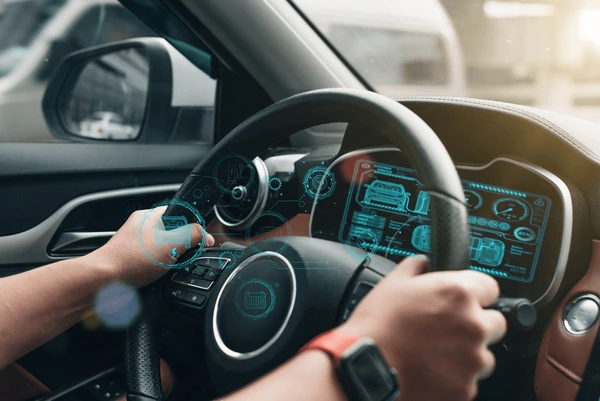
HUDs in vehicles display essential information, such as speed, navigation, and engine RPM, directly in the driver’s line of sight. This minimizes the need to look away from the road, enhancing overall safety. Advanced optical systems, including long focal length optics and bright LCDs, ensure clear visibility. Recent innovations, like electronic paper displays, aim to increase brightness while reducing energy consumption.
Medical Applications
In healthcare, HUDs improve patient care by offering real-time information during procedures. For example, MRI-specific HUDs provide guidance to help patients stay calm. Augmented reality-enhanced HUDs play a pivotal role in complex medical operations by delivering hyper-realistic visual aids, ensuring precision and efficiency.
Aviation and Aerospace
HUDs are a cornerstone of modern aviation, presenting critical flight data like navigation and guidance directly in pilots’ views. These systems improve situational awareness but require careful design to manage attention and workload. Optical waveguides in HUDs address installation challenges in cockpits, ensuring user-friendly and effective displays.
Intelligent Vehicles and ADAS
In intelligent vehicles, HUDs integrated with advanced driver-assistance systems (ADAS) display information from devices and vehicle systems. They enhance the driving experience by presenting critical data without causing distractions. Managing large volumes of information safely is a key focus of HUD development in this sector.
Wearable and Augmented Reality Devices
HUD technology is widely used in wearable and AR devices to deliver information directly within the user’s field of view. These systems improve user experience across applications by providing accessible and real-time guidance, making them invaluable for personal and professional use.
System Design and Development
Designing HUD systems involves advanced simulators to test performance and user interaction under various conditions. These simulators generate signals for reliable operation. Recent advancements include miniaturized HUDs with flexible sensor interfaces, tailored for automotive and other practical applications.
Innovations in Head-Up Display Systems
Enhanced Display Technology
- Improved Optical Design
Innovative wave-guiding optical designs have significantly improved HUD systems by reducing size, weight, and volume. Despite their compactness, these systems maintain or enhance optical performance, making them more efficient and practical. - Augmented Reality Integration
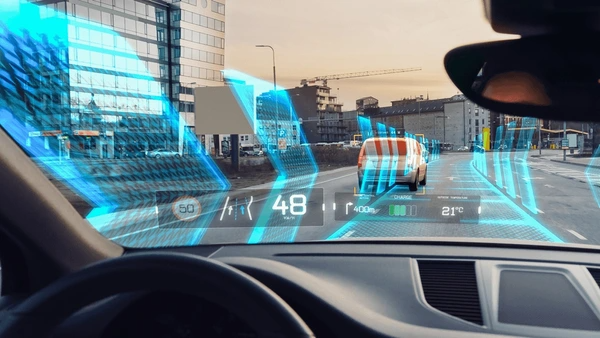
Augmented Reality (AR) HUDs project vital information directly onto the windshield, offering a more immersive experience. This integration enhances safety by providing drivers with real-time augmented visuals, ensuring seamless navigation and hazard awareness.
Safety and Driver Assistance
- Reduced Distraction
HUDs minimize distractions by presenting critical information within the driver’s line of sight. Features like lane-side alerts and blind-spot warnings help drivers respond quickly, enhancing overall safety. - ADAS Integration
HUDs increasingly incorporate data from Advanced Driver Assistance Systems (ADAS). This integration promotes better coordination and reduces accident risks, particularly benefiting senior drivers with enhanced situational awareness.
System Efficiency and Cost-Effectiveness
- Efficient Content Display
Modern HUDs focus on displaying prioritized information efficiently, using selectively controlled light sources. This approach reduces power consumption and limits heat generation, contributing to system longevity. - Cost-Effective Manufacturing
Advancements in manufacturing have made HUD systems more affordable by utilizing readily available materials. These designs still meet stringent automotive performance and safety standards, ensuring reliability at lower costs.
Application and Development Trends
- Automotive and Medical Applications
HUDs are finding applications beyond vehicles, including the medical field. For instance, in magnetic resonance imaging (MRI), HUDs help reduce patient anxiety by displaying calming and instructive visuals during procedures. - Next-Generation Vehicle Integration
In next-gen vehicles, HUDs are key to intelligent smart monitor systems. They provide essential driving information while seamlessly integrating with other vehicle technologies to enhance safety and functionality.
To get detailed scientific explanations of methyl calcium nitride, try Patsnap Eureka.
