


What Is an SSID?
A Service Set Identifier (SSID) is a unique 32-character alphanumeric name that identifies a specific wireless local area network (WLAN) or extended service set (ESS). It serves as a password when a wireless device attempts to connect to a basic service set (BSS), which is a set of wireless devices communicating directly with each other. Multiple BSSs can be joined together to form an ESS, all using the same SSID.
How Does an SSID Work?
Access points (APs) broadcast beacon frames containing the SSID several times per second, allowing wireless devices to discover and connect to the corresponding WLAN. Devices can passively listen for beacons or actively send probe frames to search for APs with the desired SSID. Once a device locates an AP with the correct SSID, it sends an association request containing the SSID, and the AP responds with an association response, also including the SSID. This process ensures that devices only connect to the intended WLAN.
Where to Find Your SSID
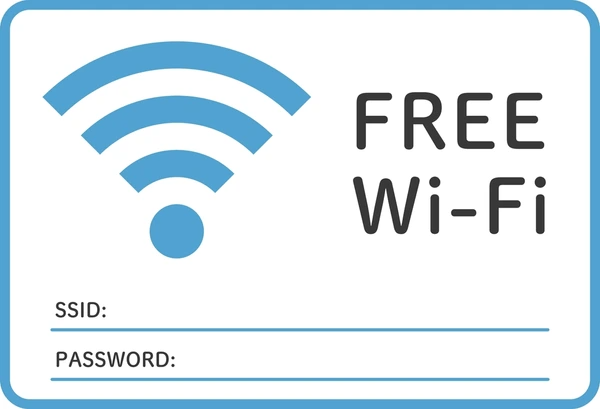
The SSID is typically visible when searching for available Wi-Fi networks on a device. It is the name assigned to the wireless network by the network administrator or owner.
How to Change Your SSID
To change the SSID, you need to access the configuration settings of your wireless router or access point. The process varies depending on the device but typically involves logging into the router’s web-based interface and modifying the SSID field. It’s important to ensure that all devices connecting to the network use the new SSID after the change.
Best Practices for Choosing an SSID
Naming Conventions
- Avoid using default SSIDs like “linksys” or “dlink” as they are easily guessable
- Use a unique, non-descriptive name that doesn’t reveal sensitive information.
- Consider using separate SSIDs for different user groups (e.g. staff, guests).
Broadcasting
- Disable SSID broadcasting to hide the network name and prevent casual snooping.
- Clients will still be able to connect by manually entering the SSID
- Disabling broadcasting slightly improves security but is not a substitute for encryption
Security
- Use strong encryption like WPA2 with AES rather than obsolete WEP
- Change the default admin password to prevent unauthorized SSID changes
- Implement MAC filtering to only allow approved devices to connect
Management
- Limit the number of SSIDs to reduce overhead and interference
- Periodically change SSIDs to invalidate any leaked credentials
- Monitor SSID usage and disable any unused/legacy SSIDs
Why Is Securing Your SSID Important?
Securing the SSID is crucial for network security, as an unsecured SSID can allow unauthorized access, potentially leading to data interception, privacy breaches, and other malicious activities. Common security measures include using strong encryption (e.g., WPA2 or WPA3) and avoiding broadcasting the SSID, which can help prevent unauthorized devices from detecting and attempting to connect to the network.
Common Issues with SSIDs
- Multiple SSIDs for Different Services
- Network providers often broadcast multiple SSIDs to offer different services (e.g., free vs. paid)
- This can cause confusion for customers and dilute the brand identity
- Switching between services requires disconnecting and reconnecting, which is inconvenient
- SSID Conflicts and Ambiguity
- If multiple devices in the same area use the same SSID, it becomes difficult to determine which network to connect to
- This can happen when common SSIDs are used for a model, manufacturer, time period, or location
- Changing the SSID breaks the connection to the previous network, causing usability issues
- Security Concerns
- Broadcasting multiple SSIDs can consume resources and degrade performance
- Easily guessable or common SSIDs can compromise network security
Applications of SSIDs
Traditional SSID Applications
SSIDs are primarily used to identify and allow devices to connect to a wireless local area network (WLAN) through an access point (AP). Each AP can broadcast multiple SSIDs, enabling virtual separation of networks for security and management purposes.
Authentication and Access Control
SSIDs can be configured with different authentication schemes like WPA-PSK, WPA Enterprise, or WEP. This allows network administrators to control access and encryption levels for different user groups or applications by assigning separate SSIDs.
Network Segmentation
By using multiple SSIDs, a single AP can effectively create multiple logical LANs, separating devices and traffic based on the SSID they connect through. This segmentation improves security, bandwidth management, and quality of service (QoS) for different applications or user groups.
Wireless Network Advertising
Network administrators often use SSIDs as advertising messages to identify the purpose or location of a wireless network. For example, SSIDs like “Guest_WiFi” or “Corporate_Network” can help users distinguish different networks.
Failover and Redundancy
Some advanced wireless solutions leverage multiple SSIDs to provide failover and redundancy mechanisms. If the primary SSID’s authentication server goes down, the AP can automatically advertise a backup SSID with local authentication, ensuring uninterrupted wireless access.
Location-Based Services
SSIDs can be used to determine the approximate location of a wireless device, enabling location-based services or context-aware applications. For instance, different SSIDs could be assigned to different areas of a building or campus.
Latest Technical Innovations in SSIDs
- Wireless Mesh Networks: Advancements in mesh networking technologies allow for more flexible and scalable SSID implementations, enabling seamless roaming across multiple access points.
- Software-Defined Networking (SDN): SDN principles can be applied to WLAN management, allowing for centralized control and dynamic SSID configuration based on network conditions and user requirements.
- Artificial Intelligence (AI) and Machine Learning (ML): AI and ML techniques can be employed for intelligent SSID management, such as predictive SSID allocation, anomaly detection, and optimization of SSID-based network resources.
FAQs
- What does SSID stand for in Wi-Fi?
SSID stands for Service Set Identifier, which is the name of a wireless network. - How can I hide my SSID?
Access your router’s admin panel and disable SSID broadcasting. Note that devices will require manual configuration to connect. - Can I connect to a network without knowing its SSID?
Yes, but you need to manually input the SSID and password in your device’s network settings. - What happens if two networks have the same SSID?
Devices may confuse the networks, leading to connection issues. Using unique names prevents this problem. - How do I reset my SSID to default?
Log in to your router’s settings and restore factory defaults or manually change the SSID to match the default name.
To get detailed scientific explanations of SSID, try Patsnap Eureka.
