

Information processing apparatus and information display method
a technology of information processing and information display, which is applied in the field of information processing apparatus and information display method, can solve the problems of difficult for users to find a desired application among the applications installed by other users, and achieve the effect of easy finding an application
- Summary
- Abstract
- Description
- Claims
- Application Information
AI Technical Summary
Benefits of technology
Problems solved by technology
Method used
Image



Examples
first embodiment
System Configuration
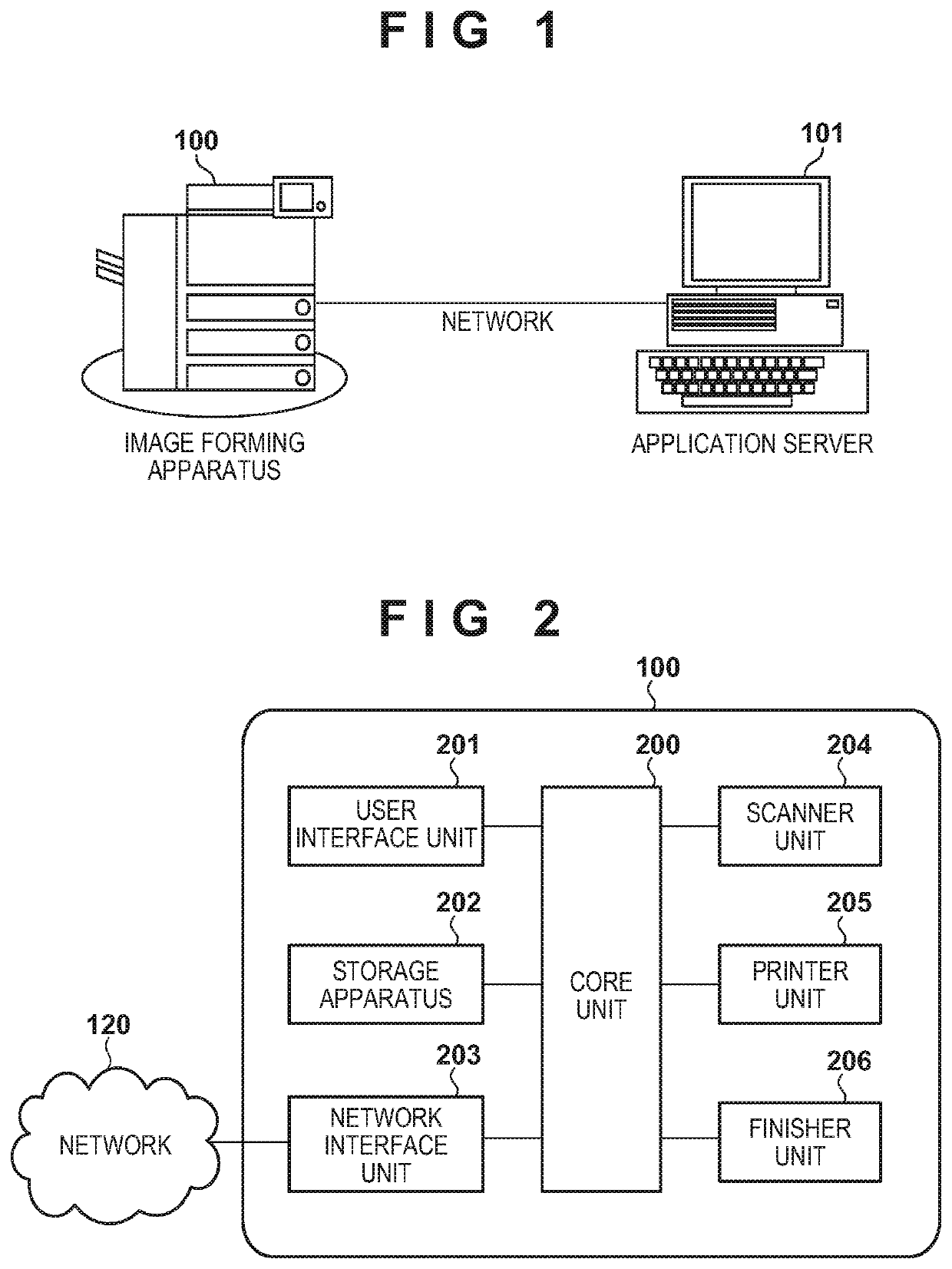
[0029]FIG. 1 is a diagram of a system configuration of a first embodiment of the present invention. An image forming apparatus 100 is a multi-functional copier (MFP) that implements an invention according to this embodiment, and is an example of an information processing apparatus that executes an information display method. The image forming apparatus 100 has a function for installing an extension application, and can download a desired extension application from an application server 101 and execute the extension application so as to dynamically add a function. The application server 101 is a server for managing an extension application that operates on the image forming apparatus 100. The application server 101 accepts a request from the image forming apparatus 100 via a network, and transmits a list of the latest versions of extension applications compatible with the image forming apparatus 100 that made the request and a file of an extension application.
[003...
second embodiment
[0053]The first embodiment is an example of the case where an application that is frequently used by a log-in user is highlight-displayed so as to be conspicuous. In a second embodiment, an example of a method for making it easy for a log-in user to identify the icon of an application that is frequently used by the log-in user by inconspicuously displaying an application other than the application that is frequently used by the log-in user will be described. FIGS. 1 to 7 and 9 are the same as those in the first embodiment, and thus description thereof is omitted.
[0054]FIGS. 10A and 10B show examples of a main menu screen in the second embodiment. FIG. 10A shows an example in which the icon of an application other than an application that is frequently used by a log-in user is displayed inconspicuously by reducing the size of the icon. FIG. 10B shows an example in which the icon of an application other than an application that is frequently used by a log-in user is displayed inconspi...
third embodiment
[0061]In the first and second embodiments, a method for displaying an icon is fixed due to the system, and it is conceivable that some users feel it difficult to identify an application. In a third embodiment, an example of a case will be described in which a method for displaying icons can be set for each user, and a user can select a display method by which it is easy for the user to view the screen. Note that most of the configuration is the same as the first embodiment and second embodiments, and thus only differences will be described.
[0062]FIG. 12 is an example of a display setting screen that is displayed when a setting button on a main menu screen in the third embodiment is pressed. The setting screen of this embodiment resembles the setting screens of the first or second embodiments, but further has a UI for setting a method for displaying icons of applications that are not frequently used. Radio buttons 1201 are buttons for selecting a method for displaying icons of applic...
PUM
 Login to View More
 Abstract
Description
Claims
Application Information
 Login to View More