


Introduction: SFTP vs FTPS – What’s the Difference?
When comparing SFTP vs FTPS, the key distinction lies in how they encrypt and transfer data. SFTP, built on SSH, offers robust security and simplicity, while FTPS adds SSL/TLS to traditional FTP for encrypted file transfers. Choosing the right protocol depends on your system and security needs.
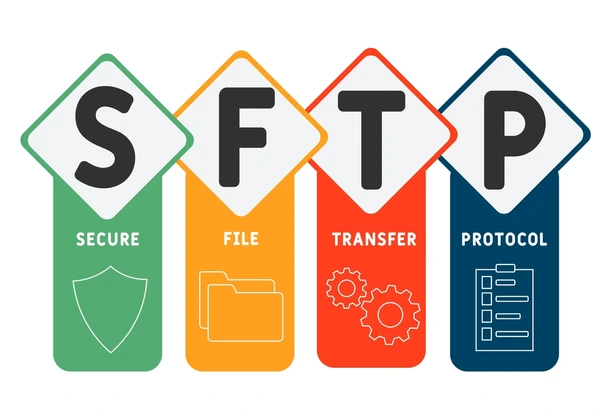
What Is SFTP?
SFTP is a secure file transfer protocol that provides encryption and authentication for file transfers over a network. It operates over an encrypted SSH (Secure Shell) connection, ensuring data confidentiality and integrity during transmission. Key features of SFTP include:
- Secure Data Transfer: SFTP encrypts all data transfers using strong encryption algorithms, such as AES or Blowfish, preventing unauthorized access and eavesdropping.
- Authentication and Access Control: SFTP requires authentication through SSH, typically using username/password or public-key authentication. Access controls can be implemented to restrict file and directory access based on user permissions.
- Efficient File Transfer: While prioritizing security, SFTP still offers efficient file transfer capabilities, including resuming interrupted transfers, directory listing, and remote file management.
What Is FTPS?
FTPS (FTP over SSL/TLS)
FTPS, or FTP over SSL/TLS, is an extension of the standard FTP protocol that adds a layer of security through the use of SSL/TLS encryption. It provides two modes of operation:
- Implicit FTPS: In this mode, the entire FTP session, including the control and data channels, is encrypted from the start. It typically operates on port 990.
- Explicit FTPS: In this mode, the client initiates an unencrypted FTP connection and then negotiates an SSL/TLS session for secure data transfer. The control channel is encrypted, while the data channel can be encrypted or unencrypted.
Key Differences Between SFTP and FTPS
Encryption and Security Protocols
- SFTP uses the SSH (Secure Shell) protocol for encryption and authentication, while FTPS uses the SSL/TLS (Secure Sockets Layer/Transport Layer Security) protocol.
- SFTP typically operates on port 22, while FTPS can operate on ports 21 (for explicit mode) or 990 (for implicit mode).
- SFTP provides stronger encryption and authentication methods, as it leverages the robust security features of SSH, including public-key authentication and secure key exchange algorithms.
Authentication and User Management
- SFTP relies on the user authentication mechanisms provided by SSH, such as password-based or public-key authentication.
- FTPS can use various authentication methods, including username/password, client certificates, or a combination of both.
- SFTP user management is typically handled through the underlying SSH server configuration, while FTPS user management can be integrated with existing user directories or databases.
Performance and Efficiency
- SFTP generally has lower overhead and better performance compared to FTPS, as it does not require the additional overhead of SSL/TLS handshakes and encryption/decryption operations.
- FTPS may have higher latency and lower throughput due to the additional overhead of SSL/TLS, especially for large file transfers or high-latency networks.
Compatibility and Adoption
- SFTP is widely supported across various operating systems and platforms, as SSH is a standard protocol and widely adopted.
- FTPS has broader compatibility with legacy FTP clients and servers, as it is an extension of the traditional FTP protocol.
- SFTP is often preferred in environments where SSH is already in use or where stronger security is required, while FTPS may be preferred in environments where SSL/TLS is already deployed or where compatibility with existing FTP infrastructure is a priority.
Advantages of SFTP and FTPS
SFTP (SSH File Transfer Protocol)
- Robust Security: SFTP leverages the robust security of the SSH protocol, providing strong encryption and authentication mechanisms. It supports various authentication methods, including passwords, public-key authentication, and multi-factor authentication, offering enhanced security compared to traditional FTP.
- Single Encrypted Connection: Unlike FTPS, which requires multiple connections for control and data channels, SFTP uses a single encrypted connection for both control and data transfer. This simplifies firewall configurations and reduces potential security vulnerabilities.
- Consistent Security: All communication in SFTP is encrypted, ensuring consistent security throughout the file transfer process. FTPS, on the other hand, can switch between secure and insecure modes, potentially introducing vulnerabilities.
- Broader Compatibility: SFTP is widely supported across various platforms and operating systems, making it a more versatile choice for secure file transfers in heterogeneous environments.
FTPS (FTP over SSL/TLS)
- Leverages Existing FTP Infrastructure: FTPS extends the widely adopted FTP protocol by adding a secure layer using SSL/TLS encryption. This allows organizations to leverage their existing FTP infrastructure while enhancing security.
- Separate Control and Data Channels: FTPS maintains separate control and data channels, similar to traditional FTP. This can be advantageous in certain scenarios where granular control over data and control flows is required.
- Compatibility with Legacy Systems: FTPS can be a suitable choice for organizations with legacy systems or applications that rely on the FTP protocol but require secure file transfers.
SFTP vs FTPS: Which Should You Use?
The choice between SFTP and FTPS may depend on the specific use case and requirements:
- SFTP is often preferred in environments where SSH is already widely used or where high-performance file transfers are critical, such as in data centers or high-performance computing environments.
- FTPS may be a better choice in scenarios where compatibility with a wide range of systems and platforms is essential, or where SSL/TLS is already widely deployed and supported.
FAQs
- What is more secure: SFTP or FTPS?
SFTP is generally more secure due to its SSH-based encryption and simpler configuration. - Can SFTP and FTPS be used interchangeably?
No, they use different protocols and encryption methods, making them incompatible without a gateway or middleware. - Why does FTPS require multiple ports?
FTPS uses separate ports for control and data channels, which can complicate firewall configurations. - Does SFTP need SSL certificates?
No, SFTP relies on SSH for encryption and uses SSH keys or passwords for authentication. - Which protocol is better for modern systems?
SFTP is better for modern systems due to its simplicity, strong security, and compatibility with current infrastructure.
To get detailed scientific explanations of SFTP vs. FTTPs, try Patsnap Eureka.
