


Introduction: DVI vs VGA – What’s the Difference?
When comparing DVI vs VGA, the difference comes down to signal type and video quality. VGA, an older analog standard, is suitable for legacy devices, while DVI, with its support for digital signals, offers sharper and clearer visuals. Choosing the right one depends on your device and display requirements.
What Is VGA?
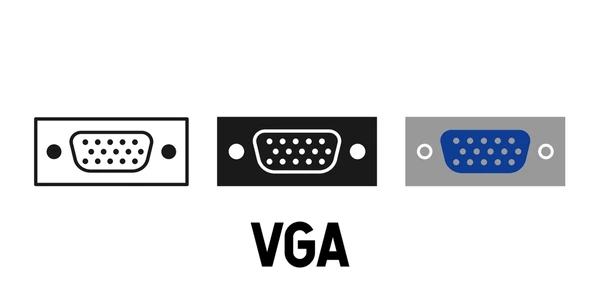
Video Graphics Array (VGA) is a graphics display system for personal computers (PCs), introduced by IBM in 1987. It provides a resolution of 720 by 400 pixels in text mode and a choice of resolutions in graphics mode (e.g., 640 by 480 by 16 colors, 320 by 200 by 256 colors). VGA employs analog signals, not digital signals, and has become one of the de facto standards for PCs.
What Is DVI?
Digital Visual Interface (DVI) is a transmission standard established by the Digital Display Working Group (DDWG), a consortium created by leaders in the computer industry. DVI is used to digitally connect a personal computer (PC) to a flat monitor, enabling the digital data created from the PC to be digitally transmitted directly to the display device through a cable without compression. In the DVI standard, digital broadcast signals are transmitted in a single direction.
Key Differences Between DVI and VGA
Signal Type
VGA (Video Graphics Array) is an analog interface that transmits analog video signals, while DVI (Digital Visual Interface) is a digital interface that transmits uncompressed digital video signals. 16 DVI eliminates the need for digital-to-analog conversion, resulting in higher image quality and reduced signal degradation.
Video and Audio Support
VGA only supports video transmission, whereas DVI supports video transmission only in its DVI-D (Digital) variant. The DVI-I (Integrated) variant can transmit both analog and digital video signals, but neither variant supports audio transmission.
Bandwidth and Resolution
DVI has a higher bandwidth capacity compared to VGA, allowing for higher resolutions and refresh rates. DVI can support resolutions up to 2560 x 1600 pixels, while VGA is limited to a maximum resolution of 2048 x 1536 pixels.
Connector Design
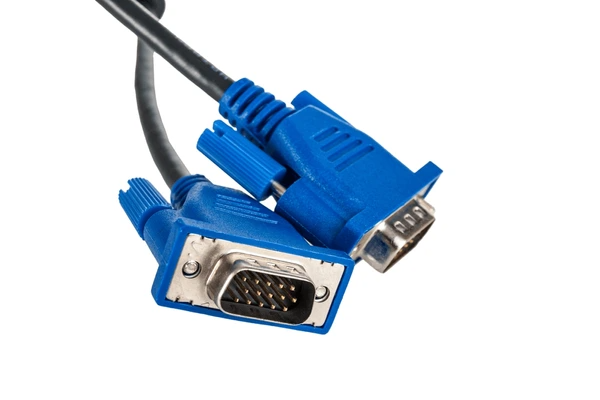
VGA uses a 15-pin D-subminiature connector, while DVI uses a more compact and flat connector design. DVI connectors come in various types, such as DVI-D (single link or dual link) and DVI-I (integrated analog and digital).
Content Protection
DVI supports High-Bandwidth Digital Content Protection (HDCP), which encrypts digital video content to prevent unauthorized copying, while VGA does not have built-in content protection mechanisms.
Cable Length and Quality
Due to the digital nature of DVI, it can transmit signals over longer cable lengths with less signal degradation compared to VGA. DVI also eliminates the need for manual gain adjustments, as the digital signal remains consistent throughout the transmission.
Advantages and Disadvantages of VGA and DVI
DVI Advantages
- Higher image quality and resolution support.
- Direct digital transmission without conversion, preserving signal integrity.
- Better compatibility with modern digital displays.
DVI Disadvantages:
- Limited compatibility with older analog displays and graphics hardware.
- Larger connector size compared to VGA.
- Lack of audio transmission capability (addressed by HDMI).
VGA Advantages:
- Widespread compatibility with legacy displays and graphics hardware.
- Smaller connector size and lower cost.
VGA Disadvantages:
- Lower image quality and resolution limitations.
- Signal degradation over longer cable lengths.
- Incompatibility with modern digital displays without conversion.
Conclusion: DVI vs VGA – Choosing the Right Connector
In the debate of DVI vs VGA, DVI stands out for modern displays with better quality and versatility. However, VGA remains a reliable choice for legacy hardware. Match your connector to your device’s age, resolution needs, and performance expectations.
FAQs
- Can DVI work with VGA devices?
Yes, with a DVI-to-VGA adapter, but the signal remains analog. - Which is better for gaming: DVI or VGA?
DVI is better for gaming due to higher resolutions and sharper image quality. - Why is VGA still in use?
VGA persists due to legacy hardware in offices, schools, and older projectors. - Does DVI support audio signals?
No, DVI is video-only. Use an HDMI adapter if audio is required. - How does cable length affect DVI and VGA performance?
VGA signals degrade significantly over long distances, while DVI performs better but is still affected.
To get detailed scientific explanations of DVI vs. VGA, try Patsnap Eureka.

Learn more
Multiplexor: Efficient Data Selector for Electronics
Understanding STP Cable: Shielded Twisted Pair Explained
Understanding Twisted Pair Cable: Basics, Benefits, and Uses
JFET 101: A Beginner’s Guide to Junction Field-Effect Transistors
HDMI vs. DisplayPort: Which is Best for Your Monitor?