


Introduction to OLED and LCD
When it comes to display technology, OLED vs. LCD dominate the market as two of the most popular choices. Both technologies power the screens of devices we use every day, from smartphones and TVs to monitors and digital signage.
OLED, or Organic Light-Emitting Diode, offers superior contrast, true blacks, and vibrant colors by using self-emissive pixels that generate their own light. In contrast, LCD, or Liquid Crystal Display, relies on a backlight to illuminate its pixels, delivering bright and consistent visuals that excel in well-lit environments.
This article explores the differences between OLED vs. LCD, highlighting their unique features, advantages, and ideal use cases to help you determine which technology suits your needs best.
How OLED Displays Work
Basic Principle
OLED (Organic Light-Emitting Diode) technology relies on organic materials that emit light when an electric current is applied. This unique self-emissive property eliminates the need for a backlight, allowing for thinner, more flexible displays.
Key Components of an OLED Display
- Organic Layers
OLEDs feature thin organic layers sandwiched between two electrodes:- Anode: Facilitates the flow of positive charges (holes).
- Cathode: Supplies electrons to the organic layer.
- Substrate
The substrate provides structural support and can be flexible or rigid, depending on the display type. - Encapsulation Layer
This layer protects the organic materials from moisture and oxygen, ensuring a longer lifespan.
How OLED Technology Functions
- Color Control
OLED displays use different organic materials to produce red, green, and blue light. Combining these colors creates vibrant, accurate images. - Light Emission
When voltage is applied, the anode and cathode inject positive holes and electrons into the organic layers. These charges recombine, creating excitons (electron-hole pairs). - Photon Release
As excitons return to their ground state, they release energy in the form of light. Each pixel emits its own light, enabling precise brightness and color control.

How LCD Displays Work
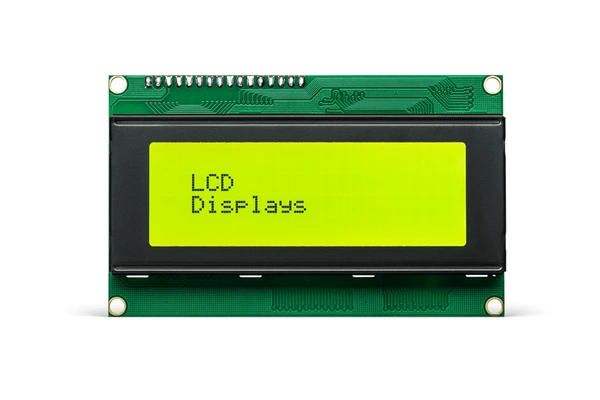
LCDs (Liquid Crystal Displays) rely on liquid crystals to control light passing through a pixel matrix. Instead of emitting light, the crystals modulate light from a backlight by aligning in response to an electric current.
Key Components of an LCD
- Polarizers
Polarizers are placed at the front and back of the screen to filter light waves. These filters allow only specific light orientations to pass through, enabling controlled brightness and contrast. - Liquid Crystal Layer
The liquid crystal layer lies between two glass plates. Electric fields align the liquid crystals, determining how much light passes through each pixel. - Backlight System
Most LCDs use a backlight as their light source. LED backlights are common for their efficiency and enhanced color reproduction compared to older CCFL systems.
How LCD Displays Function
- Light Modulation
When voltage is applied, the liquid crystals change alignment to either block or allow light through specific pixels. - Image Formation
By controlling the voltage across each pixel, the display can create bright or dark areas. Combining this effect across the screen produces detailed and vibrant images.
OLED vs. LCD: Key Differences
Working Principle
- OLED: OLED technology uses an organic compound that emits light when an electric current passes through it. Each pixel is self-emissive, meaning it can generate its own light. This allows OLED displays to produce true blacks by turning off individual pixels completely.
- LCD: LCD screens rely on a backlight to illuminate liquid crystals that block or allow light to pass through. This creates the image but prevents true blacks, as some light always leaks through, resulting in a grayish black.
Viewing Angle
- OLED: OLED displays provide wider viewing angles, maintaining consistent color and contrast even when viewed from the side.
- LCD: LCD screens often have narrower viewing angles, with noticeable color and contrast shifts when viewed off-center.
Response Time
- OLED: OLED displays typically offer faster response times, ensuring smooth playback of fast-moving scenes without motion blur.
- LCD: LCD panels usually have slower response times, which can lead to motion blur in fast-paced content, such as action scenes or gaming.
Power Consumption
- OLED: OLED panels consume less power, especially in darker scenes, since only active pixels require energy.
- LCD: LCD screens tend to use more power because the backlight remains on regardless of the displayed content.
Thickness and Flexibility
- OLED: OLED displays are thinner and more flexible, making them ideal for curved, foldable, and innovative screen designs.
- LCD: LCDs are generally thicker due to the backlight and liquid crystal layers, limiting their flexibility and design options.
Color Gamut and Contrast Ratio
- OLED: OLED screens deliver superior contrast ratios and a wider color gamut, resulting in vibrant, lifelike visuals.
- LCD: LCD panels can struggle with contrast and color accuracy, though advancements like quantum dots technology have improved these aspects.
Burn-In and Lifespan
- OLED: OLED screens are prone to burn-in, where static images can leave permanent marks. However, modern devices have reduced this risk.
- LCD: LCD panels generally have a longer lifespan and are less susceptible to burn-in, thanks to their different operational mechanisms.
Cost
- OLED: OLED displays are more expensive to produce, leading to higher prices for devices with this technology.
- LCD: LCD screens are more cost-effective to manufacture, making them a budget-friendly option for mass production.
Which Display Technology is Best for You?
When choosing between OLED vs. LCD, the right option depends on your specific needs and usage preferences. Both technologies offer distinct advantages that cater to different scenarios.
Choose OLED if:
- You value exceptional picture quality with vibrant colors and true blacks.
- A wide viewing angle is important for your setup, such as in a large room with multiple seating positions.
- You want a sleek, modern design with thin and flexible display options.
- You’re primarily watching movies or shows in dimly lit environments, where OLED’s self-emissive pixels shine.
Opt for LCD if:
- Affordability is a key factor, as LCD screens are generally more budget-friendly.
- You need a display for brightly lit rooms, where LCD backlights can counter glare effectively.
- Durability is a priority, especially for scenarios where the screen is used for static images, as LCDs are less prone to burn-in.
- Gaming or workstations are the focus, where response times are sufficient and cost efficiency matters.
FAQs
Which display has a longer lifespan, OLED or LCD?
LCD displays generally have a longer lifespan and are less prone to issues like burn-in compared to OLED screens.
Do OLED screens consume less power than LCD screens?
OLED screens can consume less power when displaying darker images, as individual pixels can be turned off. However, for bright images, power consumption may be similar or higher compared to LCDs.
Do OLED displays have better viewing angles than LCDs?
Yes, OLED displays generally maintain consistent color and contrast across wider viewing angles compared to LCDs.
Which display offers better color accuracy, OLED or LCD?
OLED displays typically provide more vivid colors and higher contrast ratios, resulting in better color accuracy. However, high-quality LCDs can also offer excellent color reproduction.
To get detailed scientific explanations of OLED vs. LCD, try Patsnap Eureka.
