


Introduction: What Is HDMI 2.0?
When it comes to high-quality video and audio, HDMI 2.0 remains a go-to standard for many modern devices. Launched in 2013, this version brought significant upgrades, including support for 4K resolution at 60Hz, HDR, and improved audio capabilities. Whether you’re setting up a home theater or gaming rig, HDMI 2.0 is designed to handle the demands of today’s entertainment systems without breaking the bank.
In this guide, we’ll explore its key features, how it stacks up against HDMI 2.1, and whether it’s still a relevant choice in 2024.
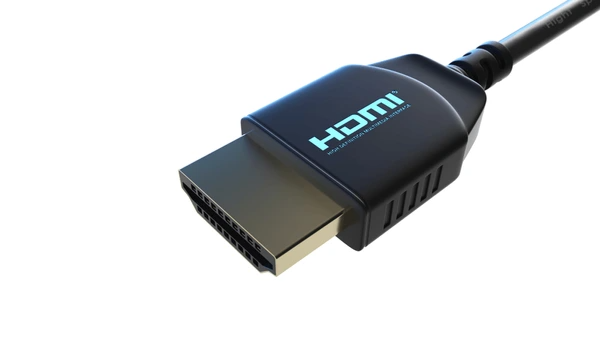
Key Features of HDMI 2.0
- Higher Bandwidth: HDMI 2.0 supports up to 18 Gbps bandwidth, which is significantly higher than the 10.2 Gbps supported by HDMI 1.4. This increased bandwidth allows for higher resolutions and refresh rates without compression.
- 4K Resolution at 60Hz: One of the most notable features of HDMI 2.0 is its ability to support 4K resolution (3840 x 2160 pixels) at a frame rate of 60Hz. This provides a smoother and more lifelike viewing experience compared to the 30Hz frame rate supported by HDMI 1.41.
- 8-Channel Audio: HDMI 2.0 supports up to 8 channels of audio, which is beneficial for immersive audio formats like Dolby Atmos and DTS:X. This is an upgrade from the 8 channels supported by HDMI 1.4, which only supported up to 7.1 channels.
- Dynamic HDR: HDMI 2.0 supports dynamic HDR, which allows for more flexible and dynamic metadata to be sent with the video signal. This can result in better color grading and overall picture quality.
- Enhanced Color Space: HDMI 2.0 supports a wider range of color spaces, including BT.2020, which is beneficial for HDR content. This allows for more vivid and accurate colors compared to the BT.601 color space supported by HDMI 1.47.
- HDMI Ethernet Channel: HDMI 2.0 introduces the HDMI Ethernet Channel, which allows for Ethernet connectivity over the HDMI cable. This feature is not available in previous versions.
- Auto Lip-Sync Correction: HDMI 2.0 includes an auto lip-sync correction feature, which helps to synchronize audio and video streams more accurately.
HDMI 2.0 for Gaming
- Improved Visual Quality: The higher bandwidth and support for 4K at 60Hz provide a sharper and more detailed visual experience, reducing motion blur and improving overall image clarity.
- Enhanced Immersion: The combination of higher resolutions, refresh rates, and dynamic HDR creates a more immersive gaming environment, making it easier for players to become fully engaged in the game.
- Future-Proofing: With support for 8K resolution and higher frame rates, HDMI 2.0 is future-proofed for upcoming advancements in display technology.
- Better Audio Quality: The increased number of audio channels and support for advanced audio formats like Dolby Atmos and DTS:X provide a more immersive audio experience, enhancing the overall gaming experience.
- Reduced Latency: The enhanced Audio Return Channel (eARC) reduces audio latency, providing a more synchronized audio-visual experience.
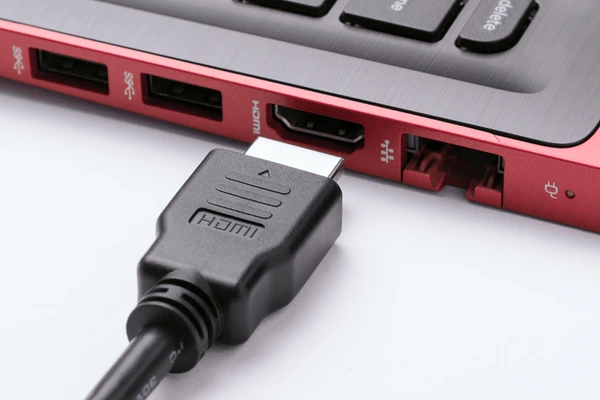
HDMI 2.0 vs. HDMI 2.1
Bandwidth and Data Rate
- HDMI 2.0 has a maximum transmission bit rate of 18 Gbps.
- HDMI 2.1 has a maximum transmission bit rate of 48 Gbps, supporting up to 42.6 Gbps of effective data rate.
Resolution and Refresh Rate
- HDMI 2.0 supports 4K resolution at 60Hz refresh rate, requiring compression technology to support 5K resolution.
- HDMI 2.1 natively supports 4K resolution at 120Hz refresh rate, supporting up to 5K resolution at 60Hz and 8K at 30Hz refresh rate.
- With DSC 1.2 enabled, HDMI 2.1 can handle up to 10K resolution.
HDR Support
- HDMI 2.1 supports dynamic HDR, allowing displays to change HDR metadata on a per-scene or per-frame basis.
Audio Return Channel
- HDMI 2.1 introduces the enhanced Audio Return Channel (eARC), improving support for Dolby Atmos and DTS:X audio standards.
Refresh Rate and Gaming Performance
- HDMI 2.1 supports variable refresh rate, reducing game stuttering and frame tearing.
Media Switching
- HDMI 2.1 provides quick media switching, reducing the switching delay between video sources.
Compatibility and Devices
- Devices: HDMI 2.0 ensures compatibility with modern display technologies but may lack full support on older or outdated devices.
- Content: Higher resolutions and advanced audio features of HDMI 2.0 require content designed for these capabilities, which may initially be limited.
- Cables: HDMI 2.0 requires cables that can support the higher bandwidth, which may not be as widely available or affordable as older HDMI cables.
Benefits of HDMI 2.0
- Improved Video Quality: The increased bandwidth and support for higher resolutions and refresh rates result in significantly improved video quality. This is particularly noticeable in 4K content, where the smoother frame rate provides a more immersive viewing experience.
- Enhanced Audio Experience: The support for up to 8 channels of audio and dynamic HDR provides a more immersive audio experience, especially with formats like Dolby Atmos and DTS:X.
- Future-Proofing: The higher bandwidth and support for future technologies make HDMI 2.0 a future-proof standard. It is designed to accommodate future advancements in video and audio technology.
- Reduced Latency: The improved signal processing and compression techniques in HDMI 2.0 result in reduced latency, which is beneficial for real-time applications like gaming.
- Increased Compatibility: HDMI 2.0 is backward compatible with previous HDMI versions, making it easier to integrate into existing systems without the need for significant upgrades.
Limitations of HDMI 2.0
- Cost: The increased bandwidth and advanced features of HDMI 2.0 may result in higher costs for devices and cables. This could be a barrier for adoption, especially in budget-conscious markets.
- Complexity: The increased complexity of the HDMI 2.0 standard may require more advanced processing and error correction mechanisms, which could lead to potential issues with compatibility and reliability.
- Content Availability: The benefits of HDMI 2.0 are largely dependent on the availability of 4K and HDR content. Currently, there is limited content available in these formats, which may limit the practical benefits of HDMI 2.0 for some users.
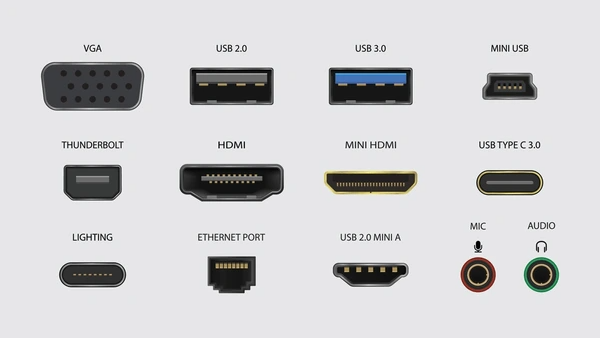
Applications of HDMI 2.0
Consumer Electronics
- Digital TVs and Monitors: HDMI 2.0 is widely used for connecting digital TVs and computer monitors to various digital sources such as set-top boxes, DVD players, and gaming consoles, enabling high-definition video and audio streaming.
- Home Theater Systems: It is employed in home theater systems to ensure high-quality audio and video transmission between devices like projectors, sound systems, and Blu-ray players.
Professional A/V Equipment
- Live Events and Conferences: HDMI 2.0 is used in live events and conferences for high-definition video transmission to projectors and displays, facilitating better audience engagement.
- Broadcasting: It is utilized in broadcasting applications for transmitting high-definition video and audio signals between various equipment in studios and broadcasting centers.
Gaming Consoles
- Video Game Consoles: HDMI 2.0 is a standard interface for connecting gaming consoles like PlayStation and Xbox to TVs, providing high-definition gaming experiences.
Computing Devices
- Computers and Laptops: It is used to connect computers and laptops to monitors, enabling high-definition display and audio output.
Industrial Applications
- Medical Imaging: In medical fields, HDMI 2.0 is used for transmitting high-definition video and audio signals in medical imaging devices like endoscopes and ultrasound machines.
- Security Surveillance: It is employed in security surveillance systems for transmitting high-definition video feeds from cameras to monitoring systems.
Automotive Industry
- In-Car Entertainment Systems: HDMI 2.0 is used in automotive applications for connecting in-car entertainment systems to displays and audio systems, providing high-definition multimedia experience for passengers.
Latest Technical Innovations in HDMI 2.0
Increased Bandwidth
- HDMI 2.0 has expanded its bandwidth to 18 Gbps, which allows for higher resolution and refresh rates without compromising on quality. This increased bandwidth supports resolutions up to 4K at 60 frames per second, providing a smoother and more detailed visual experience.
Improved Audio Support
- HDMI 2.0 supports up to 32 audio channels and a sampling rate of up to 1536 kHz. This enhancement ensures that high-quality audio can be transmitted alongside video, providing a more immersive experience for users.
Enhanced Compatibility
- HDMI 2.0 maintains backward compatibility with previous versions, allowing devices to support both HDMI 2.0 and earlier versions. This ensures that existing hardware can seamlessly integrate with new HDMI 2.0 devices without the need for additional adapters or modifications.
Automated Verification and Testing
- The development of HDMI 2.0 has led to innovations in automated testing and verification processes. For instance, the use of UVM (Universal Verification Methodology) allows for the automation of HDMI 2.0 stimulus generation, which helps in improving the efficiency and accuracy of the testing process.
Improved Data Transmission
- HDMI 2.0 includes features such as “audio data packetization” and “video data packetization,” which help in organizing and transmitting data more efficiently. This results in reduced latency and improved overall system performance1.
Error Detection and Correction
- The specification includes mechanisms for error detection and correction, which help in maintaining data integrity during transmission. This is crucial for ensuring that the video and audio signals remain uninterrupted and of high quality.
Conclusion: Is HDMI 2.0 Still Relevant?
For most people, HDMI 2.0 remains a highly capable option for home entertainment and casual gaming setups. With support for 4K at 60Hz, HDR, and high-quality audio, it delivers excellent performance without requiring a significant investment.
However, if you’re planning for the future with 8K TVs or want advanced gaming features like 4K at 120Hz, upgrading to HDMI 2.1 is worth considering. For everyone else, HDMI 2.0 strikes the perfect balance between affordability and performance.
FAQs:
- What’s the difference between HDMI 2.0 and HDMI 1.4?
HDMI 2.0 supports 4K resolution at 60Hz and has a higher bandwidth (18 Gbps) compared to HDMI 1.4, which only supports 4K at 30Hz. - Is HDMI 2.0 good enough for 4K gaming?
Yes, HDMI 2.0 can handle 4K gaming at 60Hz, making it ideal for casual gamers. For 4K at 120Hz, you’ll need HDMI 2.1. - Do I need HDMI 2.1 for my new TV?
If you’re planning to watch 8K content or play games at 4K/120Hz, HDMI 2.1 is a must. Otherwise, HDMI 2.0 is sufficient for 4K streaming and gaming. - Can HDMI 2.0 cables handle HDR?
Yes, HDMI 2.0 fully supports HDR, delivering enhanced contrast and color for 4K content. - What’s the maximum resolution HDMI 2.0 supports?
HDMI 2.0 supports up to 4K resolution at 60Hz or 1080p at 120Hz.
To get detailed scientific explanations of HDMI 2.0, try Patsnap Eureka.

Learn more
Multiplexor: Efficient Data Selector for Electronics
Understanding STP Cable: Shielded Twisted Pair Explained
Understanding Twisted Pair Cable: Basics, Benefits, and Uses
JFET 101: A Beginner’s Guide to Junction Field-Effect Transistors