
Arduino platform-based colorful flash stick system
A flashing stick and colorful technology, applied in the direction of instruments, static indicators, etc., can solve the problems of reduced portability and user experience, failure to meet the needs of various occasions, increased weight and volume of the stick, and achieve port saving, welding The effect of low difficulty and low development threshold
Patent Information
- Authority / Receiving Office
- CN · China
- Patent Type
- Applications(China)
- Current Assignee / Owner
- Publication Date
- 2019-01-01
- Estimated Expiration
- Not applicable · inactive patent
Smart Images
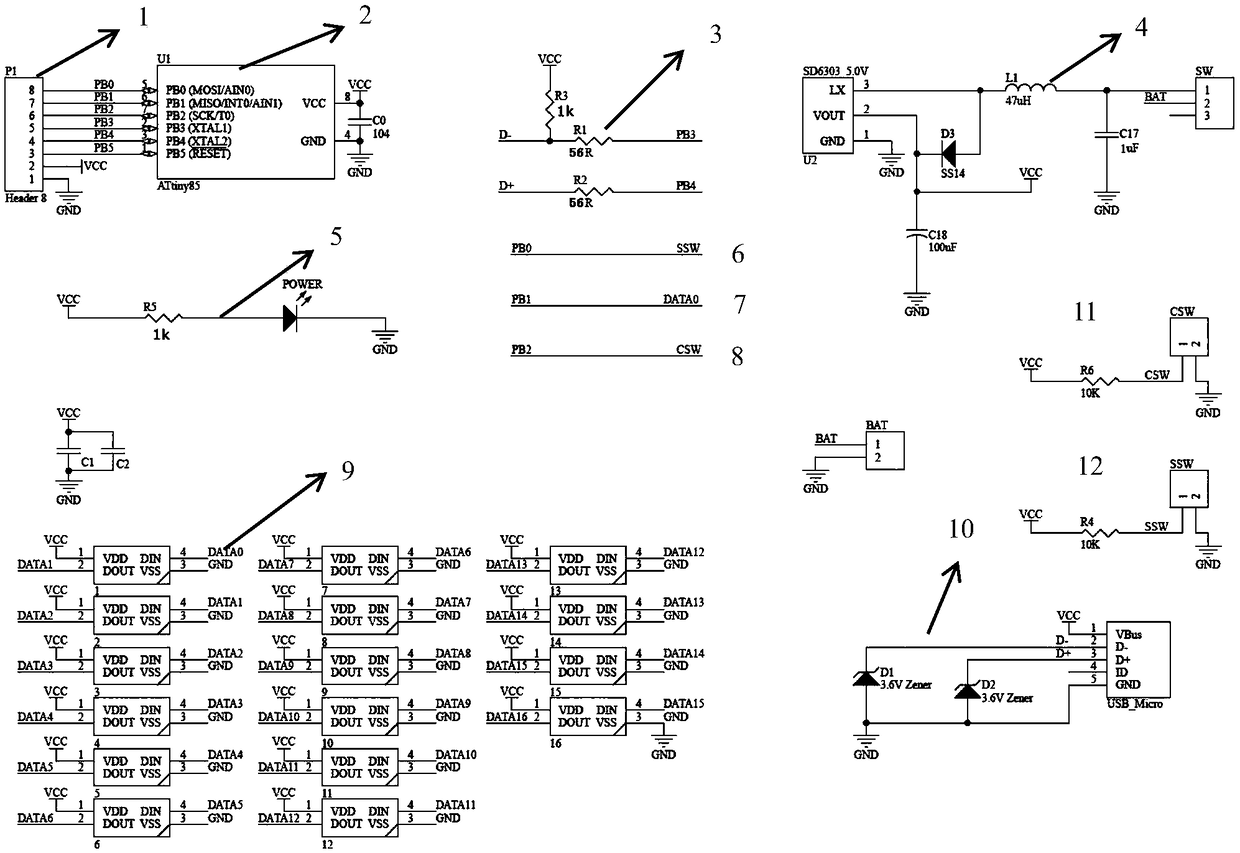
Figure 1 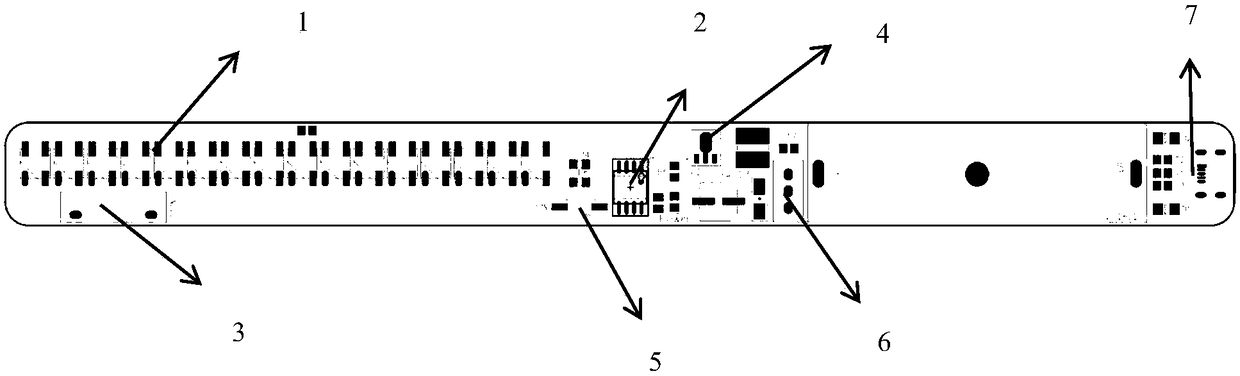
Figure 2
Abstract
Description
technical field
[0001] The invention relates to an intelligent hardware, in particular to an intelligent hardware based on an Arduino platform. Background technique
[0002] At present, there are some shaking sticks on the market that can be shaken by hand to emit light and form patterns. The human eye can see a complete picture, forming patterns of different colors and shapes. Most of the main control chips of existing rocking sticks are various 51 single-chip microcomputers. The number of pins of the 51 single-chip microcomputer far exceeds the actual demand, resulting in a lot of waste of ports and greatly increasing the difficulty of welding. Most of the existing lamp beads are ordinary single-color LED lamps, and the color is single and boring, which cannot meet the needs of various occasions. At the same time, since the working voltage of the lamp beads and other devices is mostly 5V, the current solution is to supply power with three 1.5V dry batteries or batteries...
Examples
Embodiment Construction
[0014] user mode:
[0015] step one: figure 2 The middle 6 power switch is turned on, the power light is on, the dry battery provides 1.5V voltage, which is boosted by the 4 boost circuit, and the output VCC voltage value is 5V at the end of the 4 boost circuit.
[0016] Step 2: VCC of 5V starts to supply power to devices such as 2ATTiny85 chips and 1 series-connected full-color LED strip. The LED lights up, and the flash stick starts to run according to the compiled program.
[0017] Step 3: Shake the stick body, 3 vibration detection sensors sense the vibration frequency, and transmit it to 2ATTiny85 chip, the main control chip controls the colorful lamp beads according to the existing compilation and frequency, and a specific colorful pattern appears.
[0018] Step 4: Press the 5 display switching button to switch the stored patterns and repeat step 3, which is interesting and colorful.
[0019] Step 5: Turn off the 6 power switch after use.
[0020] Developer mode:
...