
Personal information protection method for handset
A technology for information protection and mobile phones, which is applied in the field of improvement of personal information protection methods, can solve problems such as easy loss or theft, and achieve the effect of protecting personal privacy
Patent Information
- Authority / Receiving Office
- CN · China
- Patent Type
- Applications(China)
- Current Assignee / Owner
- Publication Date
- 2004-02-25
- Estimated Expiration
- Not applicable · inactive patent
Smart Images
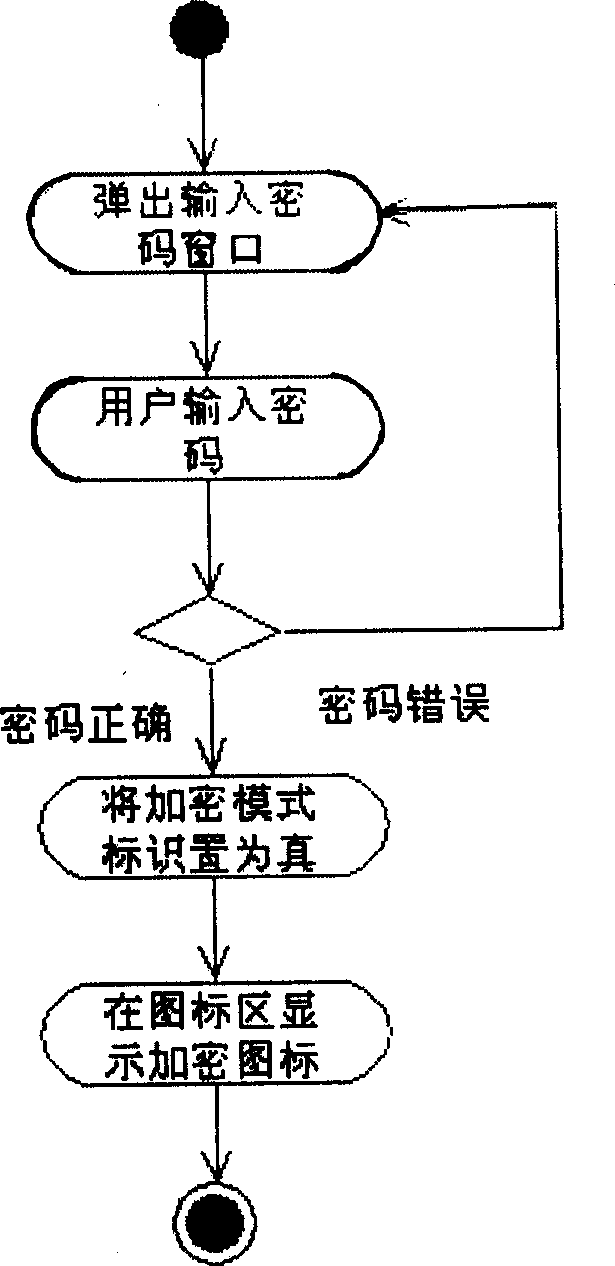
Figure 1 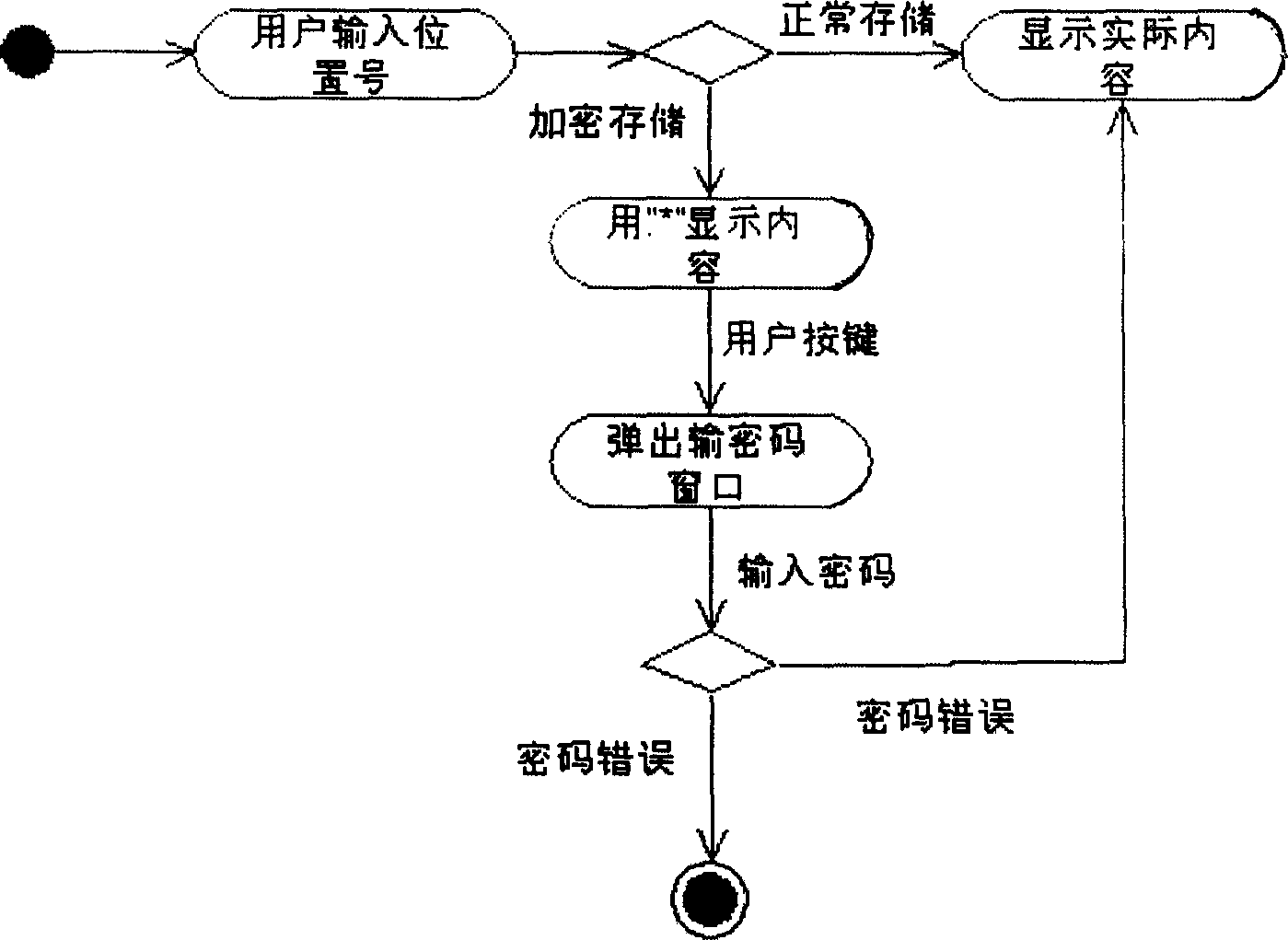
Figure 2 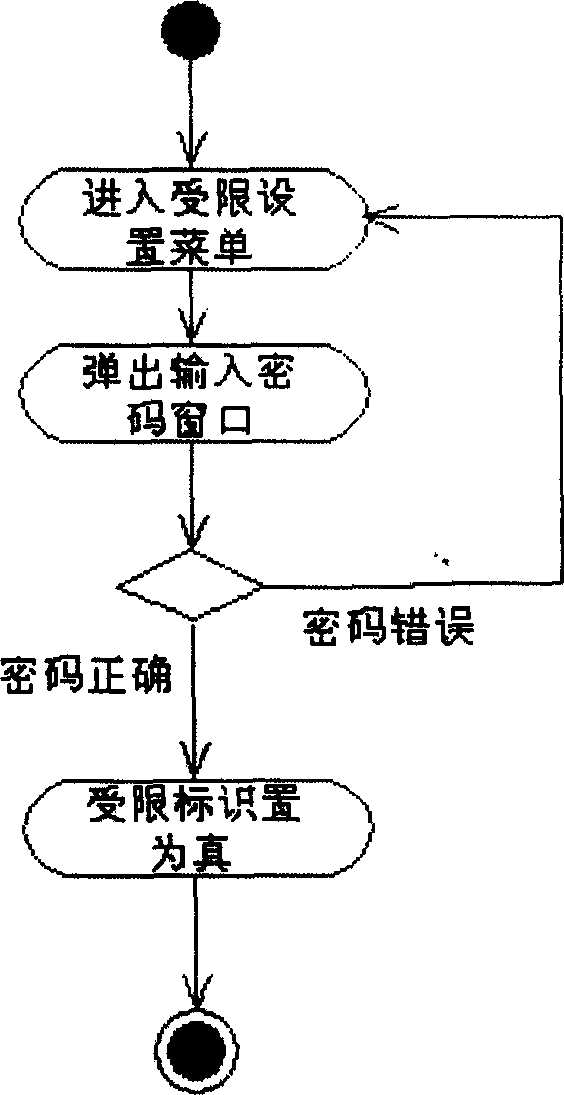
Figure 3
Abstract
Description
technical field
[0001] The invention belongs to the technical field of mobile communication, and more specifically relates to the improvement of a personal information protection method of a mobile phone. Background technique
[0002] With the development of mobile phone technology, mobile phones not only have the function of calling, but also have the storage function of information such as phone book, dial record, incoming call record, short message and e-mail. Such information generally belongs to personal privacy. Due to the small size of mobile phones, they are relatively easy to lose or be stolen. If certain protection measures are not taken, after the mobile phone is lost, the stored information such as the phone book is easy to be obtained by others. With the improvement of modern people's awareness of self-privacy protection, the protection technology of mobile phone personal information is becoming more and more important.
[0003] The ...
Examples
Embodiment 1
[0027] Example 1. A method for protecting personal information of a mobile phone, see Figure 1 ~ Figure 2 . It includes the following steps:
[0028] (1) The steps of storing the encrypted mode in the random access memory saved after power failure, setting or modifying the password of the mobile phone and storing it in the read-only memory;
[0029] (2) Add an "encryption mode" submenu under the EEPROM management menu of the mobile phone, the default is "cancel" status, and the step of "entering the mobile phone password" will be displayed on the screen after confirmation;
[0030] (3) After entering the set password, set the encryption mode flag to true, and then display the steps of "encryption mode has been set" and the encryption icon;
[0031] (4) Start the phone book storage function, when selecting the location storage mode to input, the mobile phone first reads the value of the encryption mode identification in the random access memory, confirms that this value is ...
Embodiment 2
[0042] Example 2. A method for protecting personal information of a mobile phone, see image 3 . On the basis of embodiment 1, it sets the limited function of the phonebook. Include the following steps:
[0043] (1) the step of storing the phonebook restricted identifier in the random access memory saved after power-off;
[0044] (2) Add a "Phone Book Restricted" submenu under the EEPROM management menu of the mobile phone, the default is "Cancel" status, and the step of asking "Enter mobile phone password" will be displayed on the screen after confirmation;
[0045] (3) After inputting the password, the CPU of the mobile phone compares this password with the mobile phone password stored in the read-only memory, if identical then the phone book limited sign stored in the random access memory saved after power failure is set to true, and Steps to display "Phone book restricted functions have been set" and return to the standby state;
[0046] (4) If you want to use the phone ...