
Multi-stream audio level controller
a multi-stream audio and controller technology, applied in the direction of transducer details, electrical transducers, electrical apparatus, etc., can solve the problems of too much head room and too conservative approaches
Patent Information
- Authority / Receiving Office
- US · United States
- Patent Type
- Patents(United States)
- Current Assignee / Owner
- Publication Date
- 2014-07-22
Smart Images
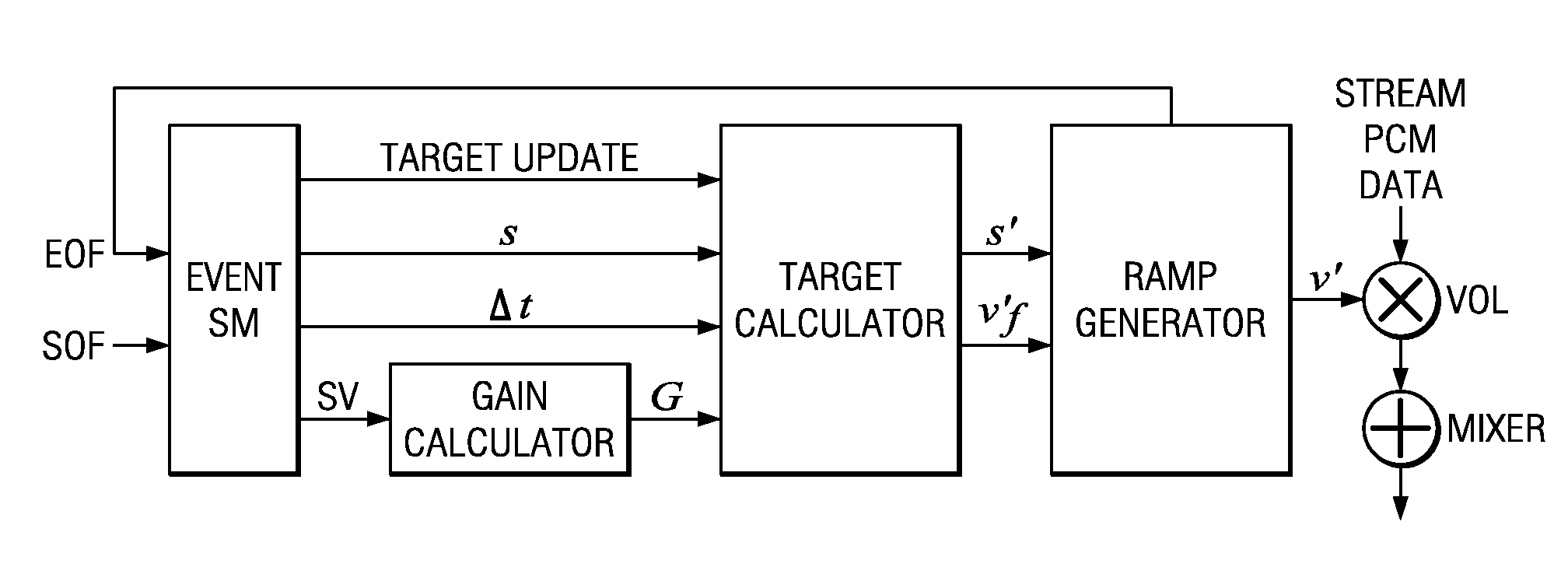
Figure 1 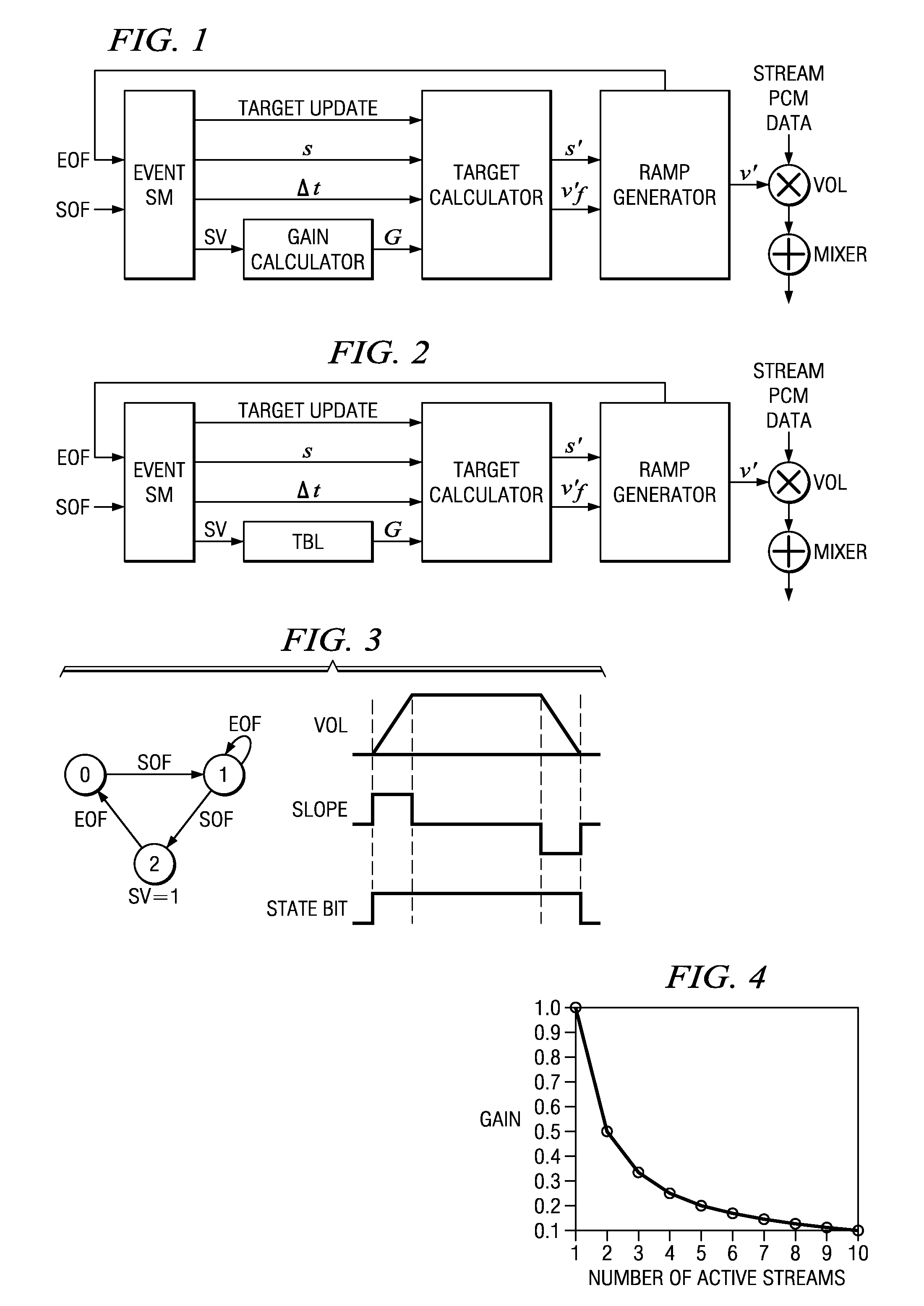
Figure 2 
Figure 3
Abstract
Description
CROSS-REFERENCE TO RELATED APPLICATIONS
[0001] This application claims priority from provisional application No. 60 / 648,368, filed Jan. 28, 2005. The following co-assigned co-filed patent application discloses related subject matter application Ser. No. 11 / 342,514, filed Jan. 30, 2006.BACKGROUND OF THE INVENTION
[0002] The present invention relates to digital signal processing, and more particularly to digital audio stream playback methods and devices.
[0003] In audio applications, it is common to mix several sources to form a final output. For example, in an audio production environment or on a personal audio player, beginning new and ending old streams are combined during a crossfade operation for a smooth transition in which the ending stream is faded out while the beginning stream is faded in. These streams may be further combined with a user interface (UI) sound generated in response to keypresses or other external events. Directly summing these streams together might cause saturatio...
Examples
application example
13. Application Example
[0186]This section describes a sample application to elucidate the needed code when using the XFC module. Prior section 8 summarizes the basic controls to attain specific behaviors from the XFC.
(1) Declare the needed XFC handle and parameter structure. Set up the PCM buffers.
XFC_Handle XFCHandle;
XFC_Params XFCParams;
XFC_Status xfcStatus;
const PCM_Descriptor outputInfo={2, 0, 16, 64, 44100};
const PCM_Descriptor inputInfo[3]={
[0187]{2, 0, 16, 64, 44100},[0188]{2, 0, 16, 64, 44100},[0189]{2, 0, 16, 64, 44100}
};
PCM_Buffer *buffers[]={(PCM_Buffer) OutBuf, (PCM_Buffer) InBuf1, (PCM_Buffer) InBuf2, (PCM_Buffer) InBuf3};
(2) Create the User Volume Profiles for desired fades. A fade can be a simple fade-in or fade-out, or it can be a more complicated multi-segment volume profile. Each fade needs two arrays: del_t [ ] and s [ ]. The del_t [ ] array specifies the amount of time (in number of 64-sample updates) until the next slope-change event. The s [ ] array specifies t...