
Multimedia Player And Method Of Displaying On-Screen Menu
Patent Information
- Authority / Receiving Office
- US · United States
- Current Assignee / Owner
- Publication Date
- 2008-06-12
- Estimated Expiration
- Not applicable · inactive patent
Smart Images
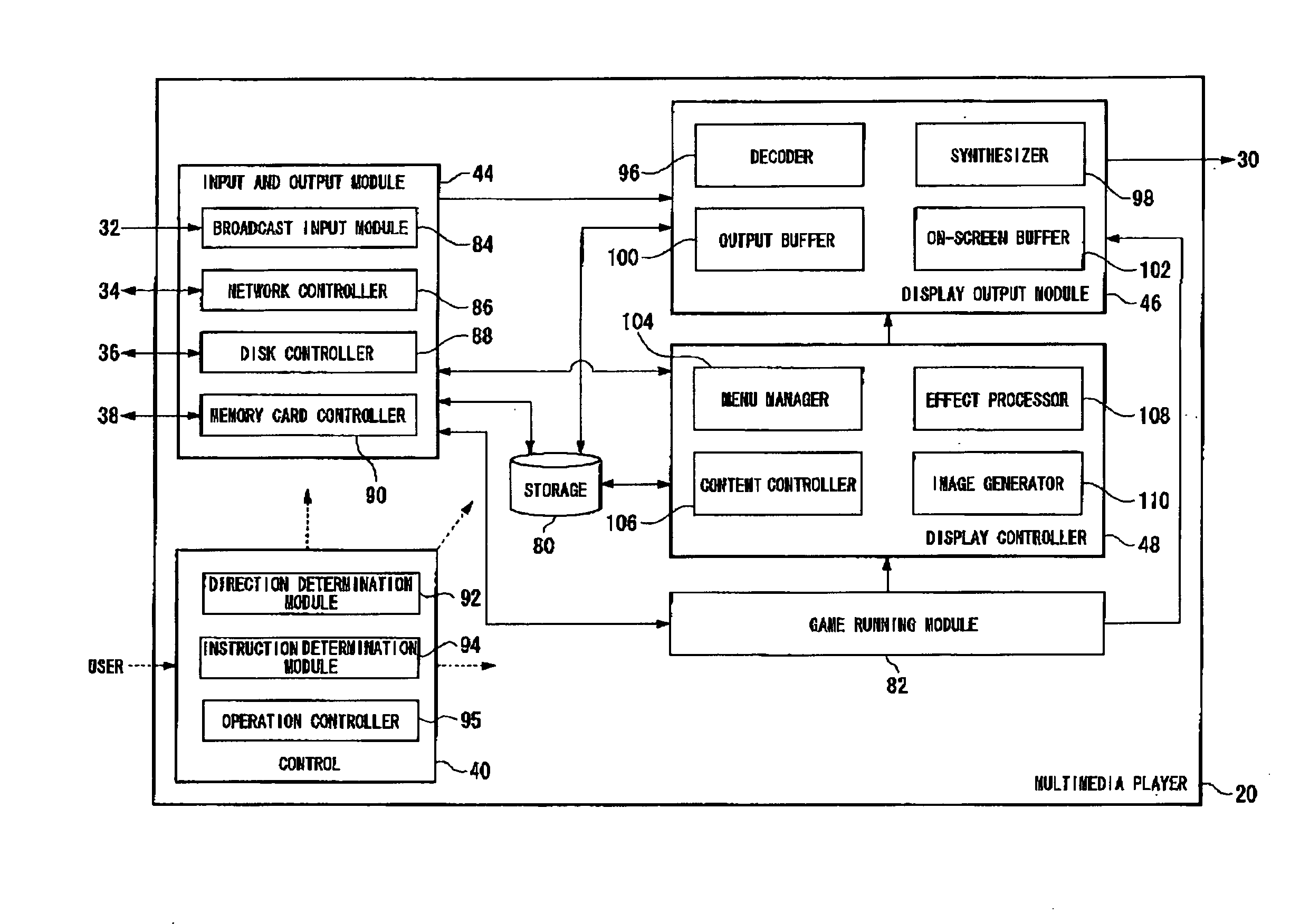
Figure 1 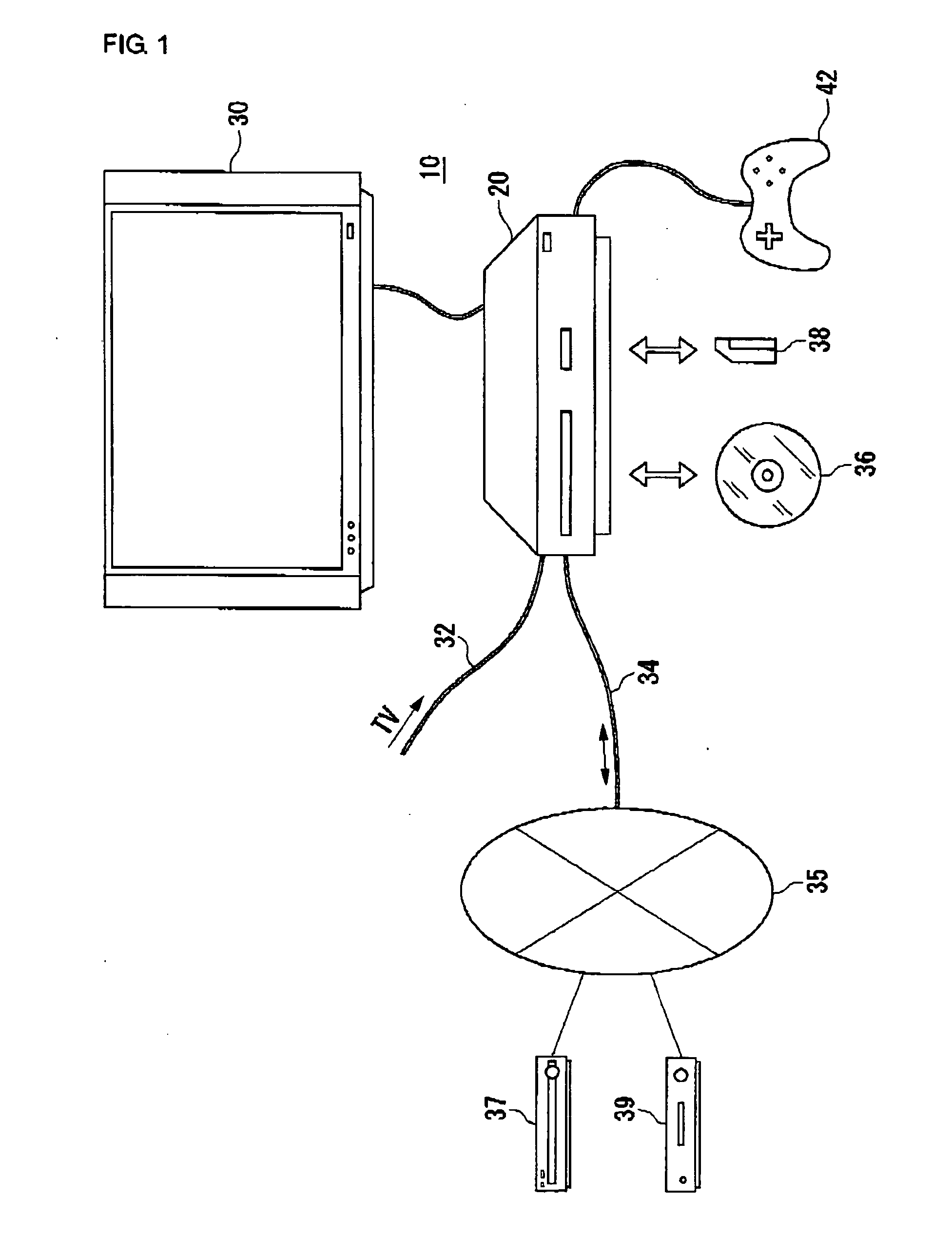
Figure 2 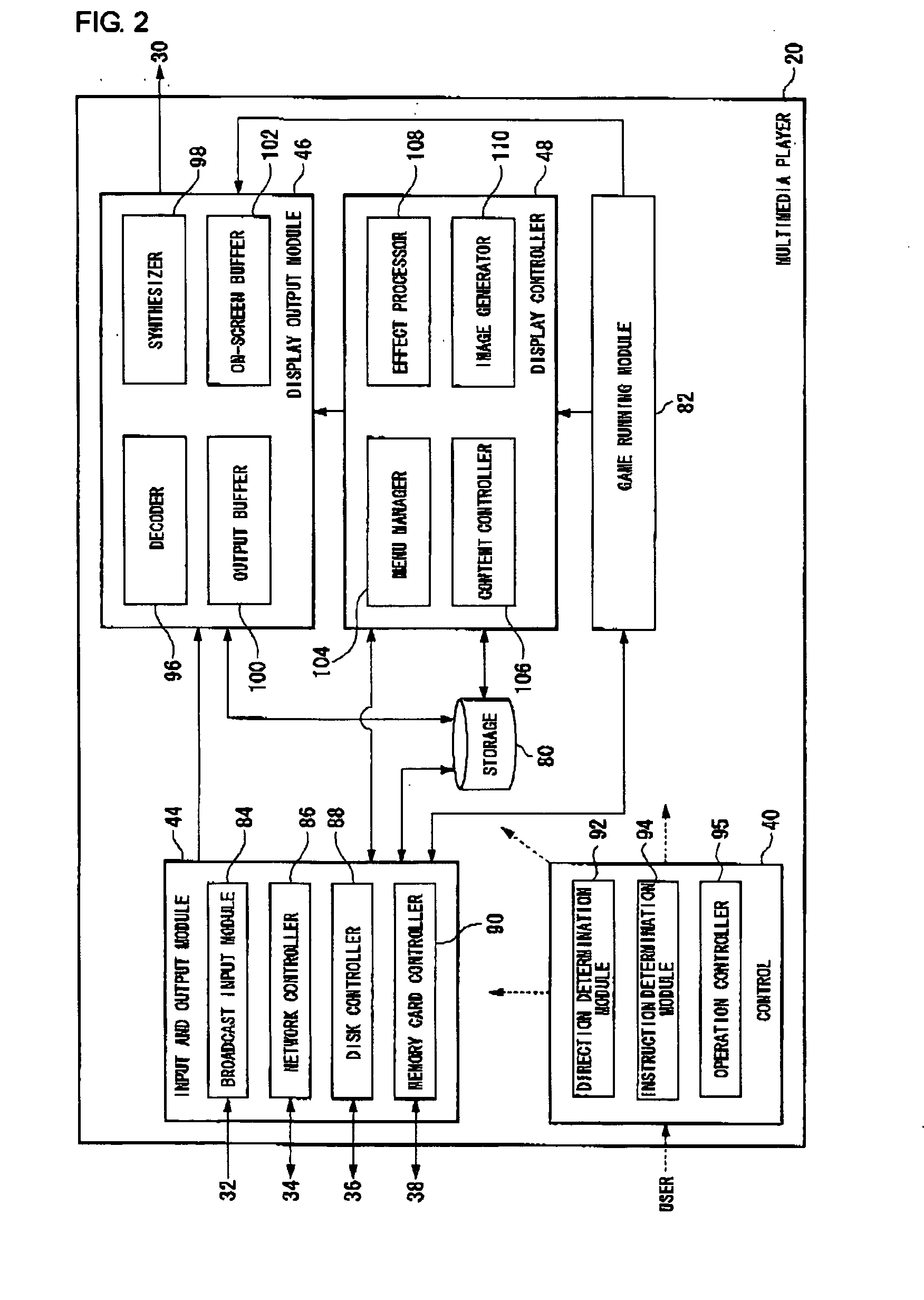
Figure 3
Abstract
Description
TECHNICAL FIELD
[0001] The present invention relates to a multimedia player and a method of displaying on-screen menu. More particularly, the present invention relates to a user interface technology for giving an instruction for multimedia playing.BACKGROUND TECHNOLOGY
[0002] Recently, the variety of so-called digital home appliances is growing. For example, a hard disk recorder, a digital versatile disk (DVD) recorder or a multiple function hard disk recorder and DVD recorder is available for use in recording television programs. Also, in addition to playing ordinary compact disks (CDs), various forms of music playing are now available such as reproducing compressed data recorded in various kinds of memory cards or a hard disk.
[0003] Digital home appliances and, more particularly, appliances for playing images or music, are expected to be used by multiple people at the same time. As such, they are often placed in a shared space at home such as a living room, unlike personal computers. A...
Examples
first embodiment
[0025]A multimedia player according to a first embodiment of the present invention is a multifunction device capable of playing or running multiple types of contents such as still images, moving images, music, broadcast and games. The device is designed to use a screen of a television set. To manipulate the device, users use items displayed on a screen and directional buttons on a controller. In order to play multiple contents on a PC, programs, such as a viewer, dedicated to the content type need be used. These dedicated programs are produced by different vendors. Normally, they do not share a common interface nor provide consistent feel as the user uses the programs. Integrating these dedicated programs under a common interface such as a portal screen would merely result in aggregation. Further, because it requires more than a little time to start each program, users cannot comfortably switch between programs.
[0026]A multimedia player according to the embodiment integrates playing...
second embodiment
[0057]The multimedia player 20 according to a second embodiment differs from the multimedia player 20 according to the first embodiment in that it displays multiple on-screen menus 50. The following description focuses on the difference from the first embodiment.
[0058]FIG. 5 schematically shows how items in an on-screen menu make transitions according to the second embodiment. The display controller 48 of the second embodiment displays in the on-screen menu 50 one or both of an interface for providing an instruction to playing content acquired from the storage 80 and an interface for providing an instruction to playing content acquired from external appliances. The display controller 48 displays a first set of intersecting arrays 130 practically at the center of the on-screen menu 50 before the illustrated transition occurs. The first set of intersecting arrays 130 is an interface for providing an instruction to playing content in a state when the multimedia player 20, one of the de...
third embodiment
[0063]The multimedia player 20 according to a third embodiment differs from the multimedia player 20 according to the foregoing embodiments in that it shows an expanded view of menus unique to individual devices in the on-screen menu 50. The following description focuses on the difference from the first and second embodiments.
[0064]FIGS. 6A and 6B schematically show how items in an on-screen menu make transitions according to the third embodiment. As shown in FIG. 6A, the display controller 48 of the third embodiment displays the network icon 63 at the right end of the array of function icons 70 and displays the device icon 124 immediately below the network icon 63. In this respect, the intersecting arrays share features with the first set of intersecting arrays 130 of FIG. 5. The device icon 124 represents an external appliance on the LAN 35 such as the first external appliance 37 or the second external appliance 39. When the control 40 acquires from the user an instruction to sele...