
Information processing apparatus and program
a technology of information processing apparatus and program, which is applied in the direction of electric digital data processing, instruments, computing, etc., can solve the problems of increasing typing errors, reducing input speed, and difficult to distinguish the positions of respective keys, and achieve automatic change of the display of software keys
Patent Information
- Authority / Receiving Office
- US · United States
- Patent Type
- Applications(United States)
- Current Assignee / Owner
- Publication Date
- 2011-07-21
- Estimated Expiration
- Not applicable · inactive patent
Smart Images
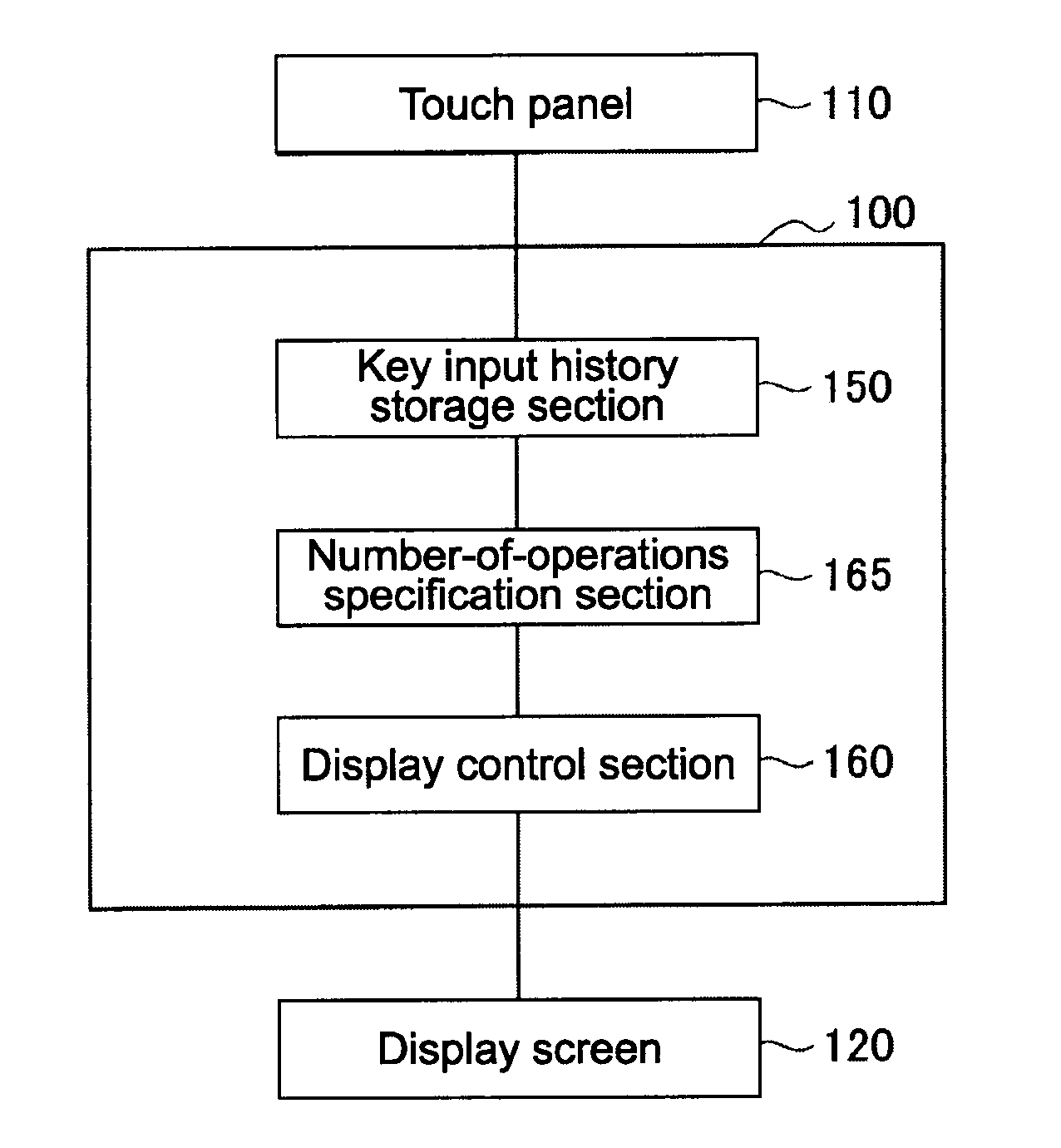
Figure 1 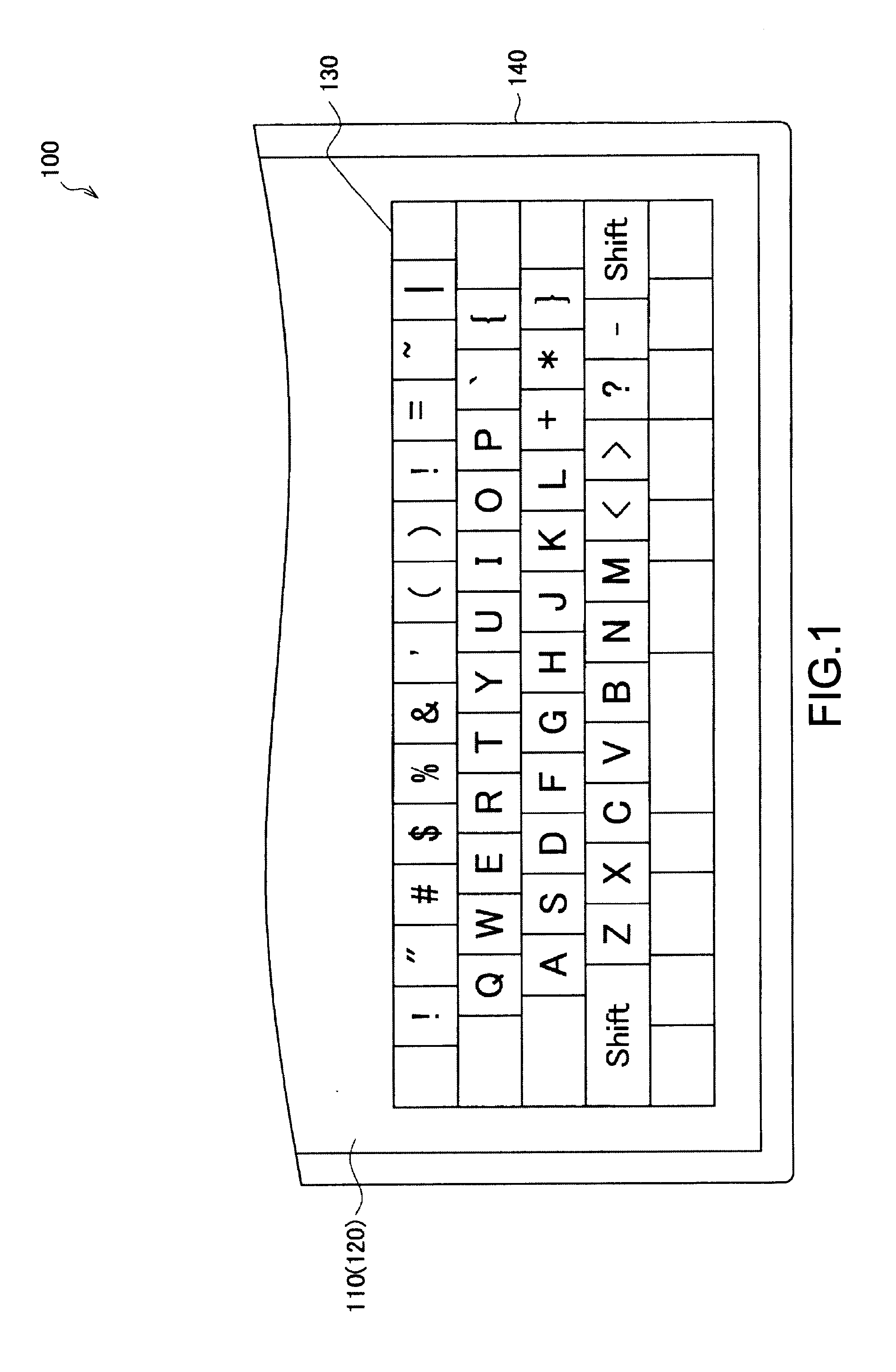
Figure 2 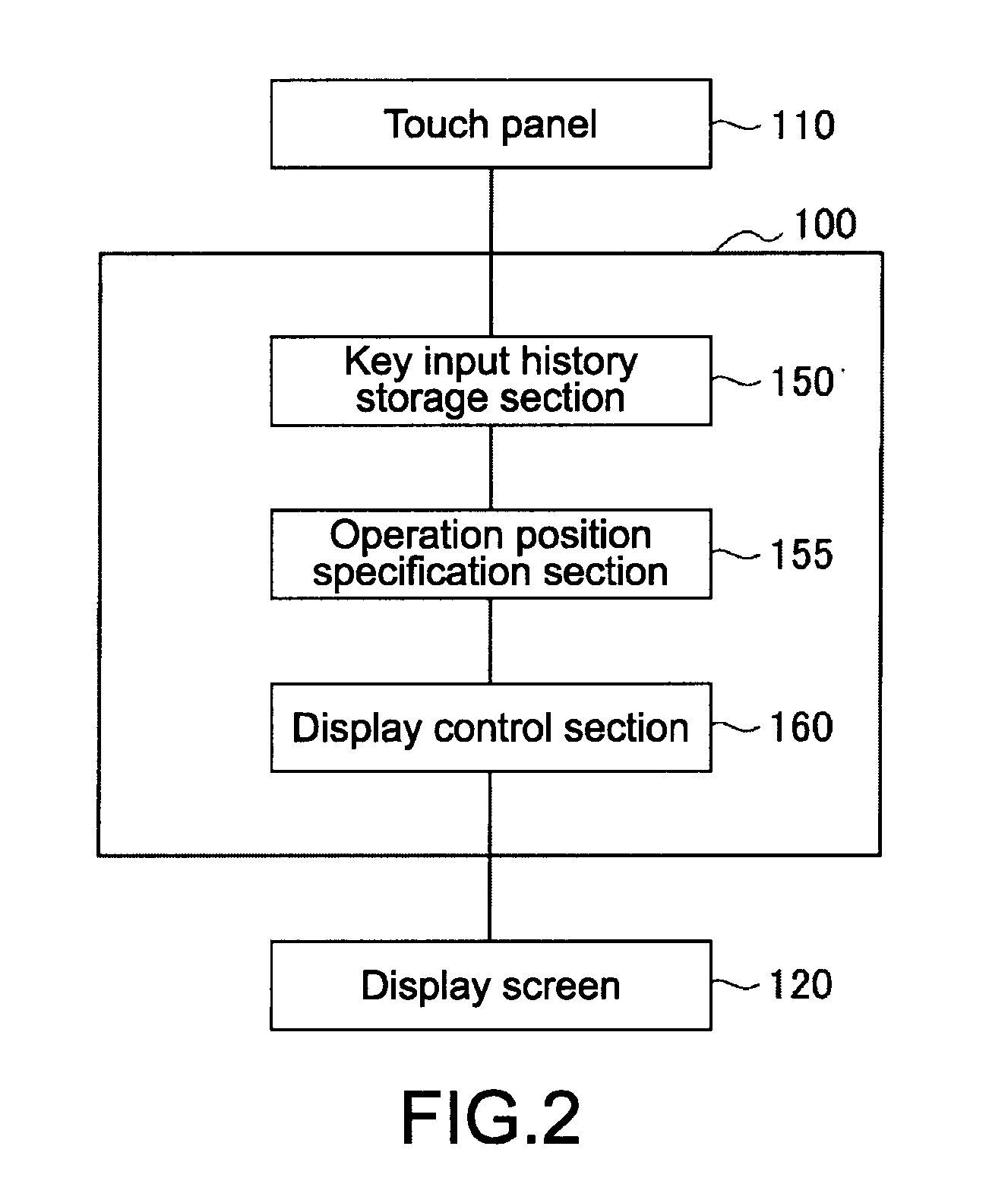
Figure 3
Abstract
Description
BACKGROUND OF THE INVENTION
[0001] 1. Field of the Invention
[0002] The present invention relates to an information processing apparatus and a program for improving the operability of a software keyboard.
[0003] 2. Description of the Related Art
[0004] In recent years, there is proposed a method of displaying a predetermined software keyboard on a display screen of an apparatus including a touch panel, and making a key input by a finger touching the screen on which keys of the software keyboard are displayed (see, for example, Japanese Patent Application Laid-open No. 2006-86934).SUMMARY OF THE INVENTION
[0005] However, in a case where inputs are made with a software keyboard in touch typing, since keys are not physically independent, the positions of the respective keys are difficult to be distinguished, as compared to a hardware-type (mechanical-type) keyboard. As a result, typing errors are increased and an input speed is lowered, which is not necessarily a comfortable input environment.[0...
Examples
first embodiment
[0062][Example of display screen of PC]
[0063]First, an example of an initial display screen of a PC (Personal Computer) 100 as a display apparatus according to the first embodiment of the present invention will be described with reference to FIG. 1. After that, an automatic display change method for a software keyboard according to the first embodiment of the present invention will be described.
[0064]The PC 100 as a display apparatus according to the first embodiment includes a housing 140 including a touch panel 110, in which a predetermined software keyboard 130 is displayed on a display screen 120. The touch panel 110 is a sensor that can detect a position of a finger of a user.
[0065]As the display screen 120, for example, an LCD (Liquid Crystal Display) or an organic electroluminescence display (organic EL, OELD) can be used.
[0066]In this embodiment, a QWERTY keyboard is displayed as the software keyboard 130, but this embodiment is not limited thereto. This embodiment is applic...
second embodiment
[0089]Next, an automatic display change method for a software keyboard according to a second embodiment of the present invention will be described using an example of a display screen operation of a PC 100 shown in FIG. 5. It should be noted that the PC 100 according to this embodiment also includes a housing 140 including a touch panel 110, in which a predetermined software keyboard 130 is displayed on a display screen 120, as shown in FIG. 1.
[0090][Operation Example of Display Screen of PC]
[0091]In FIG. 5, a user hits keys on the third row of the software keyboard 130. On the other hand, the key input history storage section 150 stores logs (history information of correct input operation) of user operations made to the software keyboard 130, which are detected using the touch panel 110. In this embodiment, as will be described later, the center of each key is determined from a peak position of the input history of the key.
[0092][Functional Structure of PC]
[0093]A functional struct...
third embodiment
[0107]Next, an automatic display change method for a software keyboard according to a third embodiment of the present invention will be described using an example of a display screen operation of a PC 100 shown in FIG. 9. It should be noted that the PC 100 according to this embodiment also includes a housing 140 including a touch panel 110, in which a predetermined software keyboard 130 is displayed on a display screen 120, as shown in FIG. 1.
[0108][Example of Erroneous Input of PC]
[0109]The left-side illustration of FIG. 9 shows a case where a user touches a Q key though intending to hit a W key, and an erroneous input is made. Then, the user deletes the input Q with a BS (DEL) key. At this time, an erroneous input history storage section 170 shown in FIG. 10 stores the erroneous input as erroneous input history information for the W key closest to the operation position. It should be noted that the erroneous input history storage section 170 judges an erroneous input in a case whe...