
Method of simulating group based on uitableview type plain in ios system
A type and view technology, applied in instruments, electrical digital data processing, computing, etc., can solve problems such as no effect, and achieve the effect of more interactive App, beautiful sliding effect, and multiple visual spaces
- Summary
- Abstract
- Description
- Claims
- Application Information
AI Technical Summary
Problems solved by technology
Method used
Image

Examples
Embodiment Construction
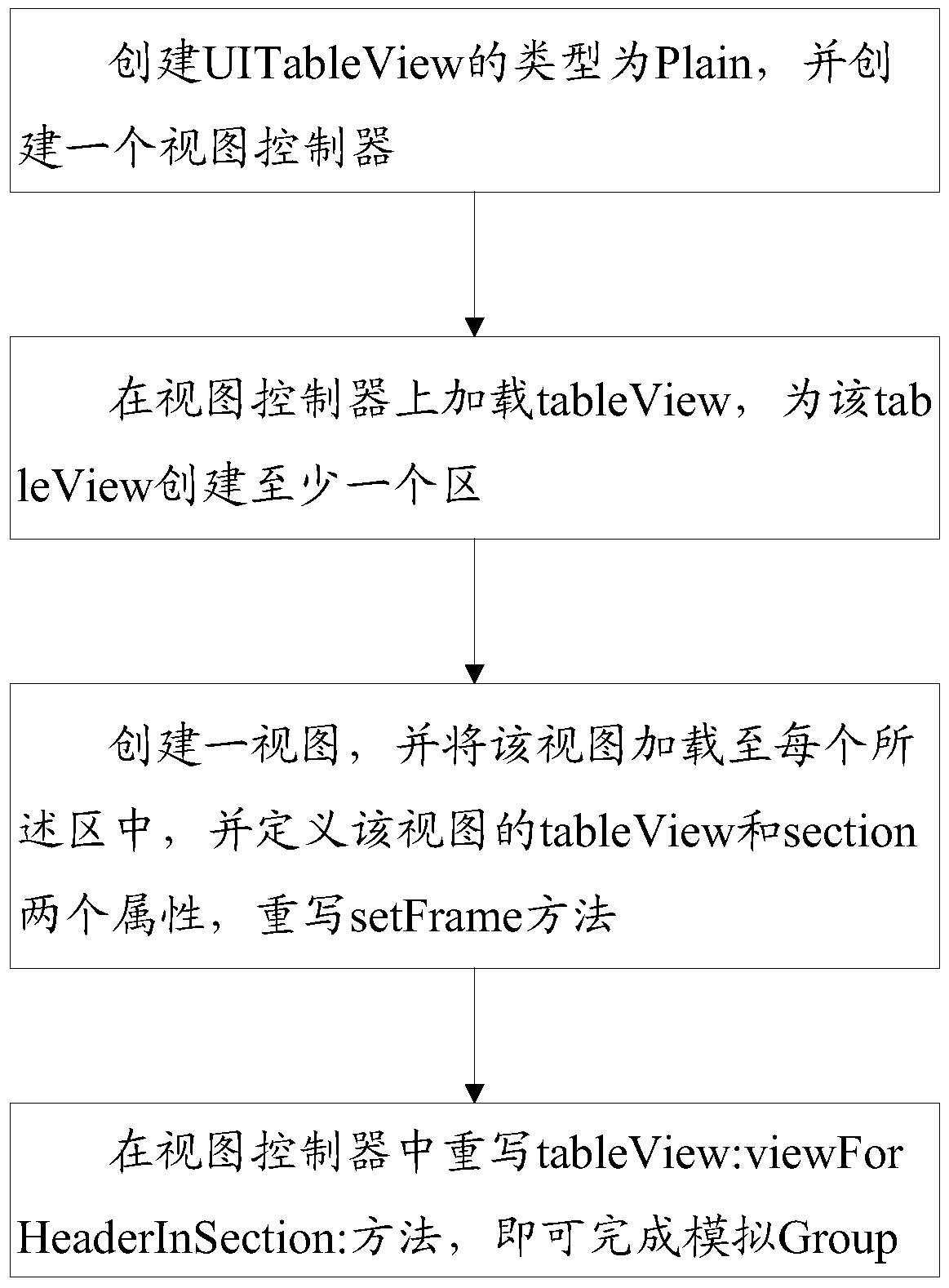
[0018] Such as figure 1 As shown, the method of simulating Group based on UITableView type Plain in iOS system includes the following steps:
[0019] Step 1. Create a UITableView of type Plain and create a view controller;
[0020] Step 2. Load the tableView on the view controller, and create at least one area for the tableView;
[0021] Step 3. Create a view, load the view into each of the regions, define the tableView and section attributes of the view, and override the setFrame method:
[0022] -(void)setFrame:(CGRect)frame {CGRect sectionRect = [self.tableViewrectForSection:self.section]; CGRectnewFrame = CGRectMake(CGRectGetMinX(frame), CGRectGetMinY(sectionRect), CGRectGetWidth(frame), CGRectGetHeight(frame)); [super setFrame:newFrame];};
[0023] Step 4. Rewrite the tableView:viewForHeaderInSection: method in the view controller:
[0024] SectionView*sectionView=[[SectionViewalloc]init];
[0025] sectionView.tableView = self.tableView; sectionView.section = section...
PUM
 Login to View More
 Abstract
Description
Claims
Application Information
 Login to View More