

Image processing apparatus and method thereof
- Summary
- Abstract
- Description
- Claims
- Application Information
AI Technical Summary
Problems solved by technology
Method used
Image



Examples
first embodiment
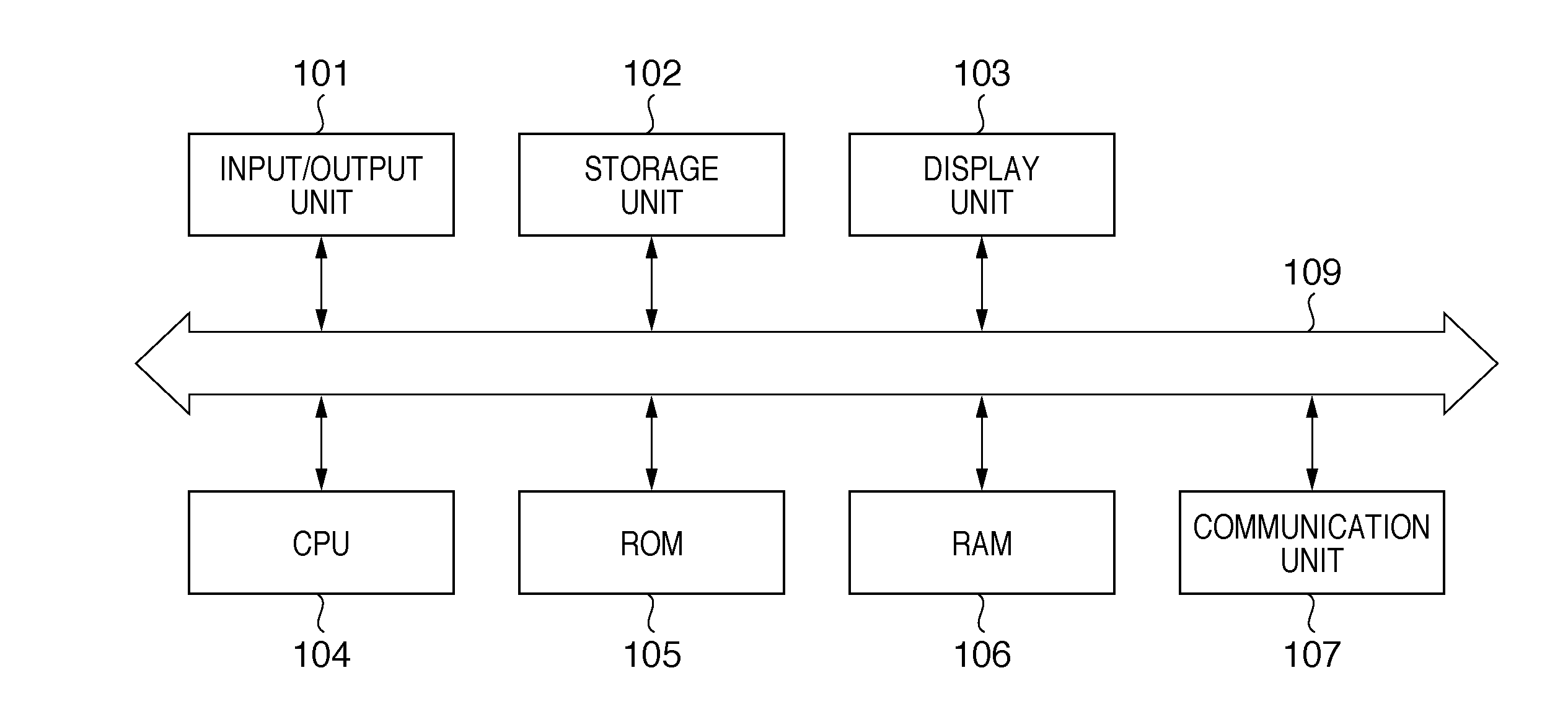
[0022]FIG. 1 is a block diagram showing the arrangement of an image processing apparatus according to the present invention.
[0023]A microprocessor (CPU) 104 controls components to be described below via a system bus 109 by executing various programs stored in a read-only memory (ROM) 105 and storage unit 102 using a random access memory (RAM) 106 as a work memory. Then, the CPU 104 executes various processes including those to be described later.
[0024]An input / output unit 101 comprises a serial bus interface such as USB (Universal Serial Bus), IEEE 1394, or the like, which connects input devices such as a keyboard, mouse, and the like, and image input and output devices such as a memory card reader / writer, digital camera, printer, and the like. Note that a pointing device such as a track ball, track pad, tablet, or the like may be connected to the input / output unit 101 in addition to the mouse. Alternatively, when this embodiment is applied to a device such as a digital camera, prin...
fourth embodiment
[0080]FIG. 10 is a flowchart for explaining creation of a photo album according to a
[0081]The CPU 104 displays a UI on the display unit 103 and inputs user's instructions of pictures to be used in a photo album (S1001).
[0082]FIG. 11 is a view showing an example of a picture selection UI according to the fourth embodiment. The UI shown in FIG. 11 displays a list of thumbnail images 1101 to 1120 of a plurality of pictures stored in, for example, a predetermined area of the storage unit 102. The user selects pictures used in a photo album from these thumbnail images. In the example shown in FIG. 11, the user selects eight pictures 1102, 1104, 1107, 1108, 1111, 1114, 1117, and 1120, indicated by bold frames.
[0083]Upon completion of selection of the pictures, the user presses a selection end button 1150. Upon pressing of the button 1150, the CPU 104 examines the selection and non-selection states of the respective pictures, and generates list information that represents the pictures in t...
PUM
 Login to View More
 Abstract
Description
Claims
Application Information
 Login to View More