Dynamically controlling a cursor on a screen when using a video camera as a pointing device

a technology of pointing device and video camera, which is applied in the field of video cameras, can solve the problems of system failure, high cost of solution, and large bandwidth requirements of solution

US8144123B2Inactive Publication Date: 2012-03-27FUJIFILM BUSINESS INNOVATION CORP
15 Cites 19 Cited by

Patent Information

Authority / Receiving Office
US · United States
Patent Type
Patents(United States)
Current Assignee / Owner
Publication Date
2012-03-27
Estimated Expiration
Not applicable · inactive patent

Smart Images

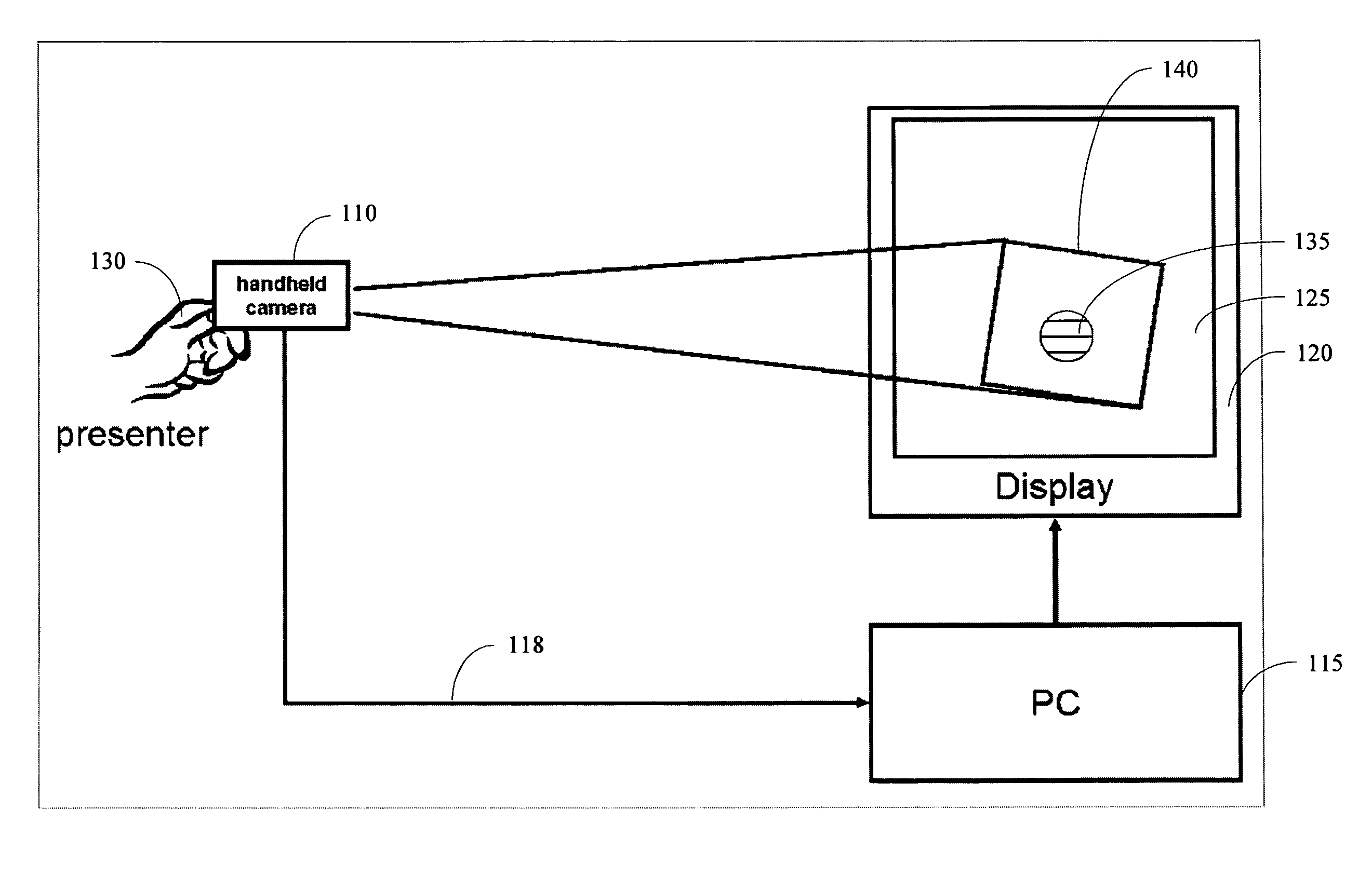
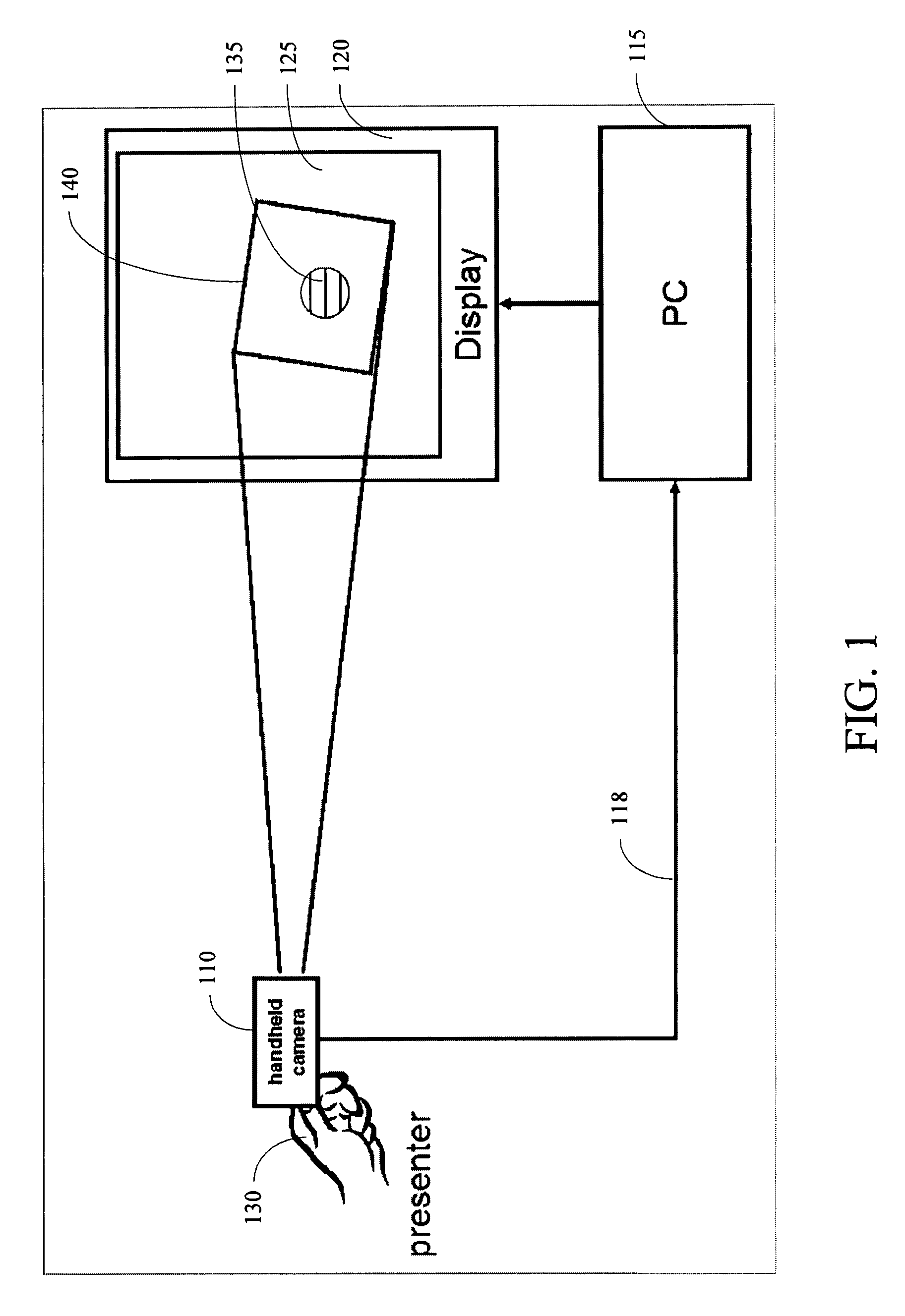
  • Figure 1
    Figure 1
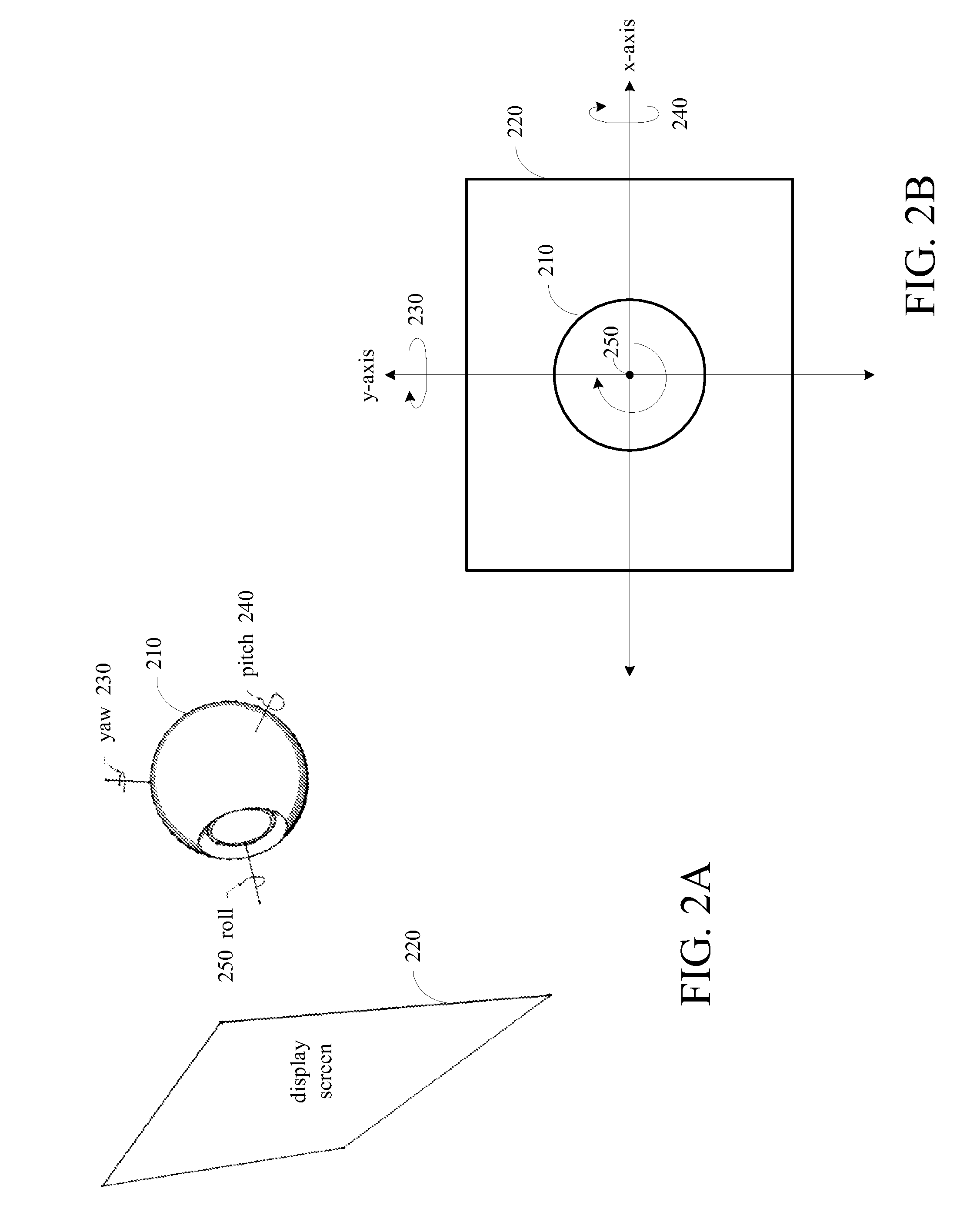
  • Figure 2
    Figure 2
  • Figure 3
    Figure 3
Patent Text Reader

Abstract

A system provides for controlling a cursor on a screen automatically and dynamically when using a video camera as a pointing device. A computer displays static or dynamic content to a screen. A video camera connected to the computer points at the screen. As the video camera films the screen, frames captured by the video camera are sent to the computer. A target image is displayed by the computer onto the screen and marks the position of the screen cursor of the video camera. Frames captured by the video camera include the target image, and the computer dynamically moves the target image on the screen to ensure that the target image stays in the center of the view of the video camera.
Need to check novelty before this filing date? Find Prior Art

Description

BACKGROUND OF THE INVENTION

[0001] 1. Field of the Invention

[0002] The present invention relates to video cameras, and in particular describes dynamically controlling a cursor on a screen when using a video camera as a pointing device.

[0003] 2. Description of the Related Art

[0004] A video camera can be used as a pointing device for a computer system. To accomplish this, the computer system displays an image on a computer screen of a computer display or projects an image onto a projection screen. The camera is pointed toward the computer screen and controls a screen cursor, which is a moving marker or pointer that indicates a position on the screen. This setup can be used for computer screen presentations in front of groups of people, for example, when the user of the camera gives a presentation.

[0005] To detect the cursor of the pointing device in the frame captured by the camera, some current computer systems identify several interest points between consecutive frames, estimate the affin...

Examples

Embodiment Construction

[0024]Herein is described system that provides for controlling a cursor on a screen automatically and dynamically when using a video camera as a pointing device. The system controls one or multiple pointers on a screen from a distance. The system is initialized seamlessly, without the need for calibration or installation of a fixed camera, thus enabling the easy addition of remote pointing to any screen.

[0025]Further, the system can track a cursor efficiently without the need for high frame rate cameras, with lower CPU requirements, with less bandwidth requirements, and that is less expensive. The system works with very low frame rate cameras, such as webcams. In addition, tracking works regardless of the type of content displayed, including static and dynamic content. Thus, the system works in real-time.

[0026]The system does not lose tracking of the cursor. As a user moves farther away from the display, the system adjusts the cursor image and its size so that the tracked cursor rem...