Method for displaying selecting menu icon by custom gradient background

A custom and icon technology, applied in the input/output process of data processing, instruments, electrical digital data processing, etc., can solve the problems of user difficulty, increase operation inconvenience, identify menu icons, etc., and achieve the effect of strengthening the distinction

CN101393512AInactive Publication Date: 2009-03-25WUDI SCI & TECH (XIAN) CO LTD
0 Cites 13 Cited by

Patent Information

Authority / Receiving Office
CN · China
Current Assignee / Owner
Publication Date
2009-03-25
Estimated Expiration
Not applicable · inactive patent

Smart Images

  • Figure 1
    Figure 1
  • Figure 2
    Figure 2
  • Figure 3
    Figure 3
Patent Text Reader

Abstract

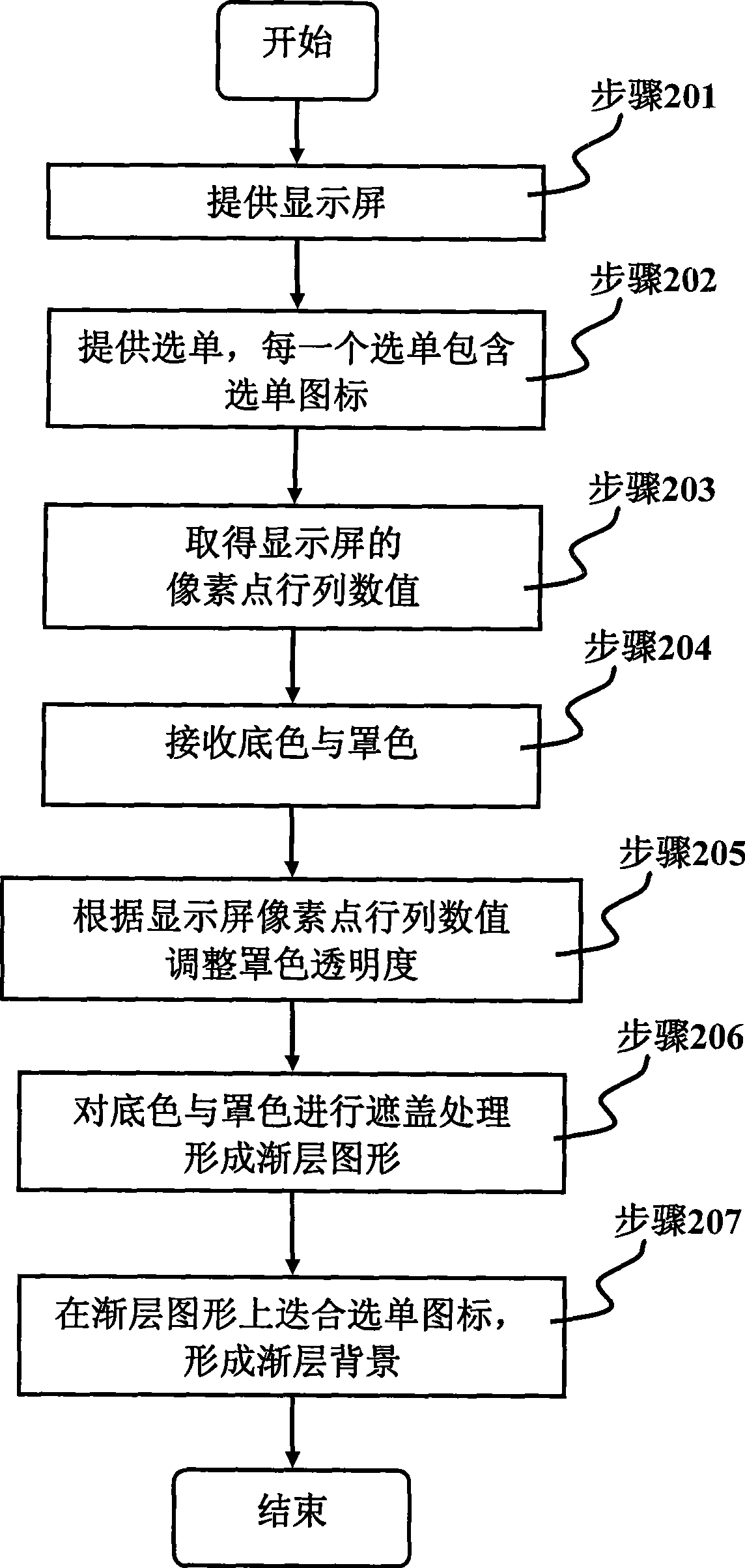
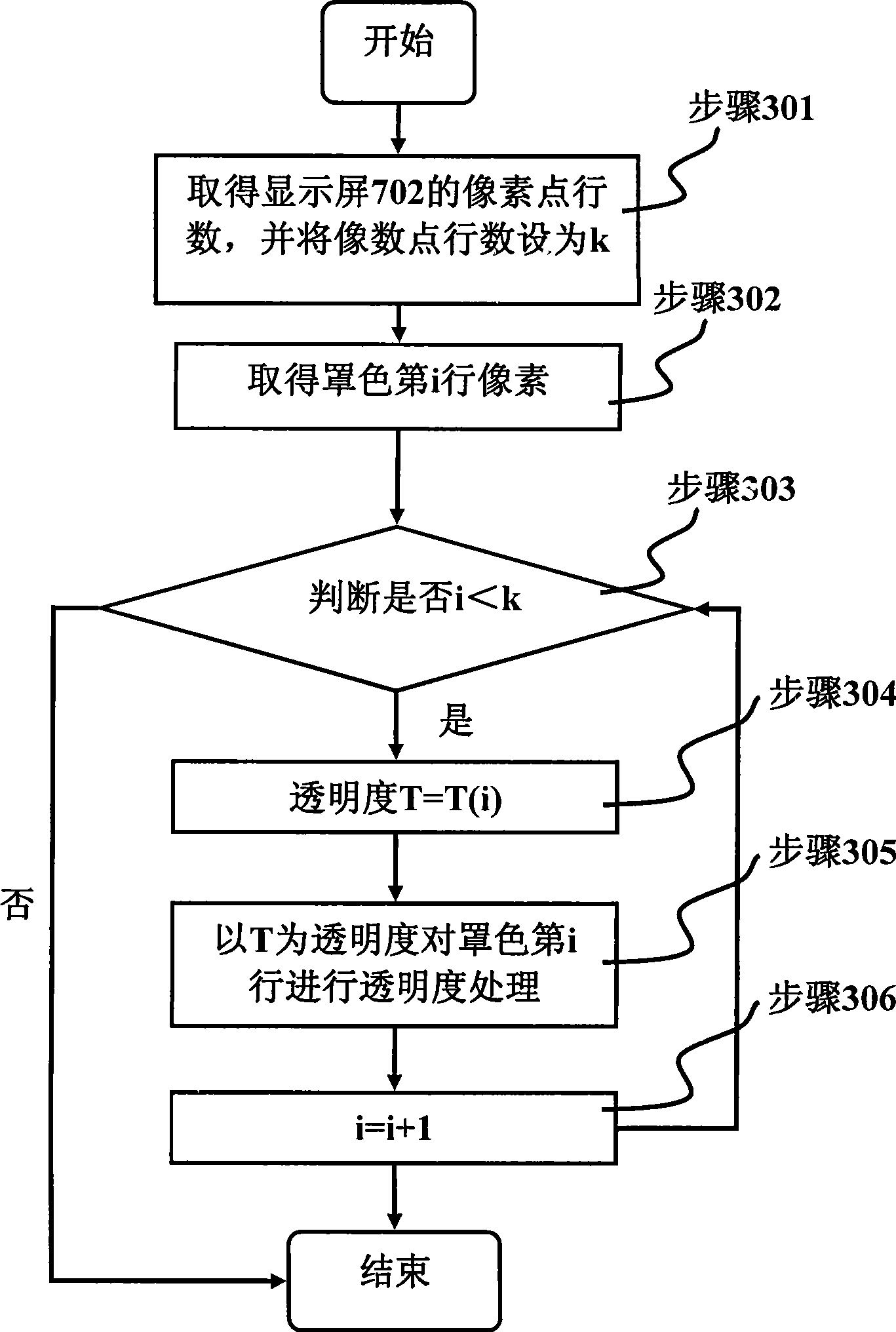
The invention relates to a method for highlighting a menu icon by self-defining the gradual-layer background. The method comprises the following steps: providing a display screen; providing a menu icon, and displaying the menu icon on the display screen; acquiring line and row values of pixels of the display screen; receiving the background color and the cover color; according to the line and row values of the pixels of the display screen, adjusting the cover color transparency; carrying out covering treatment on the background color and the cover color to form a gradual-layer image; and laminating the menu icon on the gradual-layer image so as to form the gradual-layer background. Through the steps, the visual difference between the menu icon and a background image is reinforced, so that the menu icon is still clear after being laminated on the background image.
Need to check novelty before this filing date? Find Prior Art

Description

technical field

[0001] The invention relates to a method for highlighting menu icons, in particular to a method for highlighting menu icons by customizing a gradient background. Background technique

[0002] Due to the advancement of electronics-related technologies, electronic devices are not only becoming more powerful, but also gradually reducing in size and weight. Such technological development has also made the boundaries between handheld electronic devices such as notebook computers, personal digital assistants (PDAs), mobile phones, and computer dictionaries more and more blurred. Devices often have a single function, but now you can see all-in-one portable devices.

[0003] However, after the size is reduced, the display screen is also reduced. Although the small screen has the lightness that the large screen does not have, it also makes it difficult for the operator to communicate with the electronic device. Especially today's portable electronic devices often ha...

Examples

no. 1 example

[0052] see figure 1 , 3 , 4, the first embodiment of the present invention comprises the following steps:

[0053] Step 201: Provide a display screen 702.

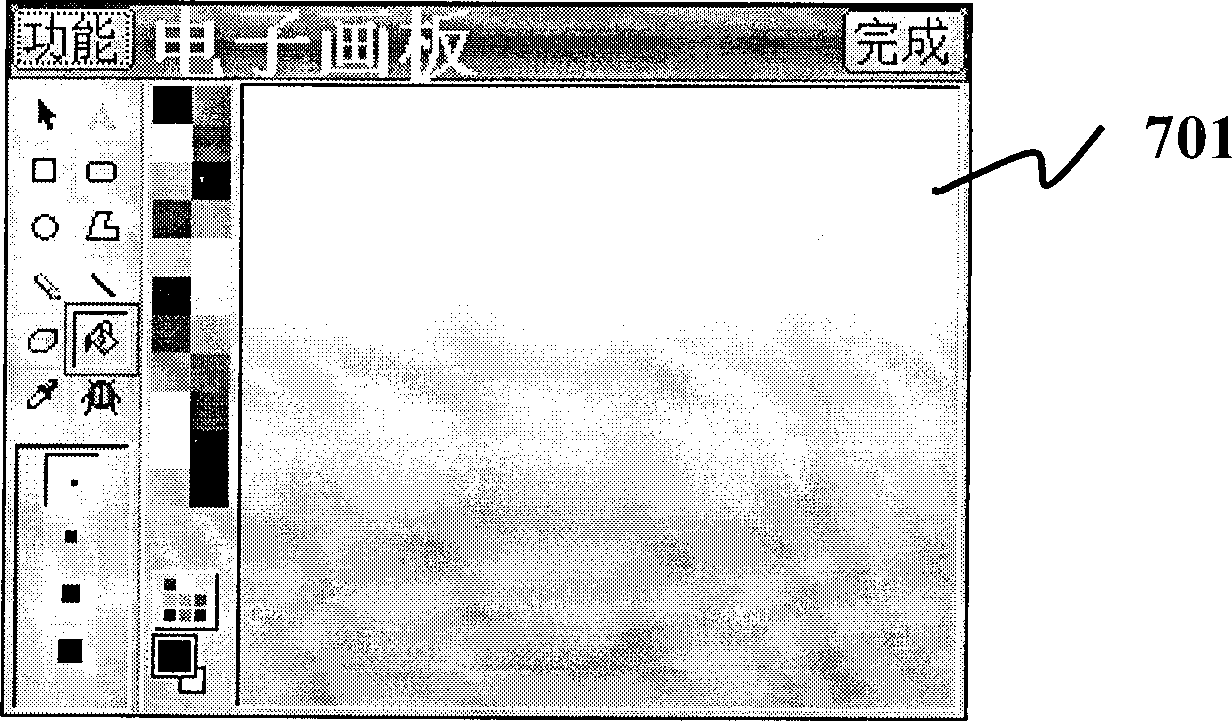
[0054] The display screen 702 is used to output the menu icon 102 and the gradient graphics 701 of the palm-sized electronic device for the user to click and operate.

[0055] Step 202 : Provide menus 101 , each menu 101 includes a menu icon 102 .

[0056] The above menu 101 includes function menus 101 such as F1 dictionary, F2 learning, F3 multimedia, F4 notes, F5 system, and each menu 101 includes a menu icon 102, such as: the menu 101 of F1 dictionary includes full sentence translation, English-Chinese dictionary, Oxford high school Step, Cambridge Encyclopedia, Japanese-Chinese-Japanese-Japanese, multinational dictionary, Chinese-English dictionary, encyclopedia diagram, professional dictionary, Mandarin dictionary, A card, B card and other function menu icons 102 .

[0057] Step 203: Obtain the row and column valu...