
Method and device for regulating home page interface and smart television
A technology of smart TV and adjustment method, which is applied in the direction of program control devices, electrical components, selective content distribution, etc., can solve problems such as interface flickering, affecting the visual effect of smart TV interface, and gray screen of smart TV, so as to improve the effect, Improve the effect of interface visual effects
- Summary
- Abstract
- Description
- Claims
- Application Information
AI Technical Summary
Problems solved by technology
Method used
Image

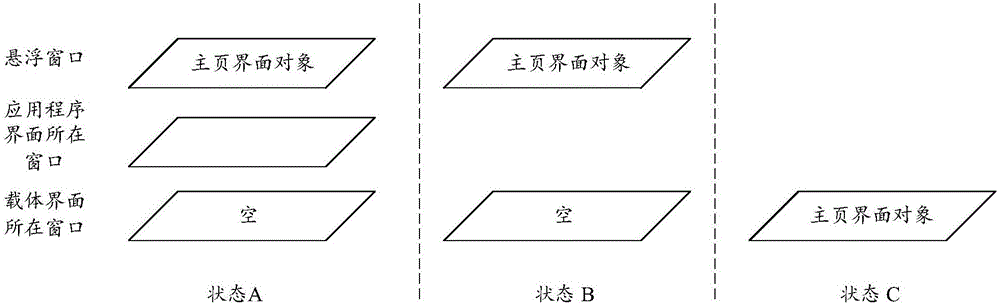
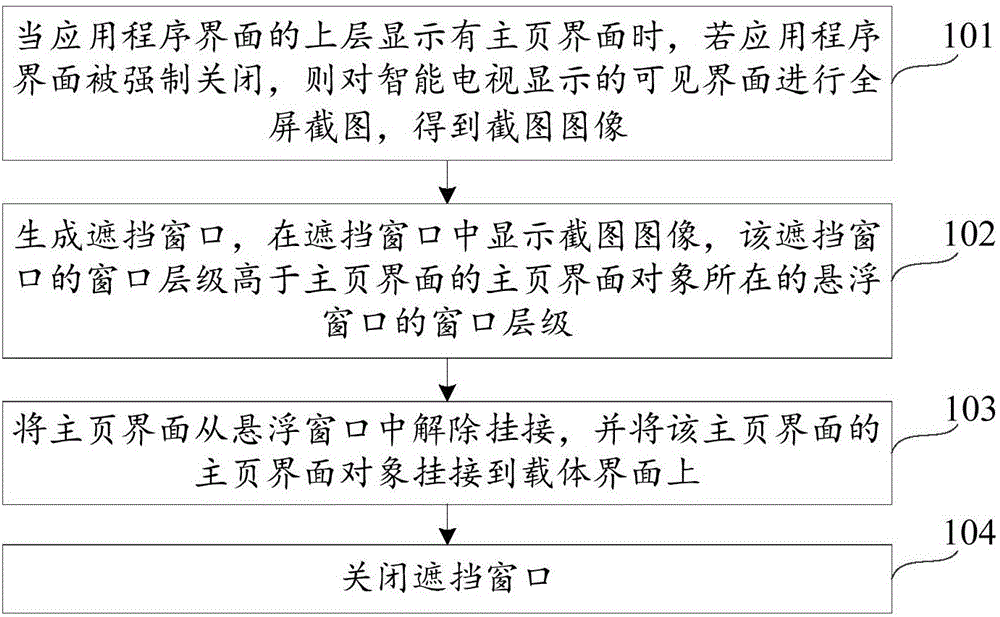
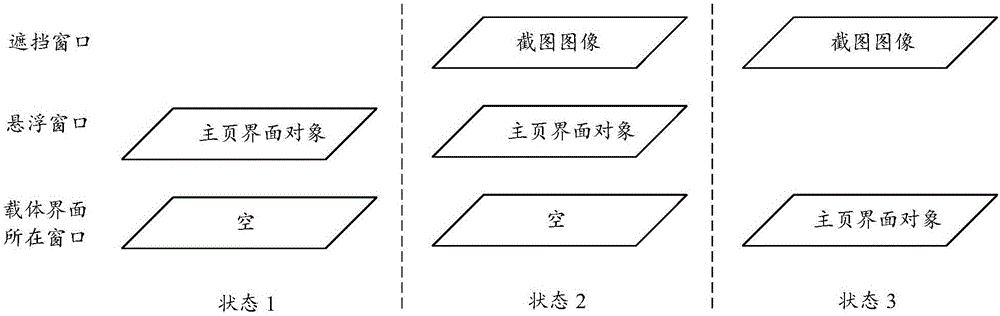
Examples
Embodiment Construction
[0026] In order to make the object, technical solution and advantages of the present invention clearer, the implementation manner of the present invention will be further described in detail below in conjunction with the accompanying drawings.
[0027] At present, smart TVs generally use the Android operating system. The Android operating system can not only display the system component Activity, but also display dialog boxes (English: Dialog), status bar, volume bar, lock screen interface, mouse cursor, screen saver, and pop-up messages. Box Toast and various windows. The Android operating system sets multiple window levels for windows, and high-level windows will be displayed on top of low-level windows. Commonly used window levels from low to high are: TYPE_APPLICATION, TYPE_PHONE, TYPE_SYSTEM_DIALOG, TYPE_TOAST, YPE_DREAM, TYPE_SYSTEM_ALERT, TYPE_STATUS_BAR, TYPE_STATUS_BAR_PANEL, TYPE_VOLUME_OSTVERLAY, TYPE_SYSTEM_OVERLAY, etc.
[0028] Please refer to Figure 2A , whic...
PUM
 Login to View More
 Abstract
Description
Claims
Application Information
 Login to View More