
Method and apparatus for removing hot pixels in a digital camera
- Summary
- Abstract
- Description
- Claims
- Application Information
AI Technical Summary
Benefits of technology
Problems solved by technology
Method used
Image

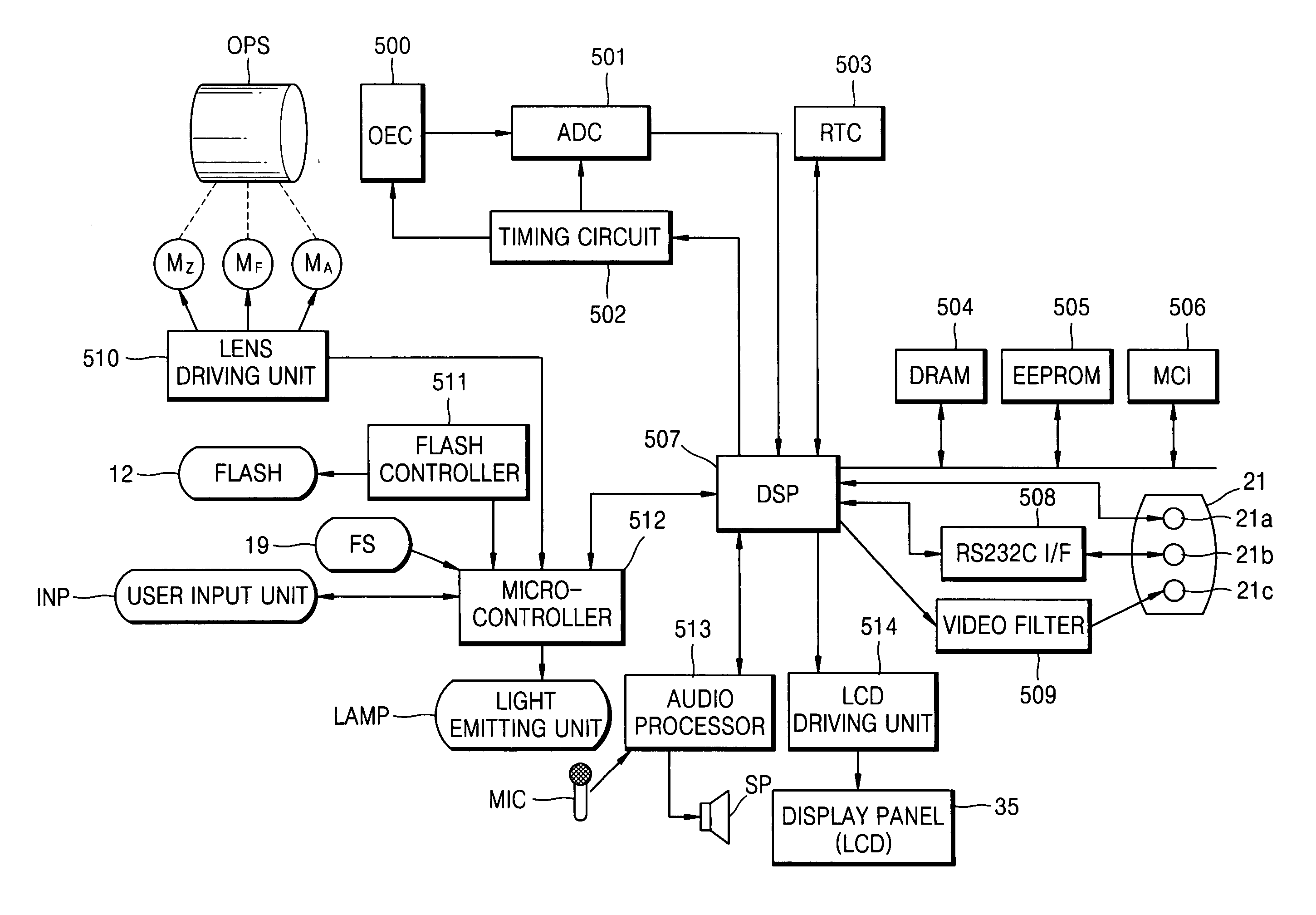
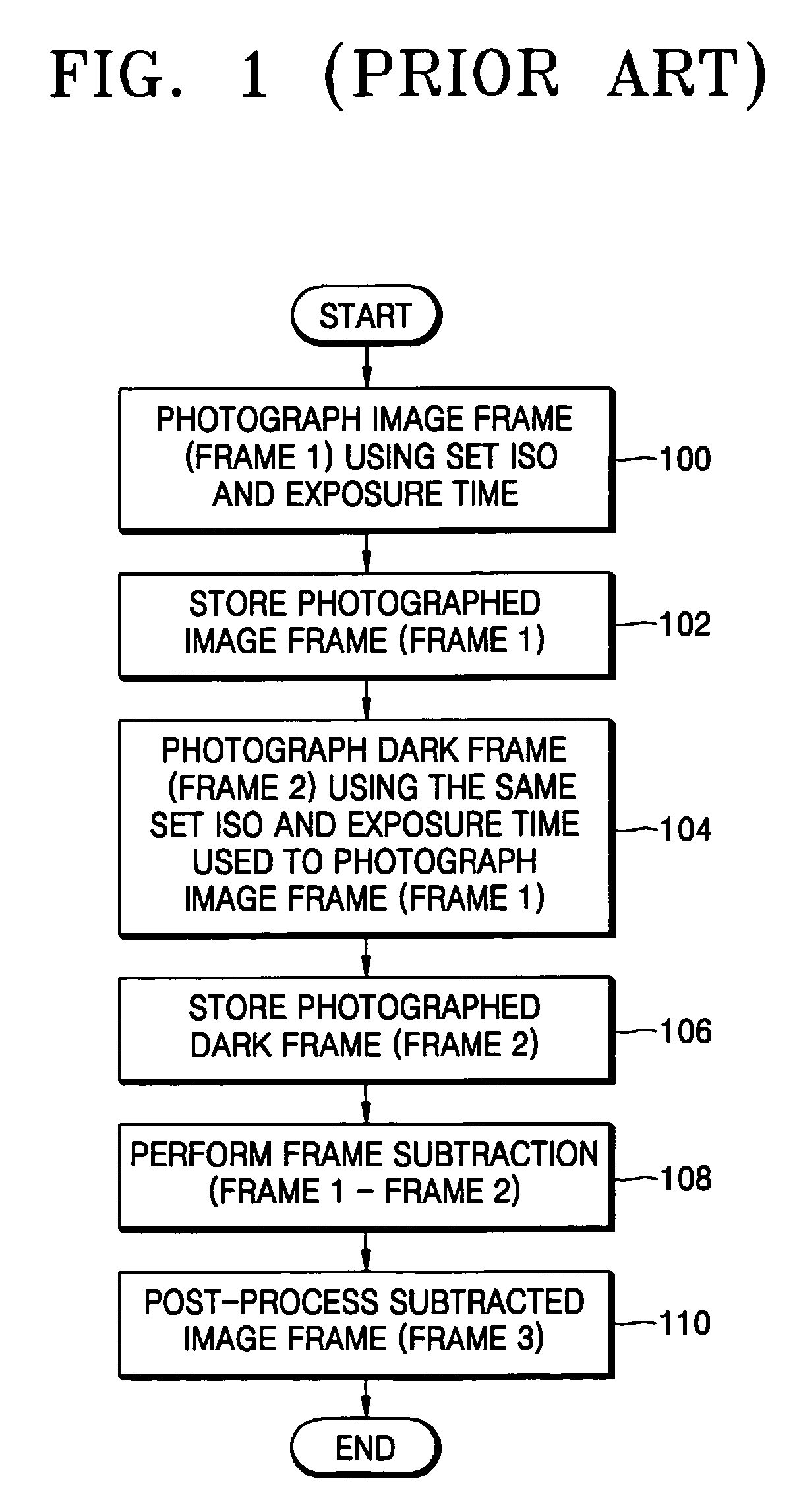
Examples
Embodiment Construction
[0024] The present invention will now be described more fully with reference to the accompanying drawings, in which embodiments of the invention are shown.
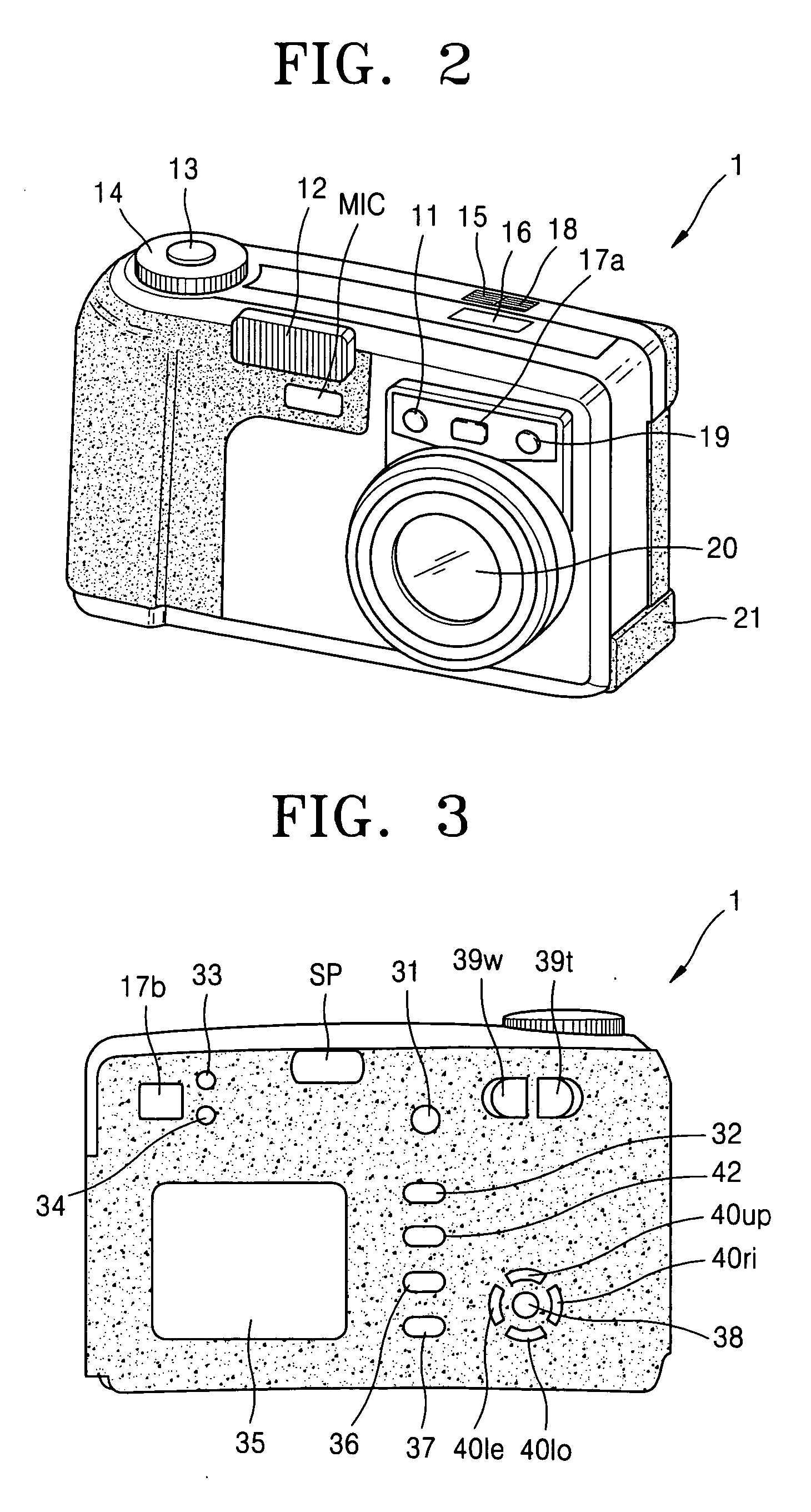
[0025] Referring to FIG. 2, a digital image processing apparatus 1 includes a microphone MIC, a self-timer lamp 11, a flash 12, a view finder 17a, a flash light amount sensor (FS) 19, and a lens unit 20 on its front; a shutter 13, a mode dial 14, a function-select button 15, a photograph-information displaying unit 16, and a function-block button 18 on its top; and an external interface 21 on its side.
[0026] The self-timer lamp 11 operates from a time when the shutter 13 is pressed until the shutter 13 starts operating in a self-timer mode. The mode dial 14 is used by a user to select various operating modes, such as a still image photographing mode, a night scene photographing mode, a moving picture photographing mode, a play mode, a computer connecting mode, and a system setting mode. The function-select button 15 is used by t...
PUM
 Login to View More
 Abstract
Description
Claims
Application Information
 Login to View More