
Method and device for converting swf into canvas animation
An animation and dynamic element technology, applied in the field of network applications, can solve the problems of consuming a long download time and low playback fluency, and achieve the effects of improving playback fluency, reducing data size, and simplifying processing.
- Summary
- Abstract
- Description
- Claims
- Application Information
AI Technical Summary
Problems solved by technology
Method used
Image


Examples
Embodiment Construction
[0024] In order to make the objectives, technical solutions and advantages of the present invention clearer, the following further describes the present invention in detail with reference to the accompanying drawings and embodiments. It should be understood that the specific embodiments described herein are only used to explain the present invention, but not to limit the present invention.
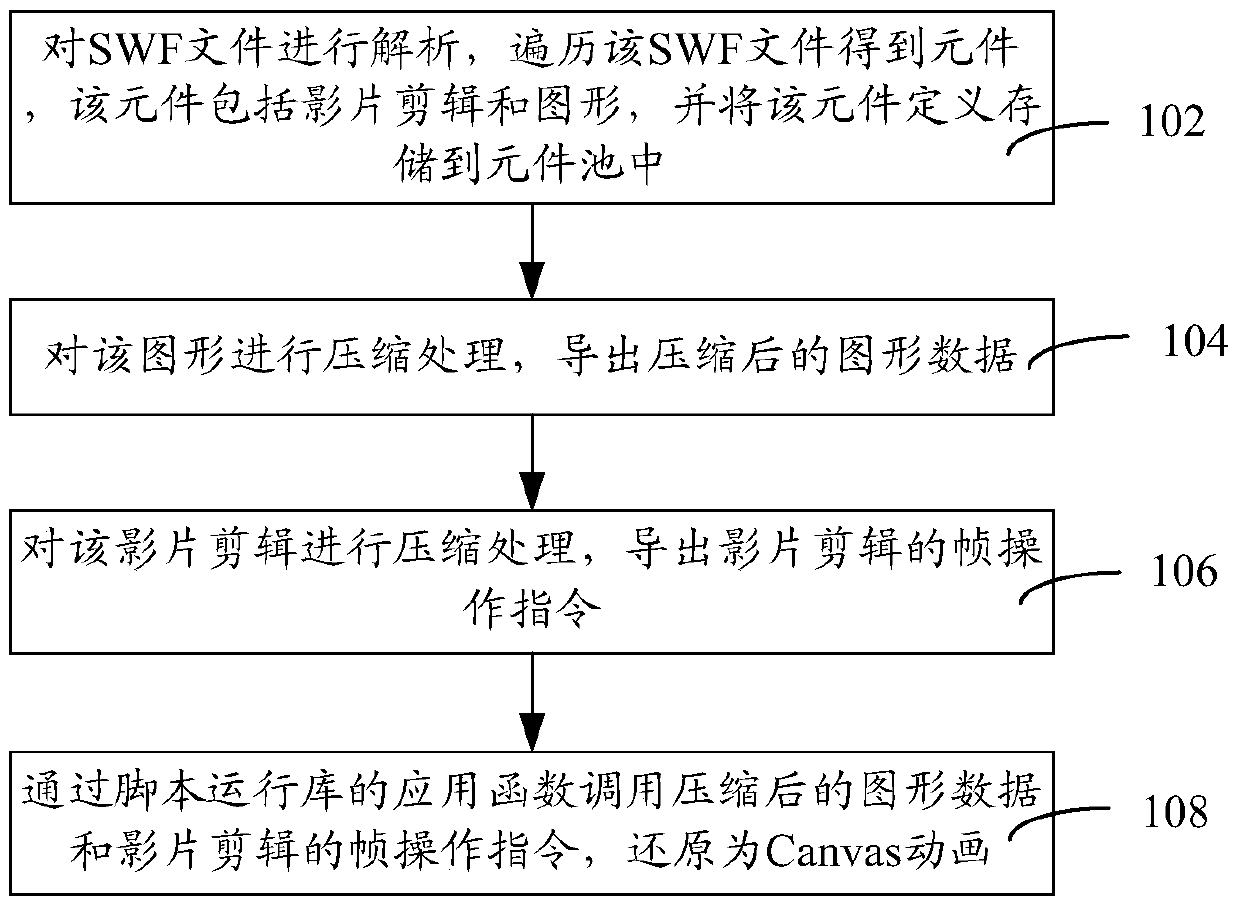
[0025] figure 1 It is a flowchart of a method for converting SWF into Canvas animation in an embodiment. Such as figure 1 As shown, the method of converting SWF into Canvas animation includes the following steps:
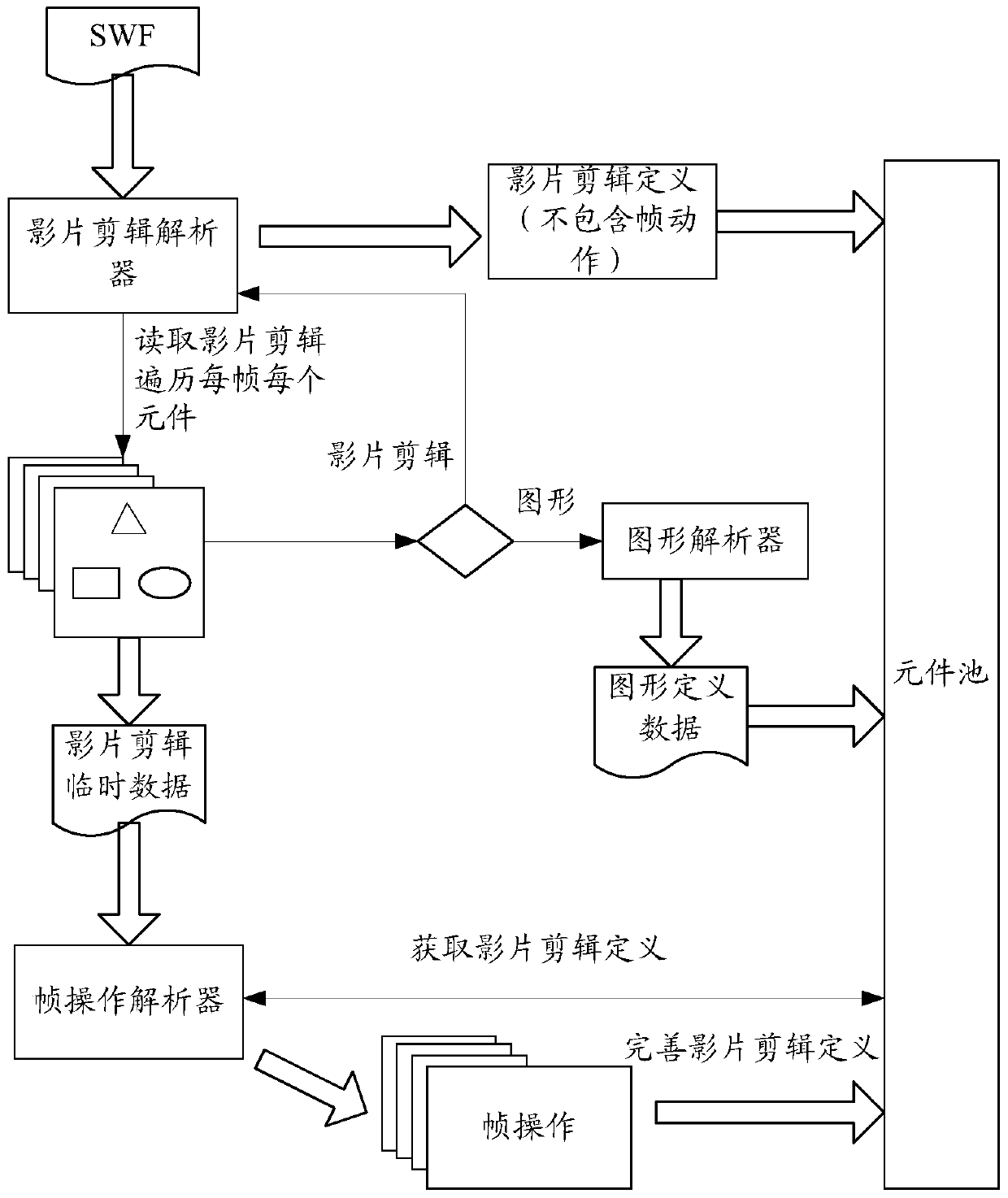
[0026] Step 102: Analyze the SWF file, traverse the SWF file to obtain a component, which includes movie clips and graphics, and store the component definition in the component pool.
[0027] Specifically, the SWF file is composed of movie clips, graphics, and buttons. The uppermost component in a SWF is a movie clip, which is a container that can contain sub movie clips, sub graphic...
PUM
 Login to View More
 Abstract
Description
Claims
Application Information
 Login to View More