
Icon name display system and icon name display method
A display method and a display system technology, which are applied in the fields of information processing and image editing, can solve problems such as incomplete display and too long icon names, and achieve the effects of strong intelligence, rich desktop display, and high execution efficiency
- Summary
- Abstract
- Description
- Claims
- Application Information
AI Technical Summary
Problems solved by technology
Method used
Image

Examples
no. 1 example
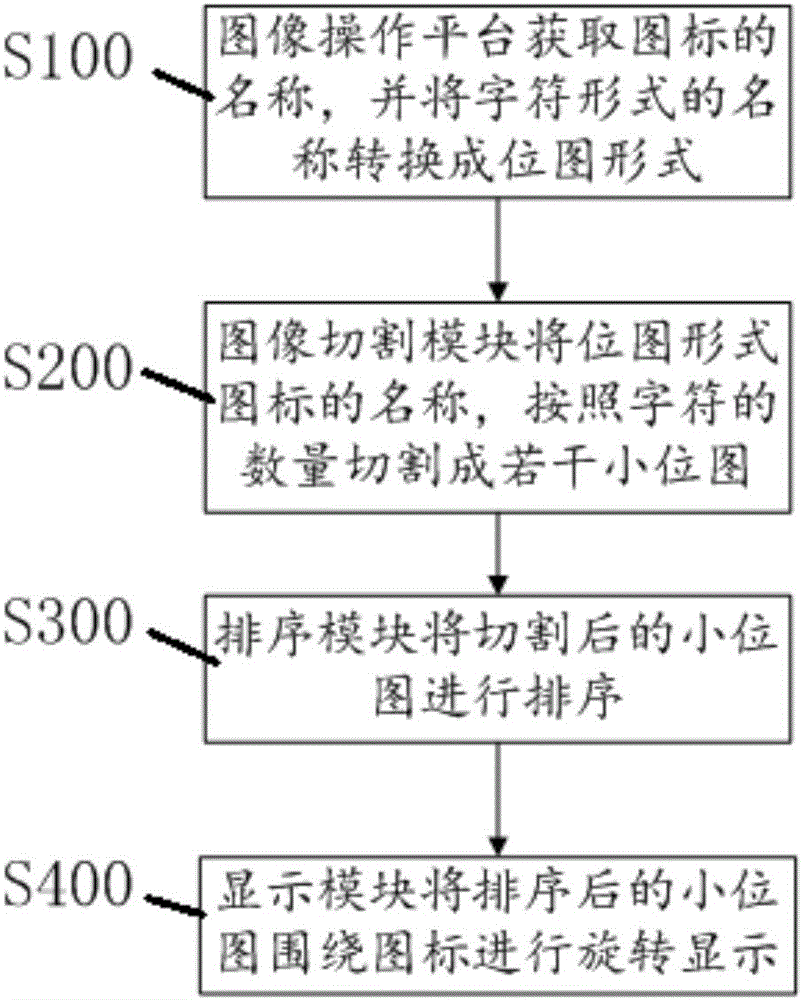
[0057] like figure 1 As shown in the schematic flow chart of the first embodiment of the present invention:
[0058] A method for displaying icon names, the method steps comprising:
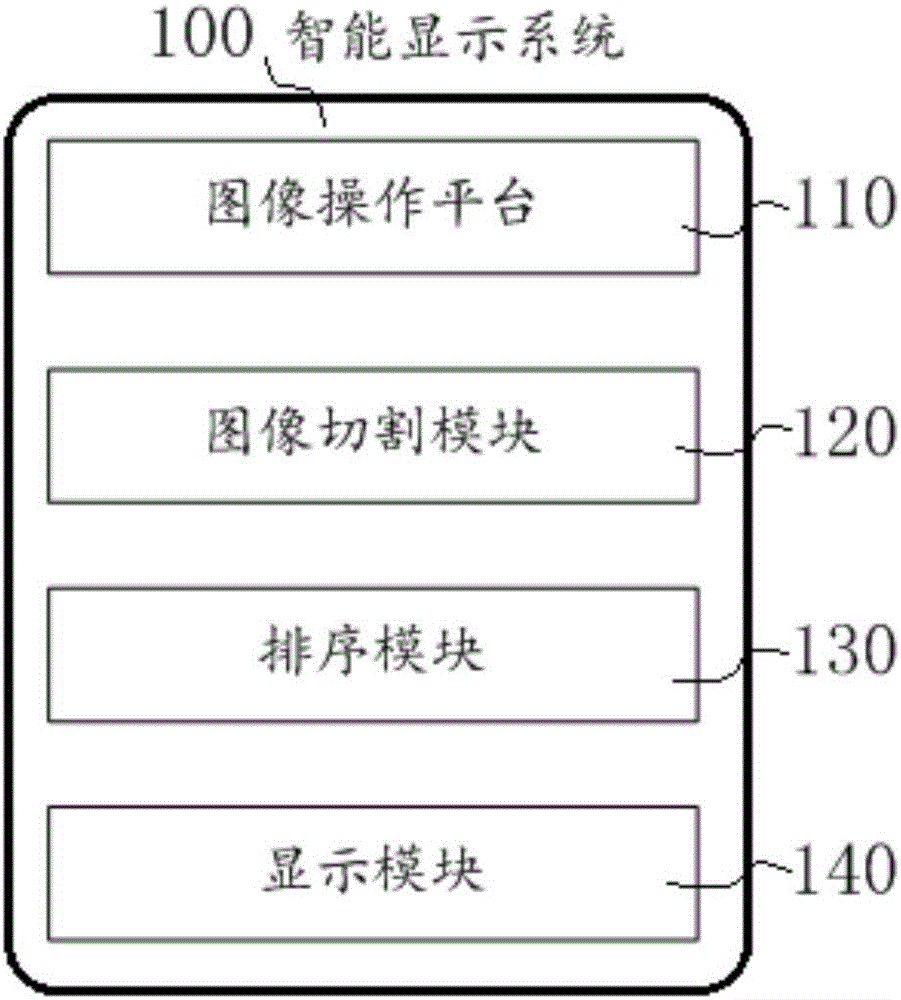
[0059] S100: The image operation platform 110 obtains the name of the icon, and converts the name in character form into a bitmap form;
[0060] S200: The image cutting module 120 cuts the name of the icon in bitmap form into several small bitmaps according to the number of characters;
[0061] S300: The sorting module 130 sorts the cut small bitmaps;
[0062] S400: The display module 140 rotates and displays the sorted small bitmap around the icon.
[0063] Preferably, the method for displaying the icon name further includes S110 after S100: the identification module 180 identifies the character set type of the icon name. The character set type includes ASCII, BIG5, GB2312, GB18030, Unicode or UTF-8. Recognizing the type of character set provides a basis for judging the height and width of ...
no. 2 example
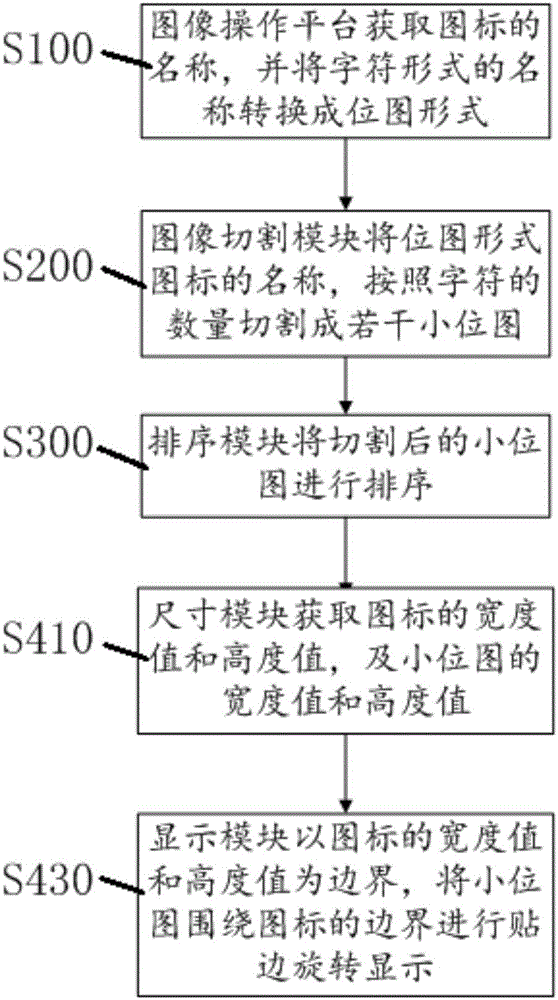
[0074] On the basis of Example 1, as image 3 As shown in the schematic flow chart of the second embodiment of the present invention: further preferably, the display method of the icon name,
[0075] S500: The touch module 160 senses whether the icon is touched;
[0076] S510: The time module 150 calculates the time interval of the touch.
[0077] Wherein, when the display module 140 performs rotating display, the function of the touch module is disabled.
[0078] Preferably, the method for displaying the icon name further includes S410 after S400: the size module 170 obtains the width value and height value of the icon, and the width value and height value of the small bitmap, and determines the The distance interval of each movement of the small bitmap.
[0079] Preferably, the display method of the icon name has two rotation display methods:
[0080] S420: The display module 140 rotates and displays the small bitmap around the icon with the center of the icon as the ori...
no. 3 example
[0091] Whenever the desktop icon is clicked (whether it is the desktop of the PC display or the main interface of the display of the mobile terminal), record the current time and calculate the time difference from the last click,
[0092] If the (set) time interval is within 10s, the name of the icon is obtained and displayed on the canvas, and then each text is obtained by cutting, and each text is rotated clockwise around the icon by translation,
[0093] If the (setting) time interval is greater than 10s, the icon name will not be dynamically displayed, but the application will be opened.
[0094] When clicking on the icon on the desktop:
[0095] Step1: The time module 150 obtains the current time and the time when the icon was clicked last time (this needs to be realized in cooperation with the touch module 160), and calculates the time difference between the two clicks. If the time difference is greater than or equal to 10s, the application is opened and not executed Th...
PUM
 Login to View More
 Abstract
Description
Claims
Application Information
 Login to View More