
Application method for budget management software
A budget management and software technology, applied in data processing applications, calculations, electrical digital data processing, etc., can solve the problems of time-consuming viewing and operation, complicated sorting work, complicated data steps, etc., and achieve accurate accounting and clear data structure , the effect of data fairness
- Summary
- Abstract
- Description
- Claims
- Application Information
AI Technical Summary
Problems solved by technology
Method used
Image

Examples
Embodiment 1
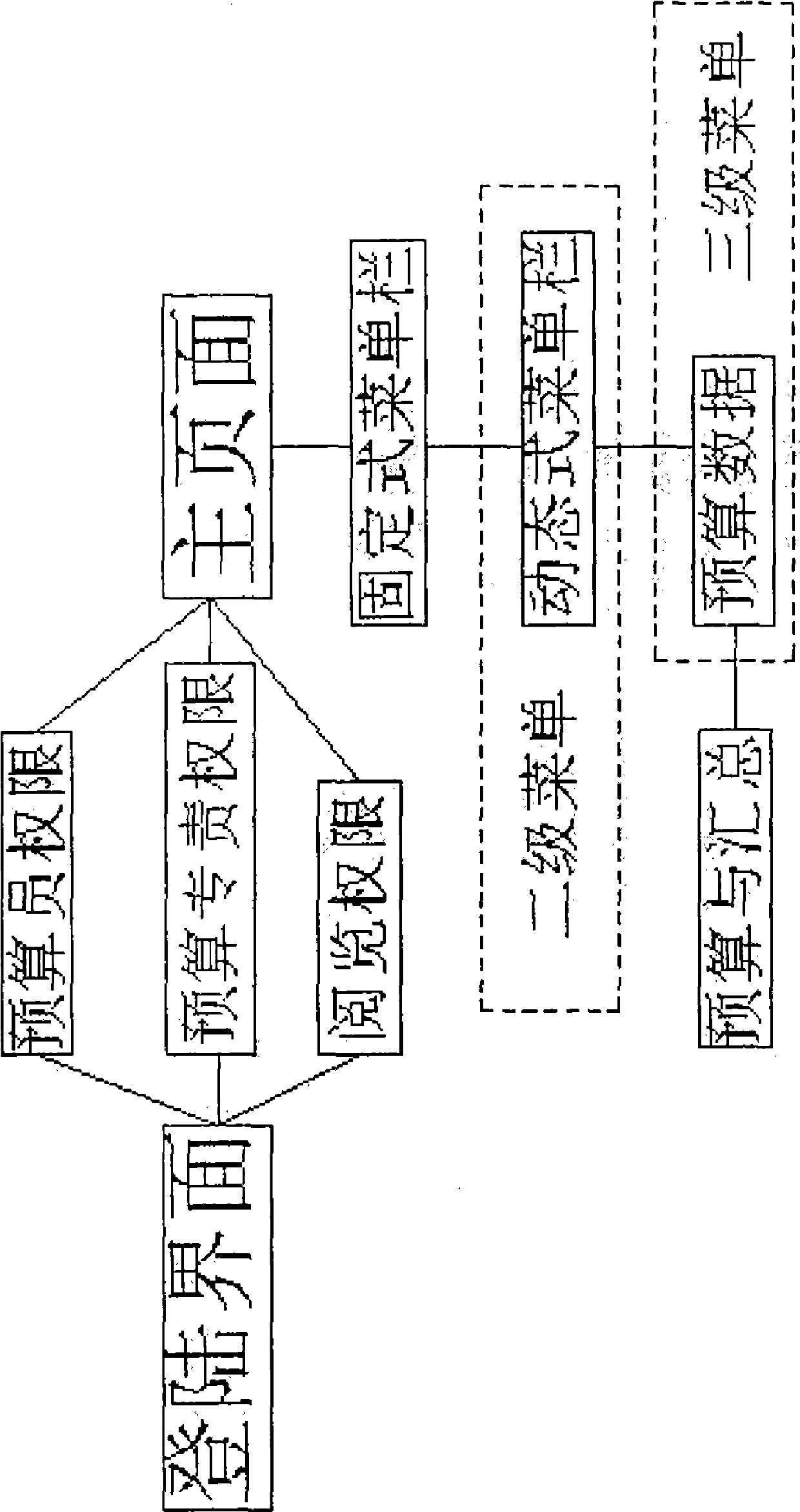
[0022] As shown in Figure 1, a method for using budget management software includes the following steps:
[0023] Step 1: Open the software login program to enter the login interface, and select the login authority to log in and enter the program;
[0024] Step 2: Log in successfully and enter the main page, which is divided into a fixed menu bar and a dynamic menu bar;
[0025] Step 3: Open the fixed menu and enter the secondary menu according to the different tasks to be performed;
[0026] Step 4: Open the second-level menu and enter the third-level page according to the further execution of tasks;
[0027] Step 5: According to the option of task execution, the system automatically completes the budget and summary of budget data.
[0028] The login authority is divided into the authority of the budget officer, the authority of the budgetary responsibility and the authority of reading, and different authorities can log in according to different user names and user password...
PUM
 Login to View More
 Abstract
Description
Claims
Application Information
 Login to View More