
Driver-free analog keyboard input instruction set method of interactive whiteboard system
A technology that simulates keyboards and interactive whiteboards is applied in the electronic field to achieve the effects of increasing convenience, eliminating the need for updates and upgrades, and improving efficiency
- Summary
- Abstract
- Description
- Claims
- Application Information
AI Technical Summary
Problems solved by technology
Method used
Image

Examples
Embodiment Construction
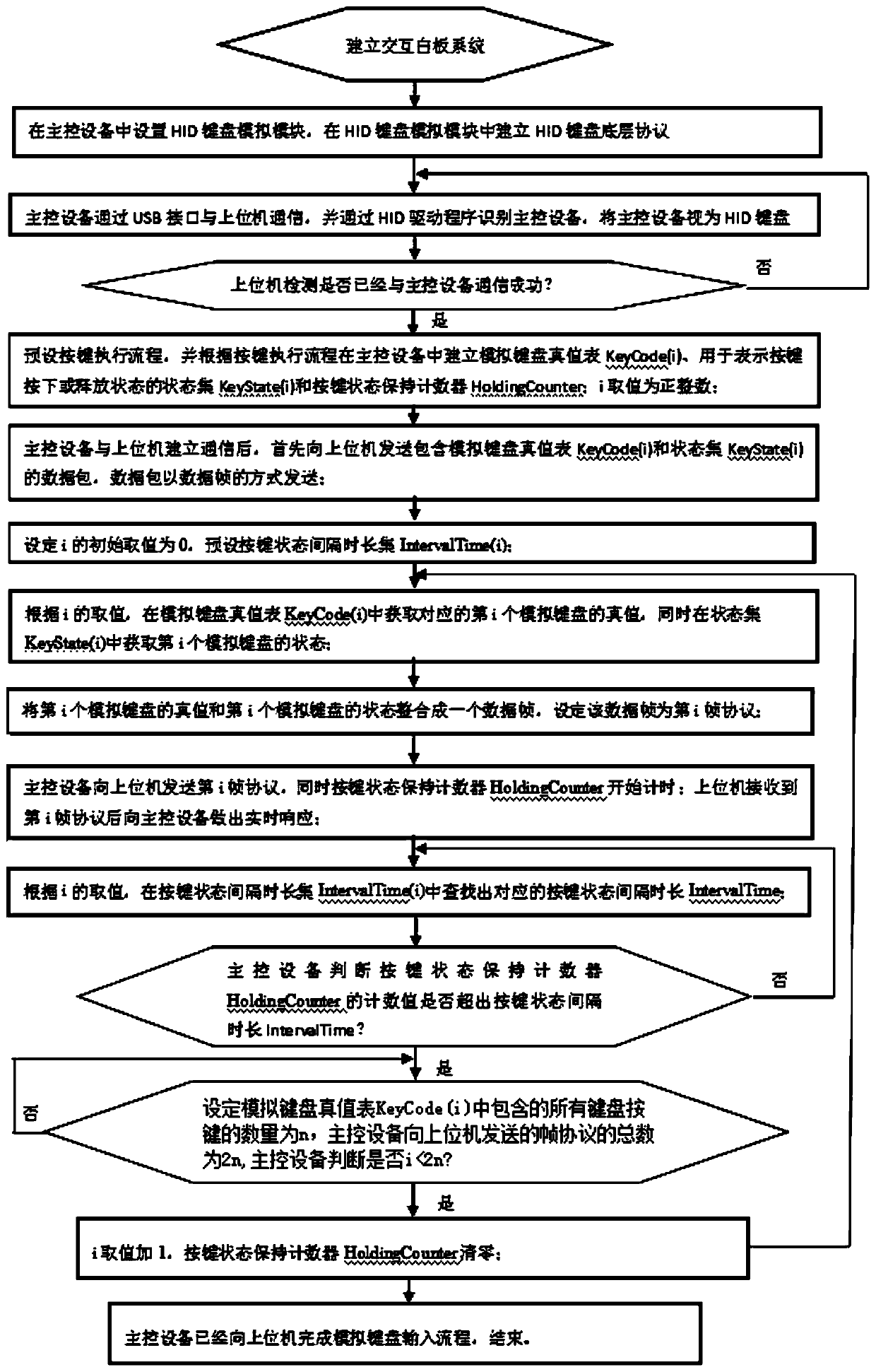
[0032] Depend on figure 1 A driver-free analog keyboard input instruction set method for an interactive whiteboard system includes the following steps:
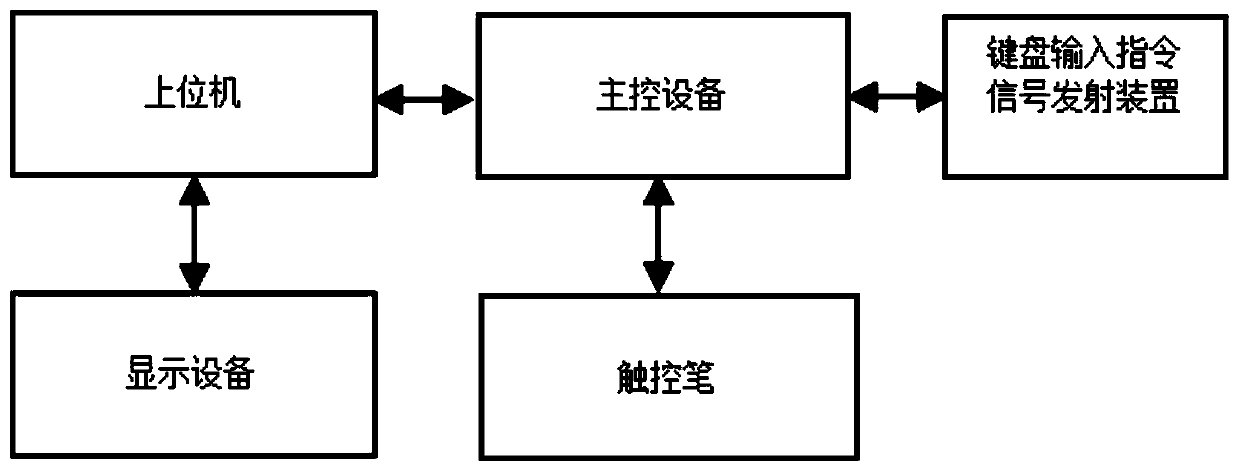
[0033] Step 1: Establish an interactive whiteboard system. The interactive whiteboard system includes a host computer, a display device, a main control device and a stylus;
[0034] Step 2: the HID keyboard simulation module is set in the main control device, and the HID keyboard bottom layer protocol is established in the HID keyboard simulation module;
[0035] Step 3: The main control device communicates with the host computer through the USB interface, and identifies the main control device through the HID driver, and regards the main control device as a HID keyboard;
[0036] Step 4: The host computer checks whether the communication with the main control device has been successful: if yes, then execute step 5; if no, execute step 3;
[0037] Step 5: Set up the simulated keyboard truth table KeyCode(i), the state set K...
PUM
 Login to View More
 Abstract
Description
Claims
Application Information
 Login to View More