
Method, Device and Software for Updating Data in Mobile Devices
- Summary
- Abstract
- Description
- Claims
- Application Information
AI Technical Summary
Benefits of technology
Problems solved by technology
Method used
Image

Examples
Embodiment Construction
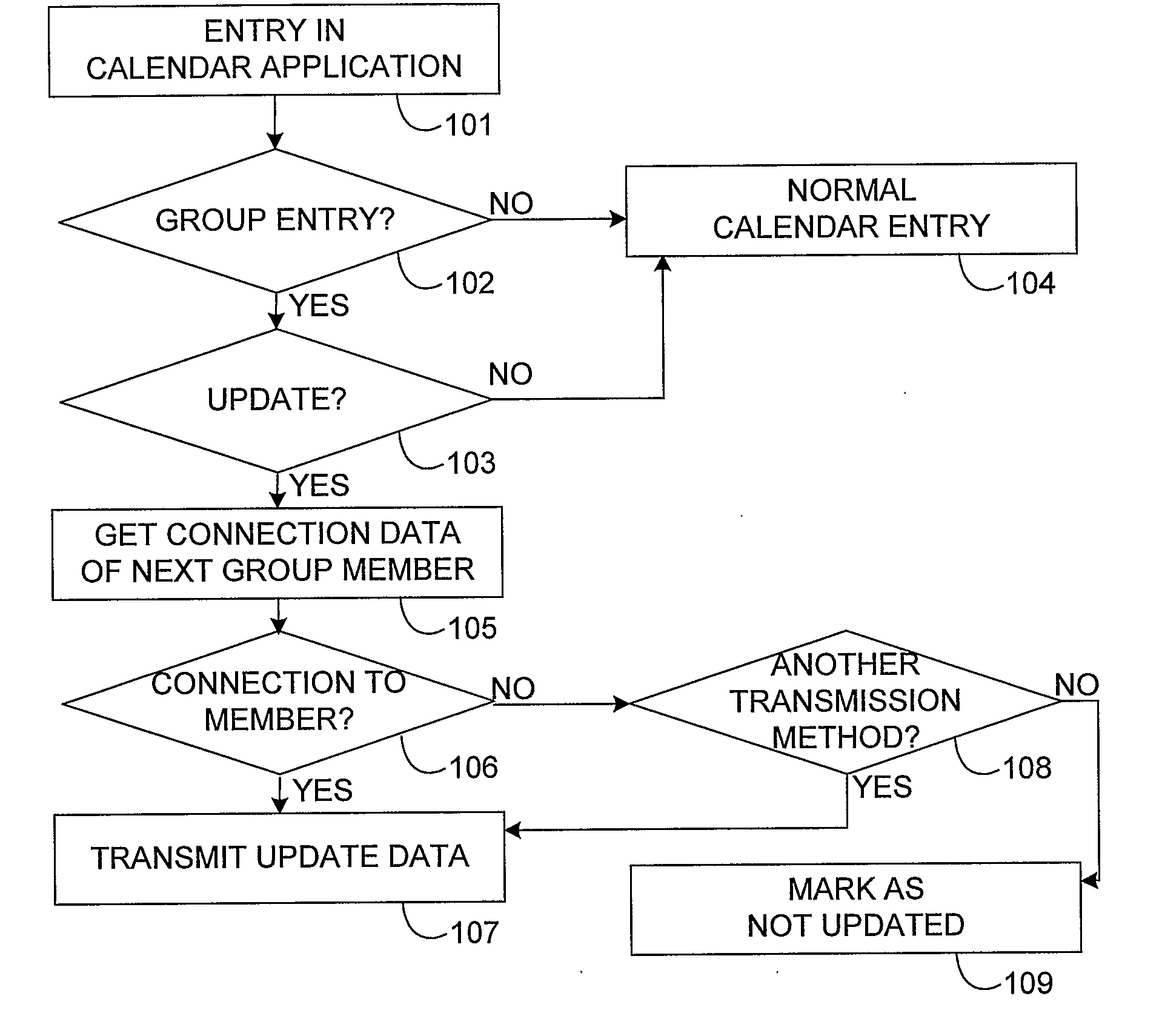
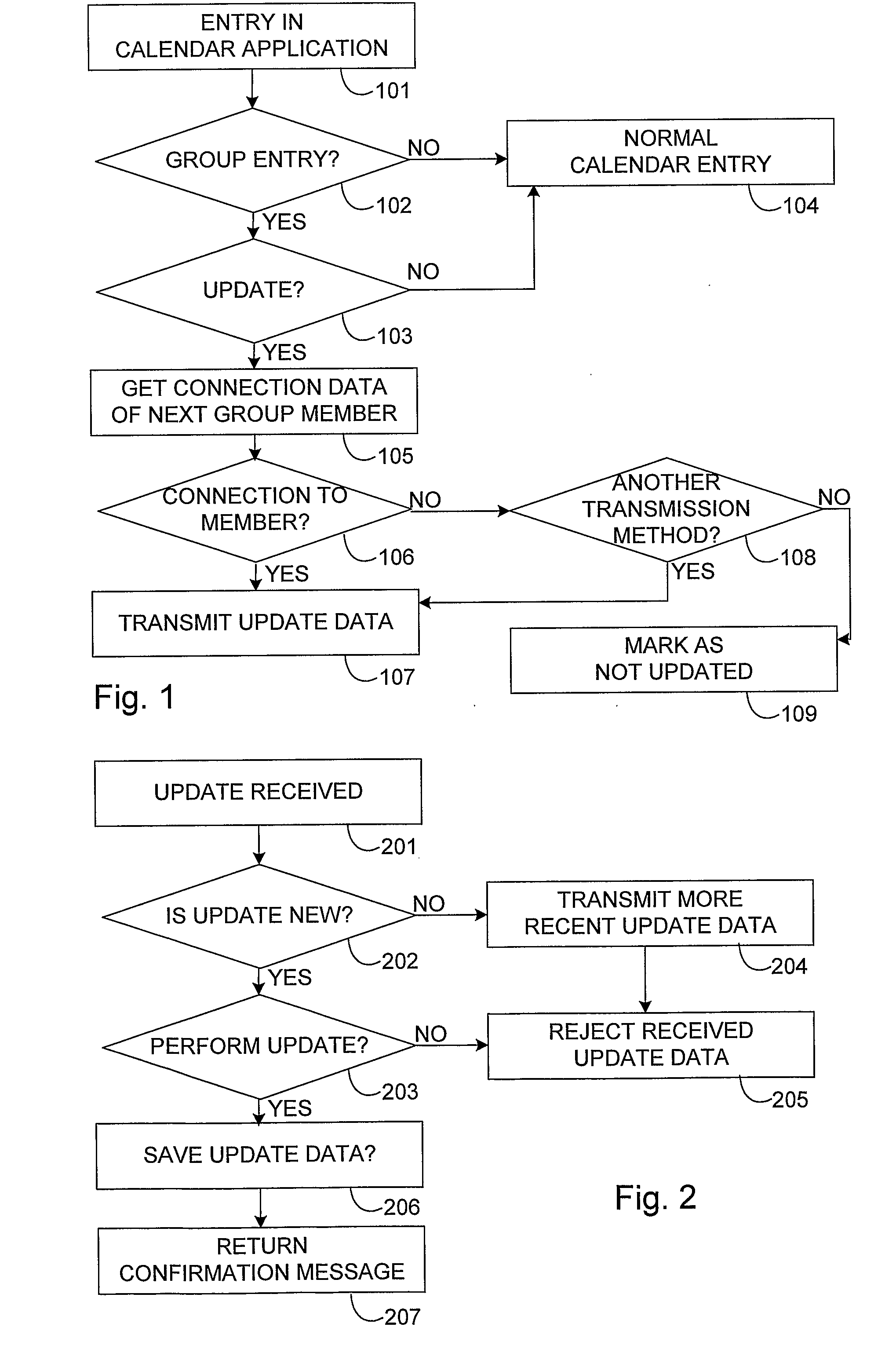
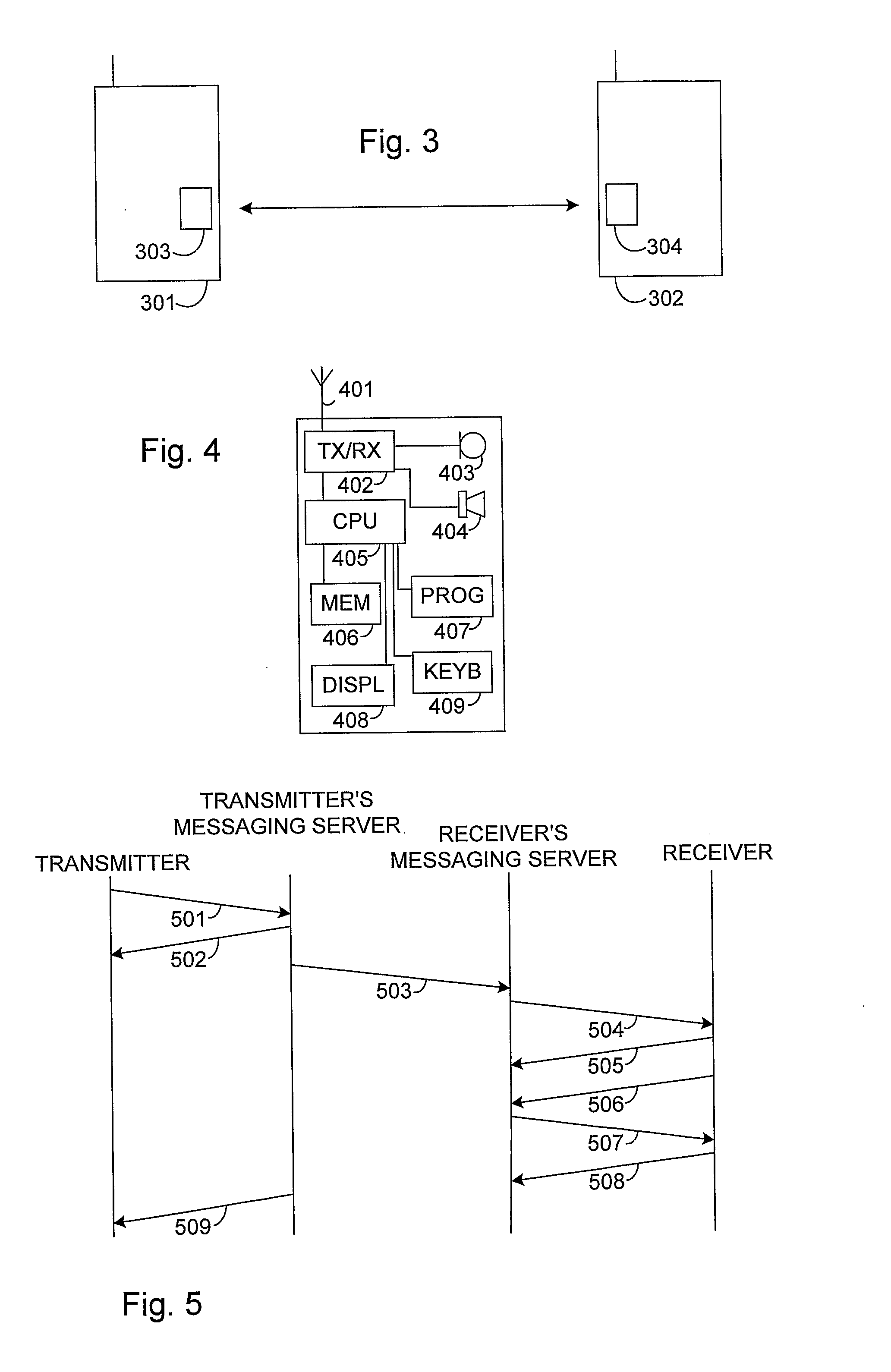
[0020]FIG. 1 illustrates how data is updated between mobile devices according to an embodiment of the invention. The mobile device according to this embodiment includes an element or alternatively means for defining the user group and an element or alternatively means for recording the data of the user group members. There may even be several user groups, as long as the members of a given user group can be identified for instance by an identifier or by the user group name. In the embodiment of FIG. 1, the user makes an entry in the calendar application in step 101. Making an entry here means that the user records new or altered data in the calendar application. The new or altered data can mean adding new information, or editing or deleting already existing information. In case the entry should be updated for all members of a given predetermined user group, this is indicated when saving the new entry. The user may for example save an entry so that he selects in the device menu the op...
PUM
 Login to View More
 Abstract
Description
Claims
Application Information
 Login to View More