
Method for generating multilevel menu on embedded equipment
An embedded device and menu technology, applied in the computer field, can solve problems such as maintenance trouble, code change, error-prone, etc., and achieve the effect of reducing maintenance cost, improving work efficiency and reducing workload.
- Summary
- Abstract
- Description
- Claims
- Application Information
AI Technical Summary
Problems solved by technology
Method used
Image

Examples
Embodiment Construction
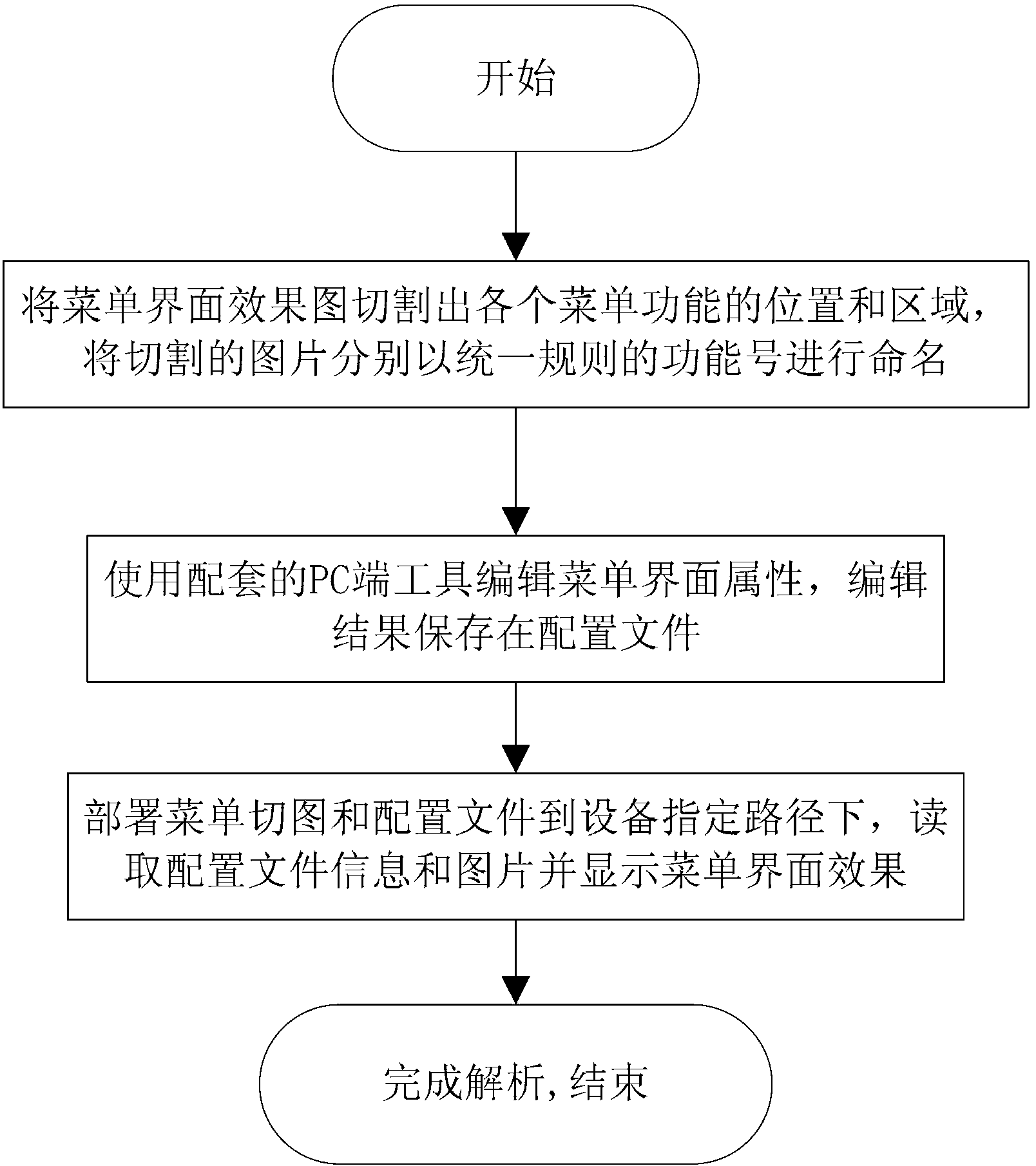
[0023] Such as figure 1 As shown, a method for generating a multi-level menu on an embedded device includes the following steps:
[0024] Step 1: start;
[0025] Step 2 (this step can be operated by an artist): cut out the position and area of each menu function from the menu interface effect picture, and name the cut pictures with uniform and regular function numbers;
[0026] The function number is uniformly defined as the first letter of the pinyin of the Chinese meaning of the function, which is uniformly lowercase.
[0027] The file name of the menu item picture is defined as the function number, and the default format of the picture is png;
[0028] Example:
[0029] For the “Deposit” function in the menu item, the function number is defined as ck, and the default image file name is ck.png;
[0030] Step 3: Use the matching PC-side menu configuration tool to edit the menu interface information, and save the editing results in the configuration file; specifically in...
PUM
 Login to View More
 Abstract
Description
Claims
Application Information
 Login to View More