

Information processing apparatus, screen display method, and non-transitory computer-readable medium
- Summary
- Abstract
- Description
- Claims
- Application Information
AI Technical Summary
Benefits of technology
Problems solved by technology
Method used
Image

Examples
first embodiment
[0024]An embodiment required to carry out the present invention will be described hereinafter with reference to the drawings. Note that the following embodiment does not limit the present invention according to the scope of the claims, and all of combinations of features described in the embodiment are not always indispensable to solving unit of the present invention.
[0025][Hardware Arrangement]
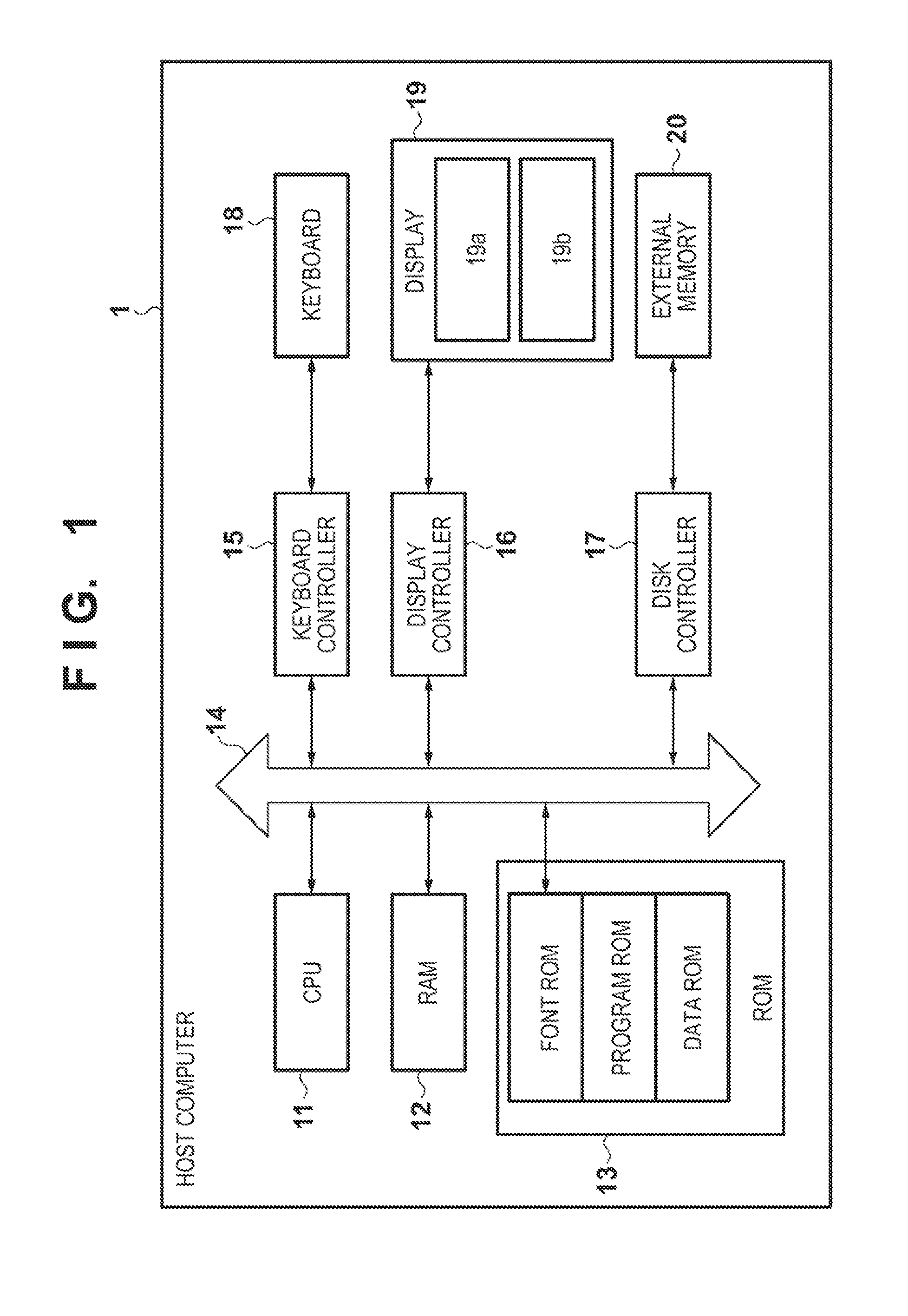
[0026]FIG. 1 is a block diagram showing an example of the hardware arrangement of an information processing apparatus of this embodiment. A host computer 1 as the information processing apparatus includes a CPU (Central Processing Unit) 11, RAM (Random Access Memory) 12, ROM (Read Only Memory) 13, system bus 14, and keyboard controller 15. Furthermore, the host computer 1 includes a display controller 16, disk controller 17, keyboard 18, display 19, and external memory 20.
[0027]The CPU 11 controls execution of display processing, edit processing, and the like based on processing programs stor...
second embodiment
[0088]In the flowchart of the first embodiment, contents to be displayed on the Metro environment display are uniquely decided according to the presence / absence and state of the Metro related application. However, the user may set to associate respective states and screens to be displayed on displays, and may set their display operations like check boxes 906, 907, and 908 in FIG. 9. For example, by checking the check box 906, and when the Metro related application is not run, a Desktop application 206 runs the Metro related application. Also, by checking the check box 907, even when the Metro related application is in a “Suspend” state, the Metro related application is displayed on the Metro environment display. Furthermore, by checking the check box 908, when no Metro related application is found, a Metro tile screen 401 is displayed on the Metro environment display.
[0089]In this manner, since the user is allowed to set contents to be displayed on the Metro environment display acco...
PUM
 Login to View More
 Abstract
Description
Claims
Application Information
 Login to View More