
Method for Data Input of Touch Panel Device
- Summary
- Abstract
- Description
- Claims
- Application Information
AI Technical Summary
Benefits of technology
Problems solved by technology
Method used
Image

Examples
Embodiment Construction
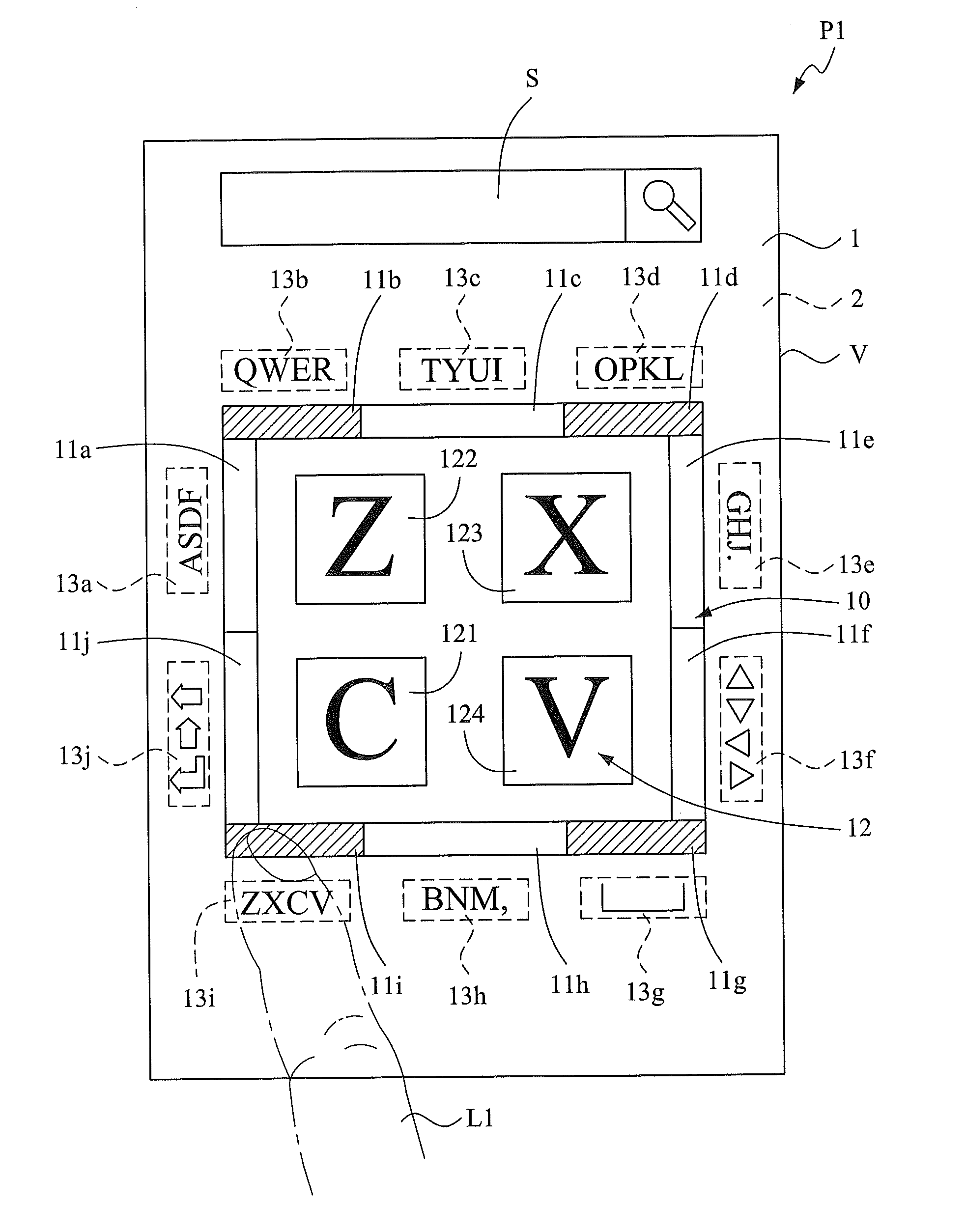
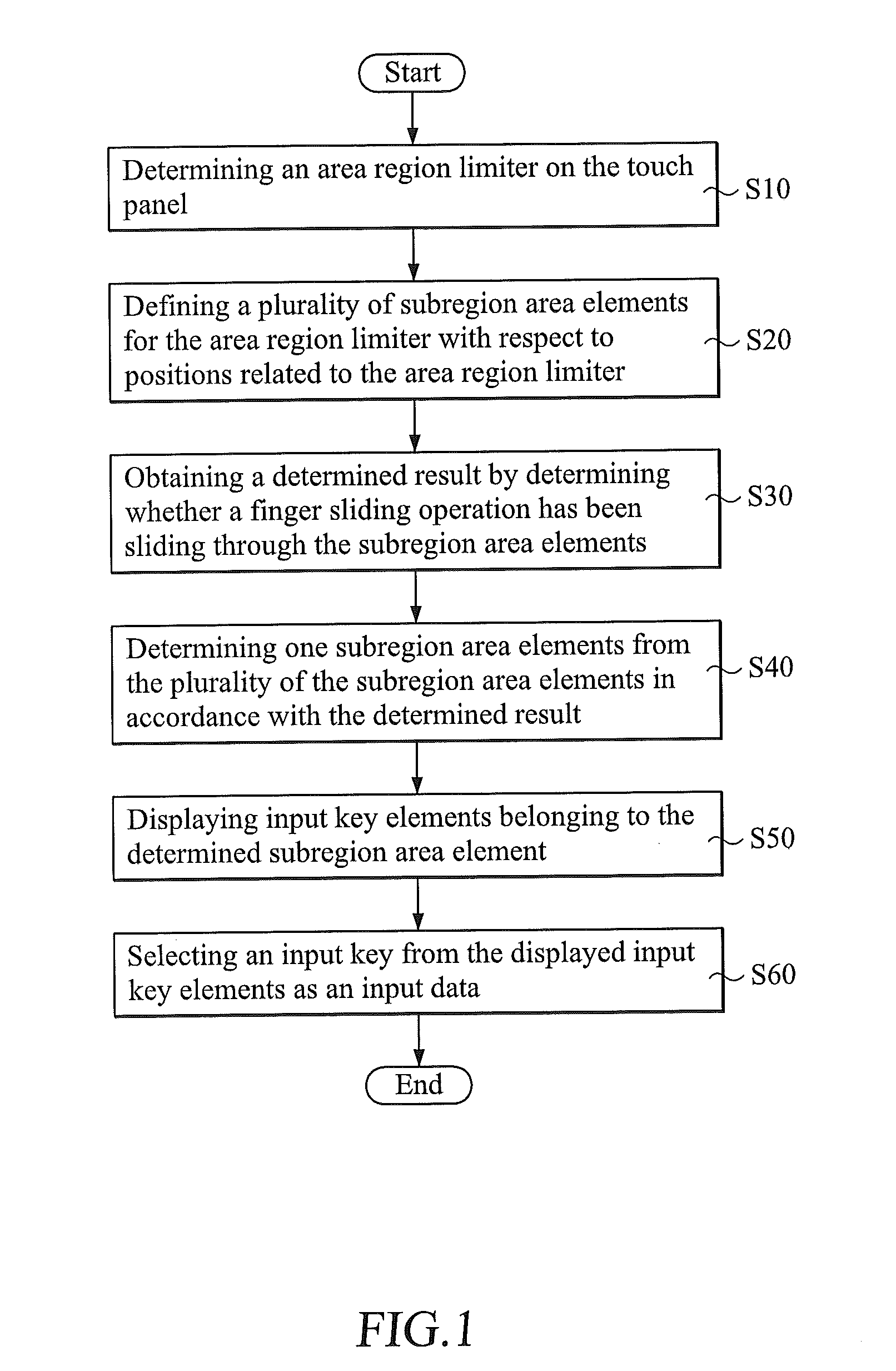
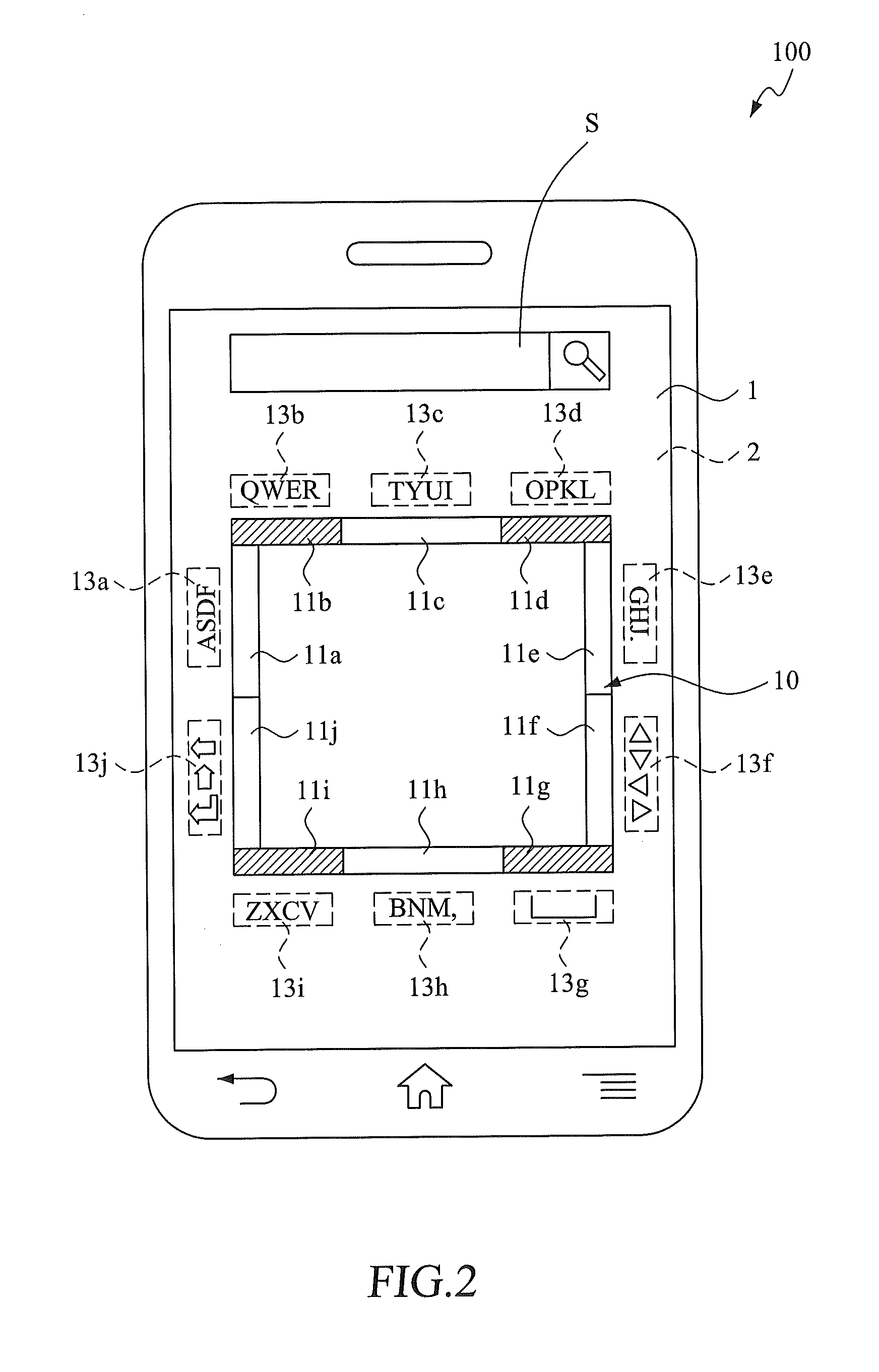
[0030]Referring to FIG. 1. FIG. 1 is a flowchart illustrating the method according to an embodiment of the present invention. And also refer to FIGS. 2-4. The method of the present invention is described as follows.
[0031]The method of the present invention includes steps of: determining an area region limiter on the touch panel (step S10); defining a plurality of subregion area elements for the area region limiter with respect to positions related to the area region limiter (step S20); obtaining a determined result by determining whether a finger sliding operation has been sliding through the subregion area elements (step S30); determining one subregion area elements from the plurality of the subregion area elements in accordance with the determined result (step S40); displaying input key elements belonging to the determined subregion area element (step S50); and selecting an input key from the displayed input key elements as an input data (step S60).
[0032]Specifically, in general, ...
PUM
 Login to View More
 Abstract
Description
Claims
Application Information
 Login to View More