
Multi-language hybrid input method used on embedded touch screen virtual keyboard
A virtual keyboard and hybrid input technology, applied in the input/output process of data processing, instruments, electrical digital data processing, etc., to achieve the effect of strong search ability, saving operation time, and easy popularization
- Summary
- Abstract
- Description
- Claims
- Application Information
AI Technical Summary
Problems solved by technology
Method used
Image

Examples
Embodiment 1
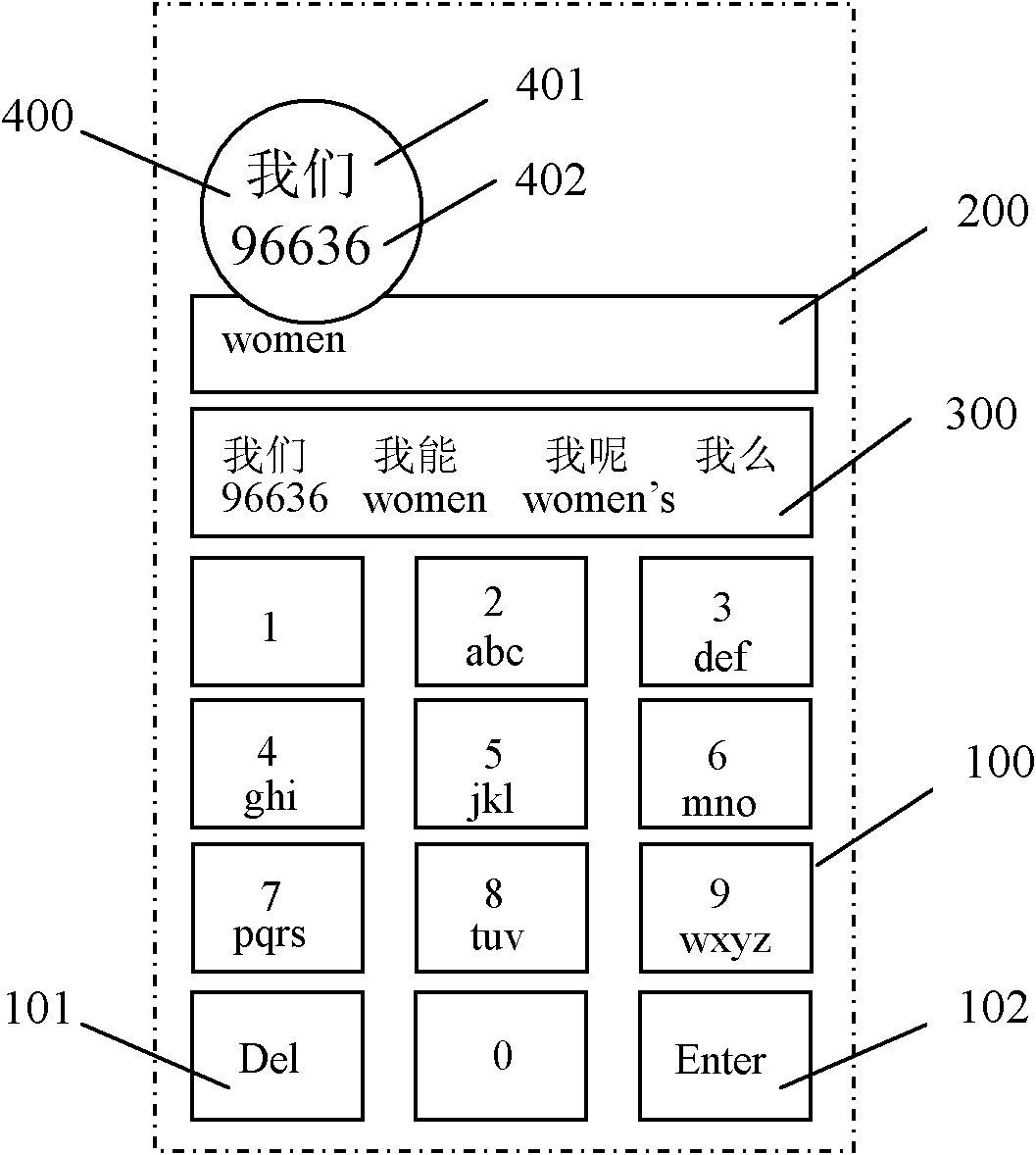
[0038] Turn on the touch screen device and enter the multilingual mixed input method mode. When there is no key operation, the editing area 200 is empty, the candidate area 300 is not displayed, and the enlarged selection area 400 is hidden. In this embodiment, the input and displayed target item is the Chinese phrase "we".
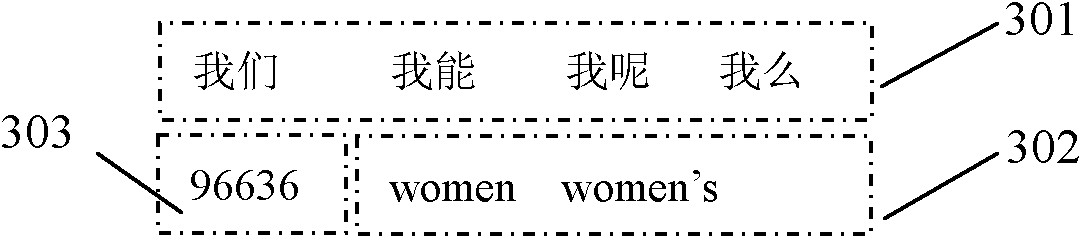
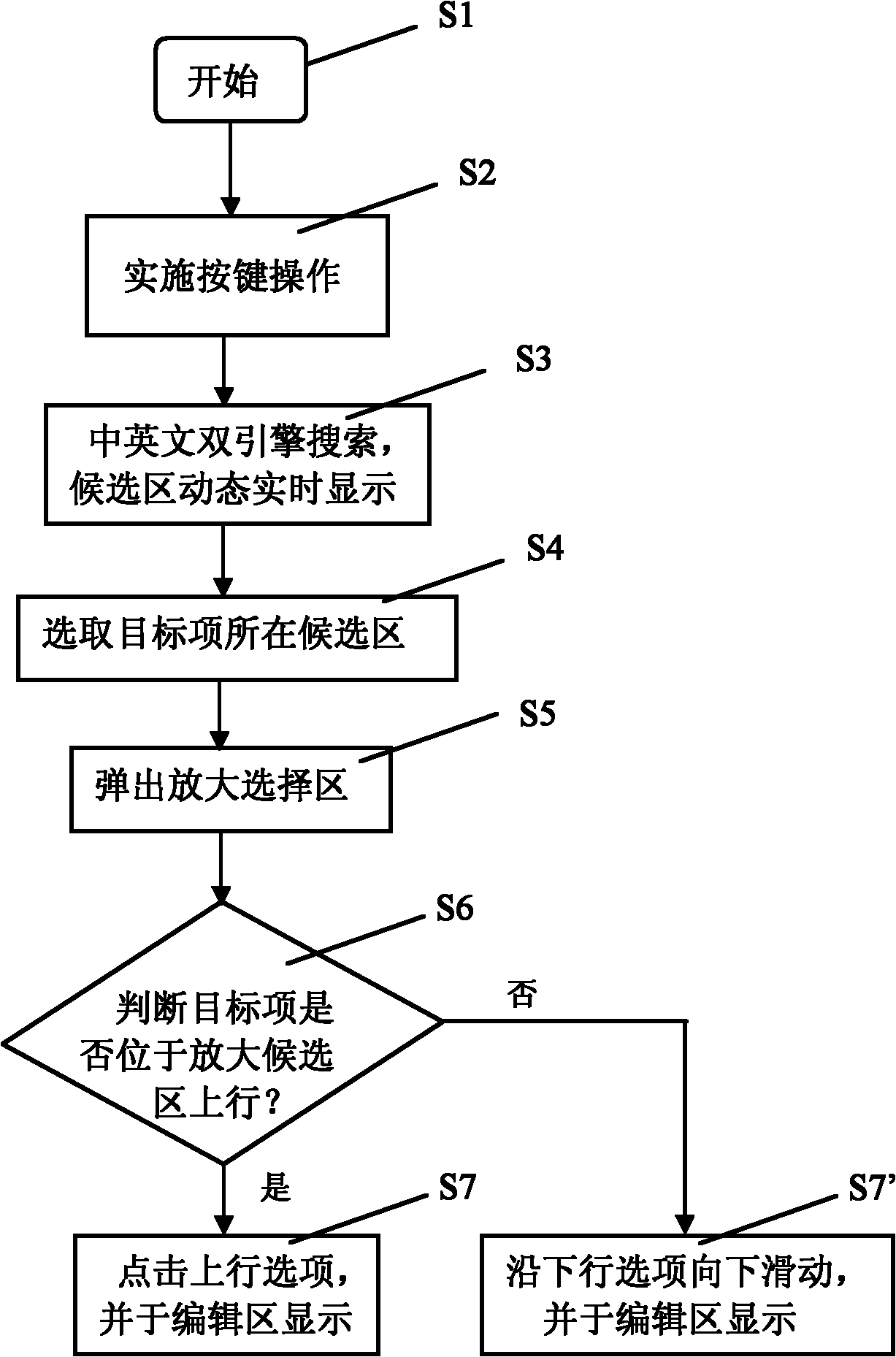
[0039]According to the arrangement rules of the English letters corresponding to the number keys 2 to 9 in the virtual keyboard area 100, the Chinese phrase "we" should be continuously input with the pinyin "women", and the sequence of the number keys corresponding to the virtual keyboard area 100 is "96636". Every time a key is input, the Chinese and English dual-input engines search for the corresponding characters, radicals, phrases, etc., and display the search results dynamically and in real time in the candidate area 300 in a double-line structure according to the frequency of use. The 200 also dynamically displays the letters corresponding to the k...
Embodiment 2
[0041] The only difference between embodiment 2 and embodiment 1 is that the target item of embodiment 2 is to display the digital string "96636". see figure 1 , click the target item "96636" displayed in the number candidate area 303 of the second candidate row 302, and the zoom selection area 400 will pop up, and the zoom selection area 400 will enlarge the double candidate row where the target item is located by 2 times. is "we", and the downlink option 402 is "96636". Press and hold the downlink option 402 while sliding the finger downward on the touch screen to select the target item. At this time, the target item "96636" is displayed in the editing area 200 in real time, and the input of the digital string is completed.
Embodiment 3
[0043] The only difference between embodiment 3 and embodiments 1-2 is that the target item of embodiment 3 is to display the English character string "women's". see Figure 4 , the English character string "women's" searched by the English input engine is located in the second position of the Chinese-English candidate area 304 in the second candidate row 302, therefore, clicking on the target item "women's" displayed in the English candidate area 304 will pop up an enlarged selection Area 400, the enlargement selection area 400 doubles the double candidate row where the target item is located, the uplink alternative 401 is "what about me", and the downlink alternative 402 is "women's". Press and hold the downlink option 402 while sliding your finger downward on the touch screen to select the target item. At this time, the target item "women's" is displayed in the editing area 200 in real time, and the input of the English character string is completed.
PUM
 Login to View More
 Abstract
Description
Claims
Application Information
 Login to View More