
Method for realizing universal configuration of wireless network card based on 802.11 standard
A wireless network card and wireless network technology, which is applied in data exchange networks, instruments, electrical digital data processing, etc., can solve problems such as difficulty in obtaining core technologies and inability to achieve compatibility, and achieve the effect of convenient switching
- Summary
- Abstract
- Description
- Claims
- Application Information
AI Technical Summary
Problems solved by technology
Method used
Image

Examples
Embodiment 1
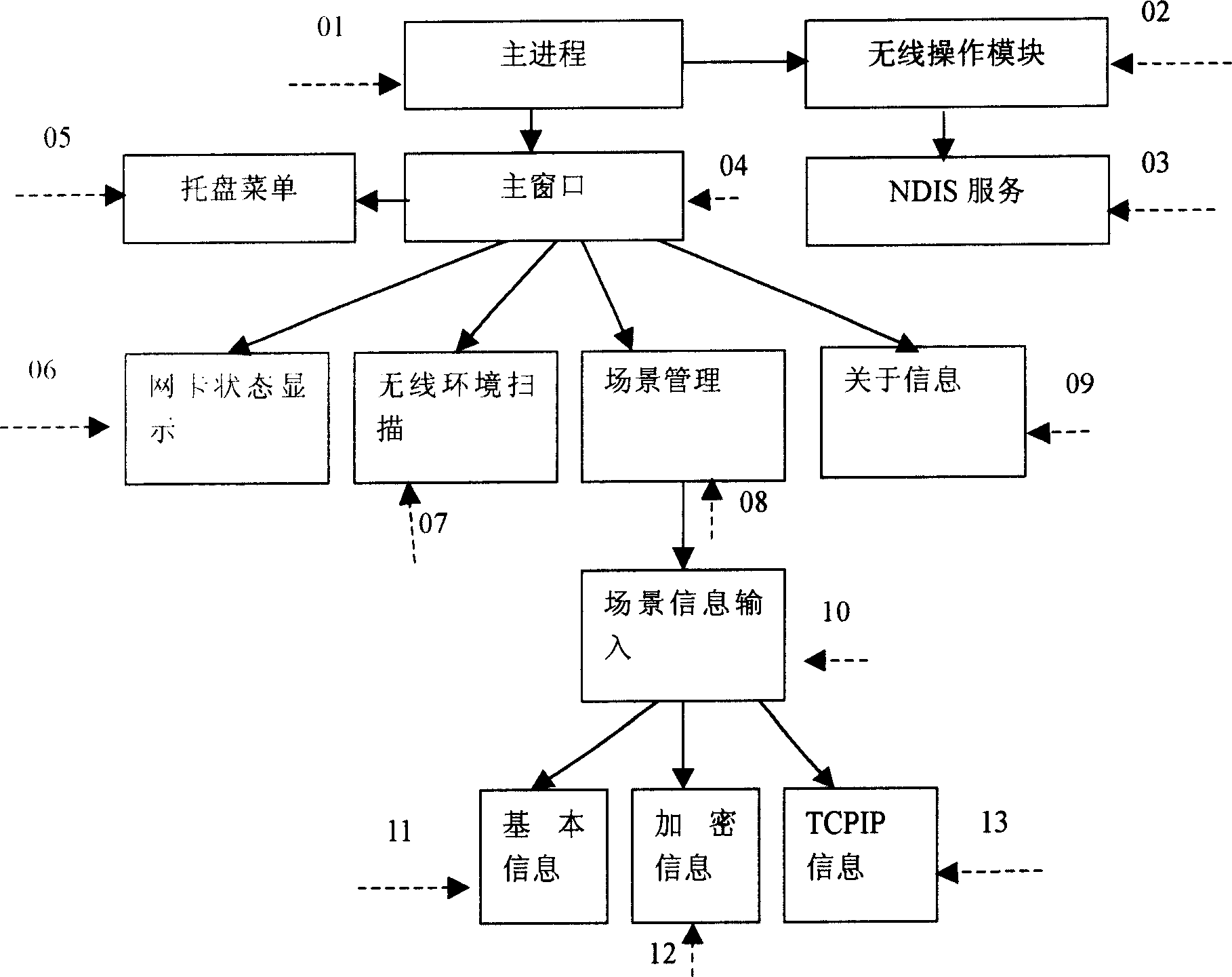
[0040] Embodiment 1, the method for realizing the general configuration of wireless network card based on the 802.11 standard described in the present invention, such as figure 1 The configuration tools shown mainly include:
[0041]01: The main process starts the entire tool; 02: Wireless operation module (802.11 wireless network card operation middleware); 03: NDISUIO service module; 04: The main window of the configuration tool; 05: The tray shortcut menu realizes the shortcut module; 06: 802.11 Wireless network card status display module; 07: wireless environment scanning module; 08: scene management module; 09: software tool related information display module; 10: scene information input module; 11: scene basic information input module; 12: encrypted information input module; 13: Scene TCP / IP information input module.
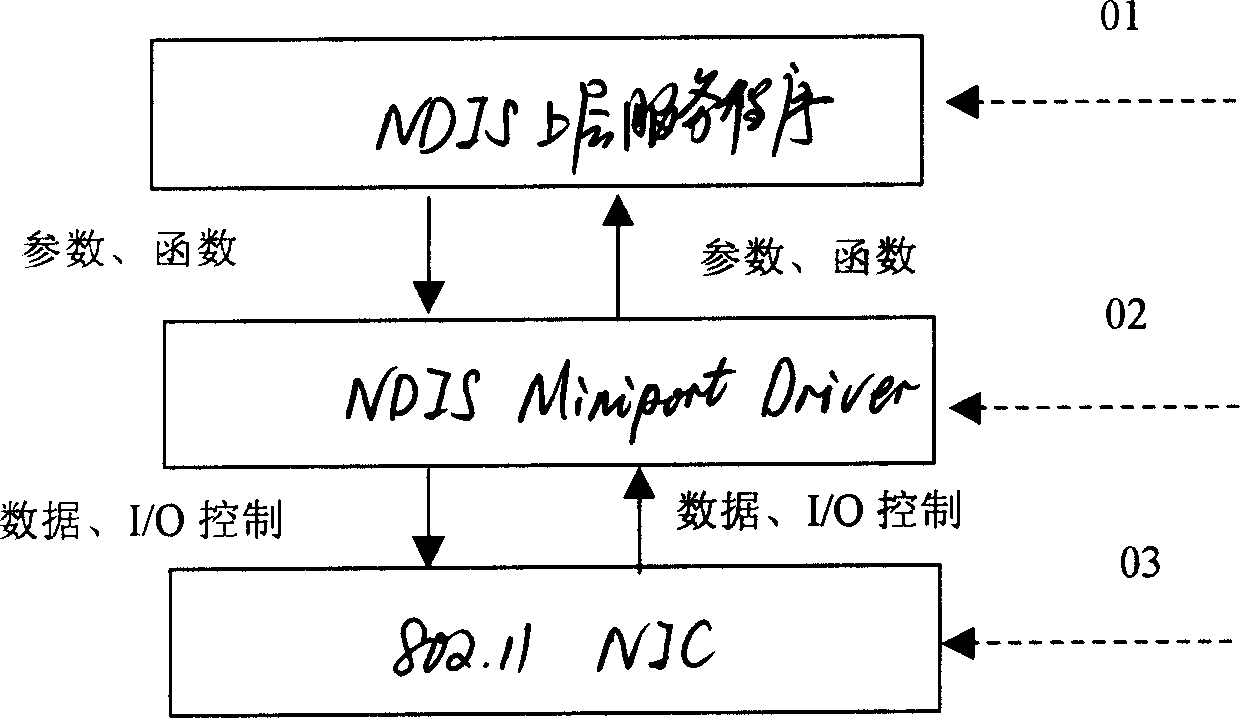
[0042] Such as figure 2 As shown, in the diagram of the relationship between the underlying NDIS user service program and the underlying driver of the ...
PUM
 Login to View More
 Abstract
Description
Claims
Application Information
 Login to View More