

Method for secure user and site authentication
a user and site authentication and authentication method technology, applied in the field of security and privacy, can solve the problems of faking fake windows, and achieve the effect of strengthening the security of the signaling mechanism and making counterfeiting of fake windows difficul
- Summary
- Abstract
- Description
- Claims
- Application Information
AI Technical Summary
Benefits of technology
Problems solved by technology
Method used
Image

Examples
Embodiment Construction
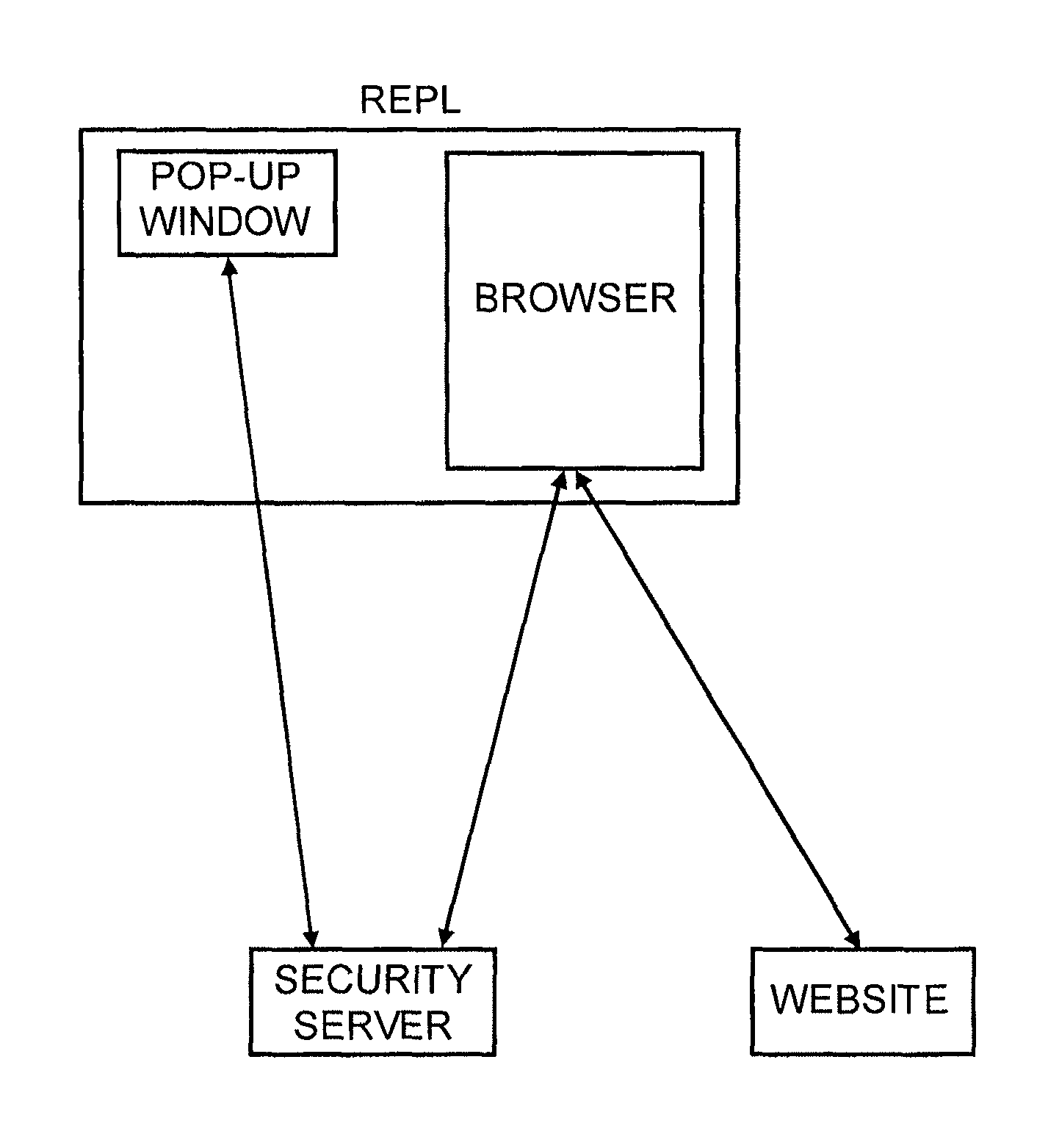
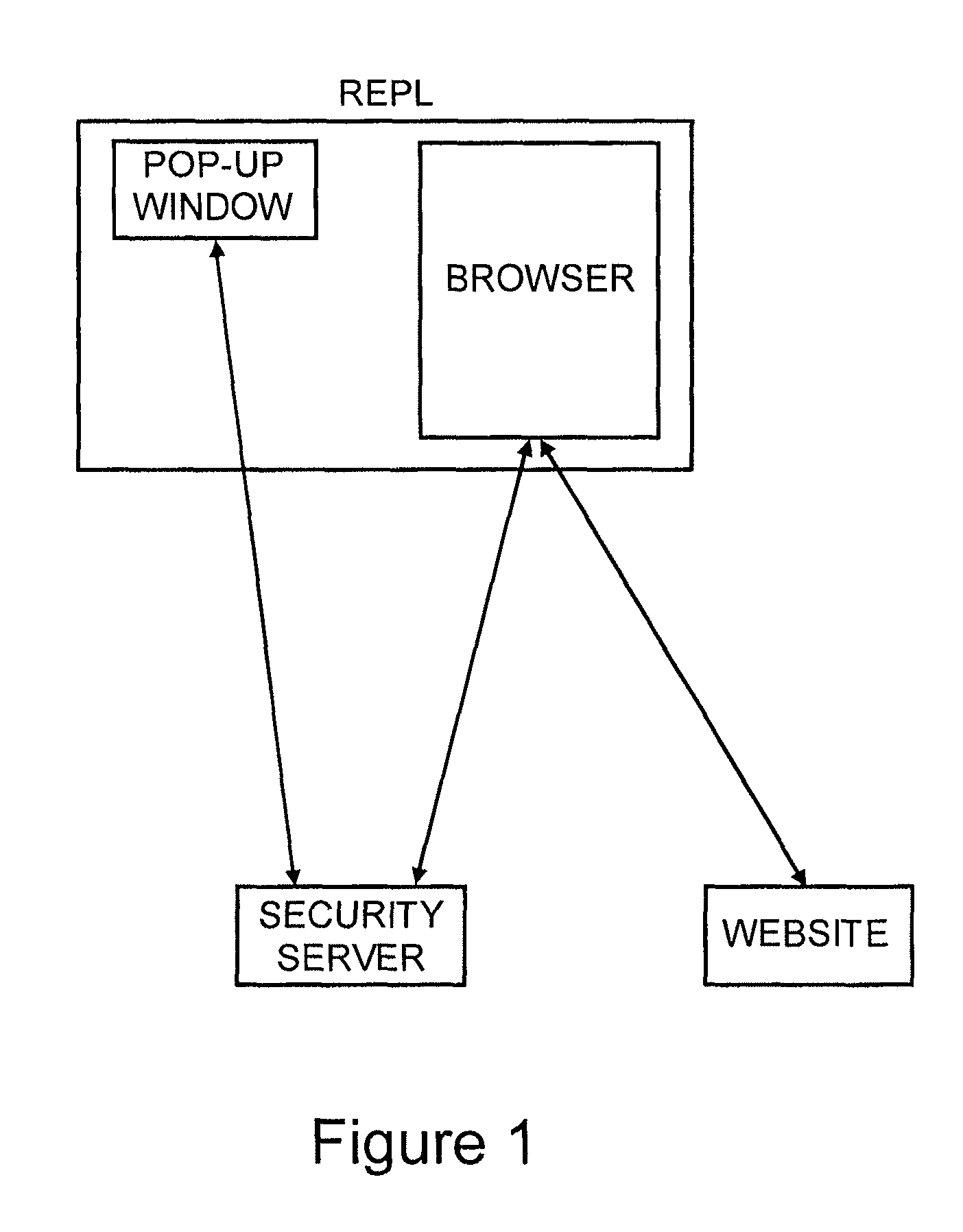
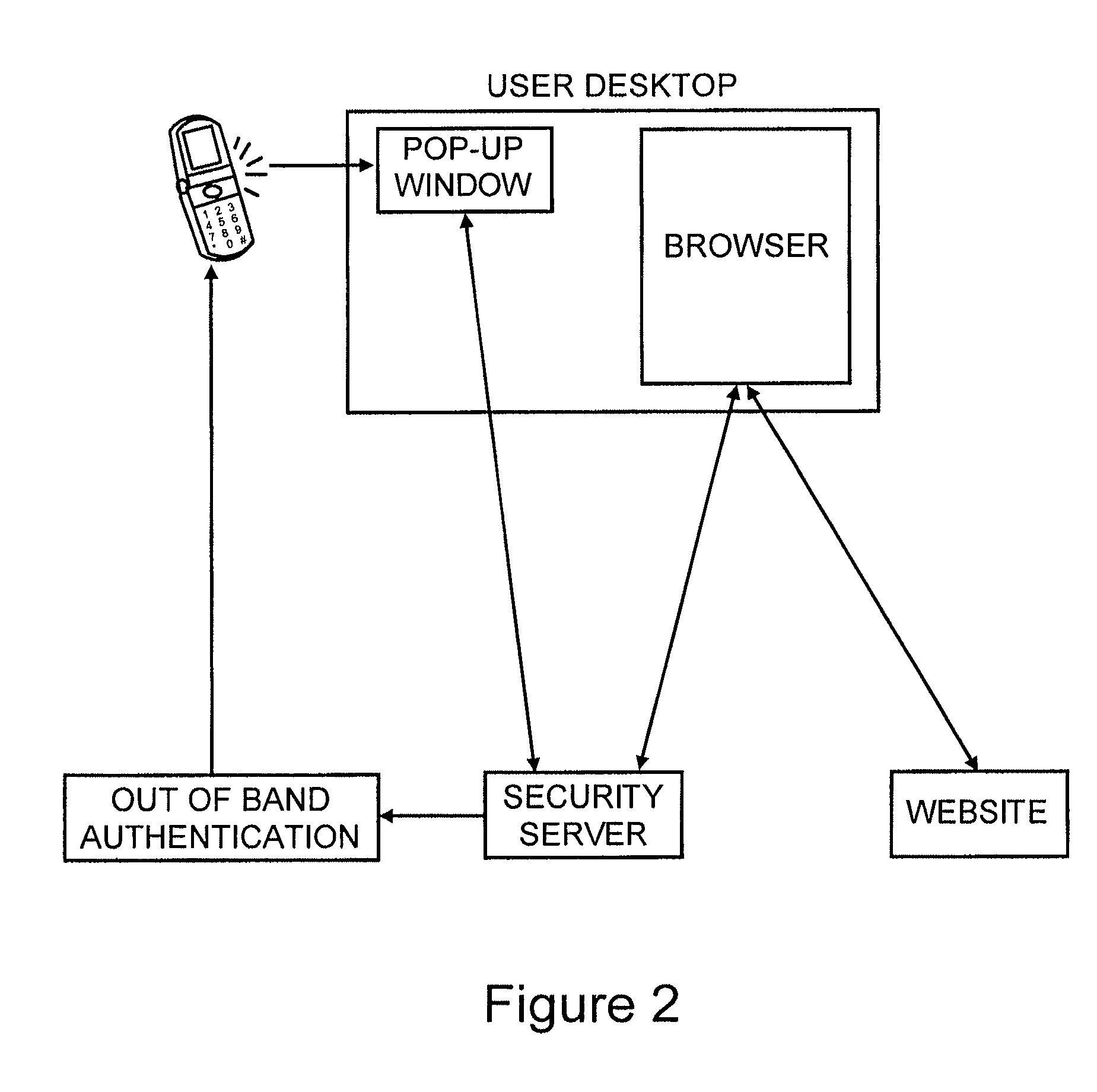
[0018]We will first describe the preferred embodiment for site authentication and then describe how the system can be augmented to also perform user authentication. As shown in FIG. 1 the system consists of the following components:[0019]A security server.[0020]A pop-up window on the user's desktop.[0021]A browser on the user's desktop.[0022]The web site the user is browsing.
[0023]There are three distinct phases of operation: (i) the set-up and personalization of the pop-up window which is a one time process, (ii) the start-up of the pop-up window which happens at periodic intervals (akin to logging into a computer at each use), and (iii) The wake-up process when the user browses to a web site that can authenticate itself to the user using the security server.
[0024]For set-up the user visits a web site hosted at the security server and selects a personalization image. This image is stored locally on the user's PC using cookies, FLASH storage or similar local storage options. This is...
PUM
 Login to View More
 Abstract
Description
Claims
Application Information
 Login to View More