
Visual configuration method, system and device for physical switch
A technology of physical switches and configuration methods, applied in the field of visual configuration of physical switches, can solve the problems of large operation complexity, the inability of intuitive correspondence between software interfaces and physical switches, etc., to achieve intuitive data display, improve user experience, and real-time performance. high effect
- Summary
- Abstract
- Description
- Claims
- Application Information
AI Technical Summary
Problems solved by technology
Method used
Image

Examples
Embodiment 1
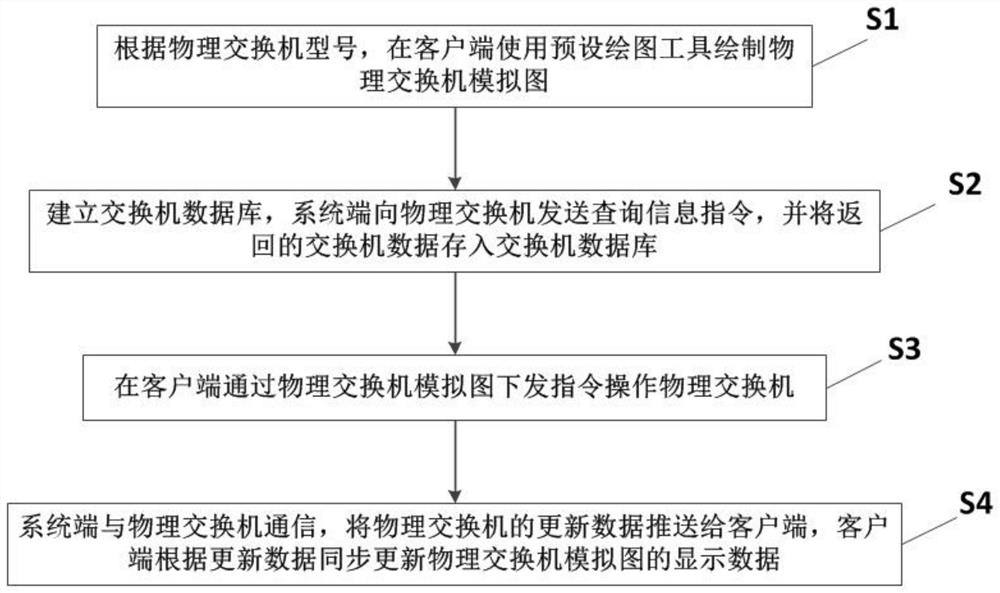
[0050] Such as figure 1 As shown, this embodiment provides a physical switch visual configuration method, including the following steps:
[0051] S1: According to the model of the physical switch, use a preset drawing tool to draw a simulation diagram of the physical switch on the client side.
[0052]First, use the preset drawing tool to draw the switch panel on the client side according to the aspect ratio of the physical switch. Then, according to the position, size and type of the physical switch port, draw the switch port and the running status indicator light on the switch panel. Finally, a physical switch mock-up is generated. Among them, the preset drawing tools can use front-end tools such as canvas, svg, and html.
[0053] The implementation of this step is to allow the user to intuitively observe the style and running status of the real physical switch on the client side just like operating a real physical switch.
[0054] S2: Establish a switch database, the sy...
Embodiment 2
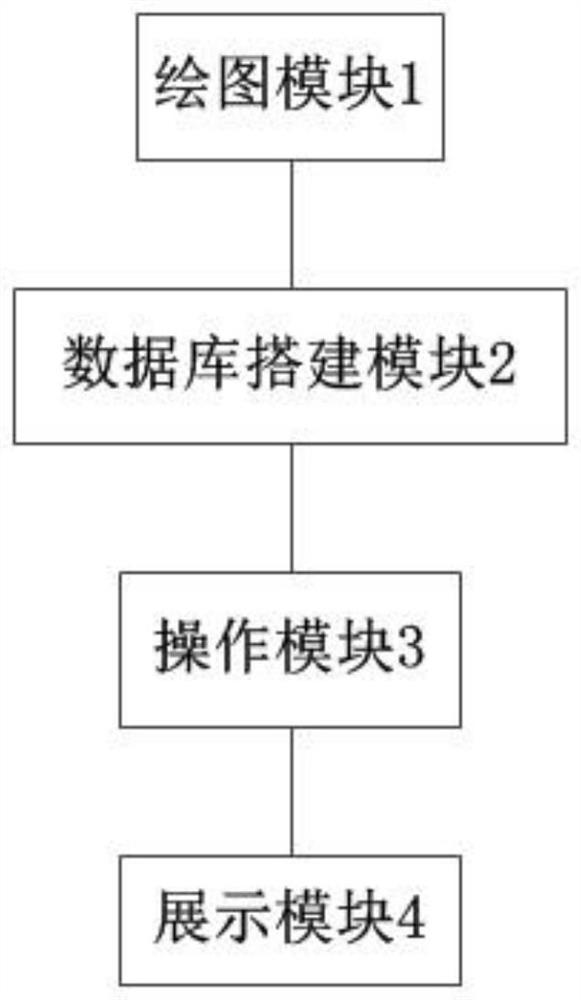
[0064] Based on Example 1, such as figure 2 As shown, the present invention also discloses a visual configuration system for a physical switch, including: a drawing module 1 , a database building module 2 , an operation module 3 and a display module 4 .
[0065] The drawing module 1 is configured to use a preset drawing tool to draw a physical switch simulation diagram on the client side according to the model of the physical switch. The drawing module 1 is specifically used to: draw the switch panel on the client side using a preset drawing tool according to the aspect ratio of the physical switch; draw the switch port and the operation status indicator on the switch panel according to the position, size, and type of the physical switch port; generate Physical switch mock-up.
[0066] The database construction module 2 is used to establish a switch database, and the system side sends a query information instruction to the physical switch, and stores the returned switch data...
Embodiment 3
[0071] This embodiment discloses a physical switch visual configuration device, including a processor and a memory; wherein, when the processor executes the physical switch visual configuration program stored in the memory, the following steps are implemented:
[0072] 1. According to the model of the physical switch, use the preset drawing tool on the client to draw a simulation diagram of the physical switch.
[0073] 2. Establish a switch database, and the system side sends a query information command to the physical switch, and stores the returned switch data into the switch database.
[0074] 3. On the client side, issue instructions to operate the physical switch through the physical switch simulation diagram.
[0075] 4. The system side communicates with the physical switch, pushes the updated data of the physical switch to the client, and the client synchronously updates the display data of the physical switch simulation diagram according to the updated data.
[0076]...
PUM
 Login to View More
 Abstract
Description
Claims
Application Information
 Login to View More