

Mobile terminal and control method thereof
- Summary
- Abstract
- Description
- Claims
- Application Information
AI Technical Summary
Benefits of technology
Problems solved by technology
Method used
Image



Examples
first embodiment
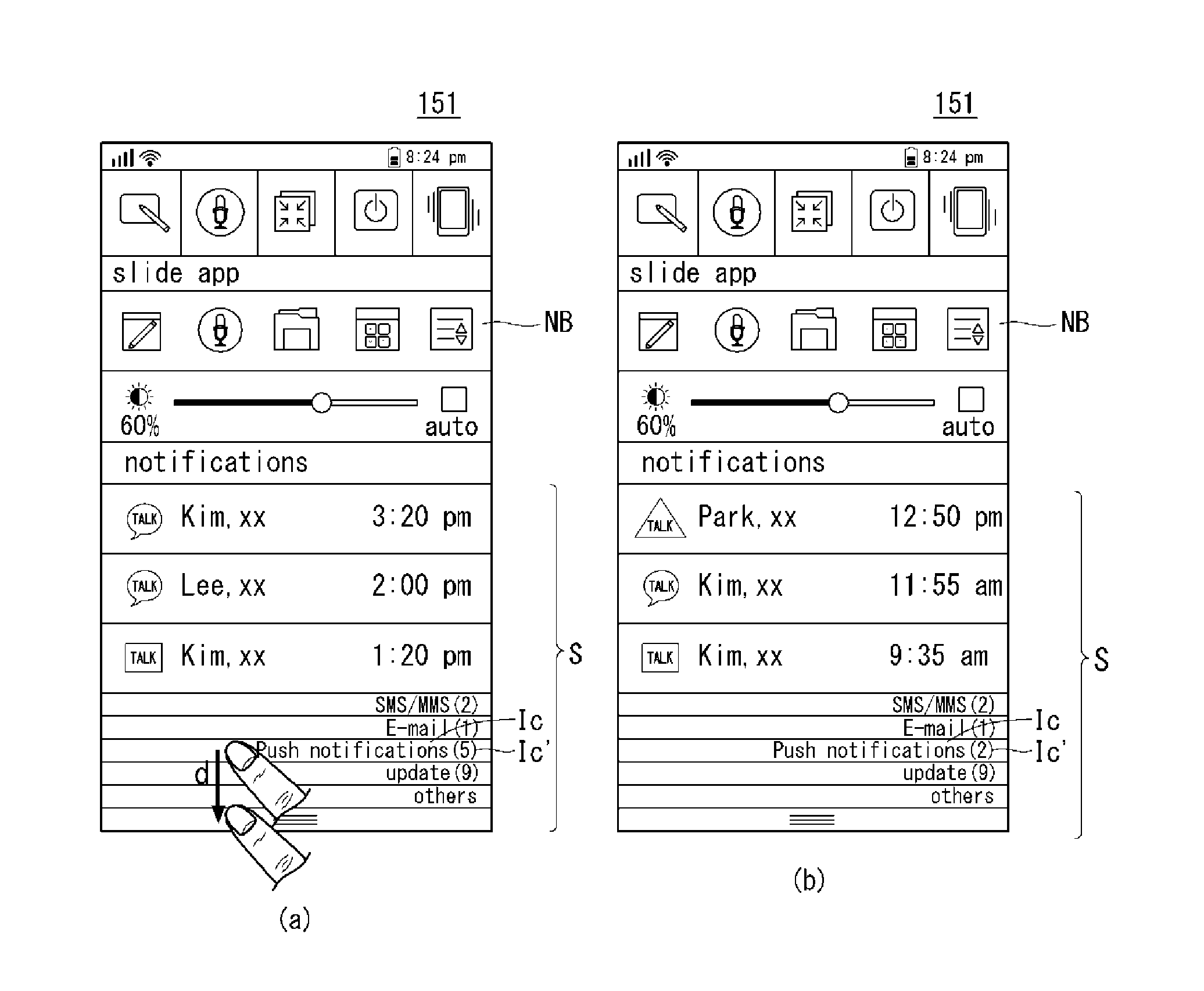
[0101]The controller 180 can update notification messages and display them in the specific area, in response to a drag input in the specific area, until there are no notification messages unread (or not displayed in the specific area). According to the present invention, the user can view notification messages easily by repeating a drag input of a certain length or greater, without having to scroll endlessly to view these notification messages.
[0102]A control method of the mobile terminal according to the first embodiment of the present invention will be described in more detail with reference to FIGS. 4 to 8. Referring to FIG. 4, upon receiving a sliding input on one side of the touch screen 151, the controller 180 display a notification bar on the touch screen 151.
[0103]Specifically, upon receiving a sliding input on the side of the upper part of the touch screen 151, the controller 180 can display a notification bar NB, overlaid on the background BS of the touch screen 151, along...
second embodiment
[0114]Next, FIGS. 9 and 10 are flowcharts illustrating a control method of a mobile terminal according to the present invention, and FIGS. 11 to 16 are views illustrating the control method in FIG. 9. Referring to FIG. 9, the controller 180 can receive a sliding input on one side of the touch screen 151 (S210), and display a notification bar along the sliding trajectory (S220).
[0115]Upon receiving a touch input on one side of the touch screen 151, the controller 180 can display an indicator of a notification bar on that side. Upon receiving a touch input on the side of the upper part of the touch screen 151, the controller 180 can display the indicator of the notification bar on the side of the upper part of the touch screen. Moreover, upon receiving a sliding input from one side of the touch screen 151 to the other side, the controller 180 can display the notification bar on the touch screen 151 by sliding it along the sliding trajectory. In this instance, if the received sliding i...
PUM
 Login to View More
 Abstract
Description
Claims
Application Information
 Login to View More