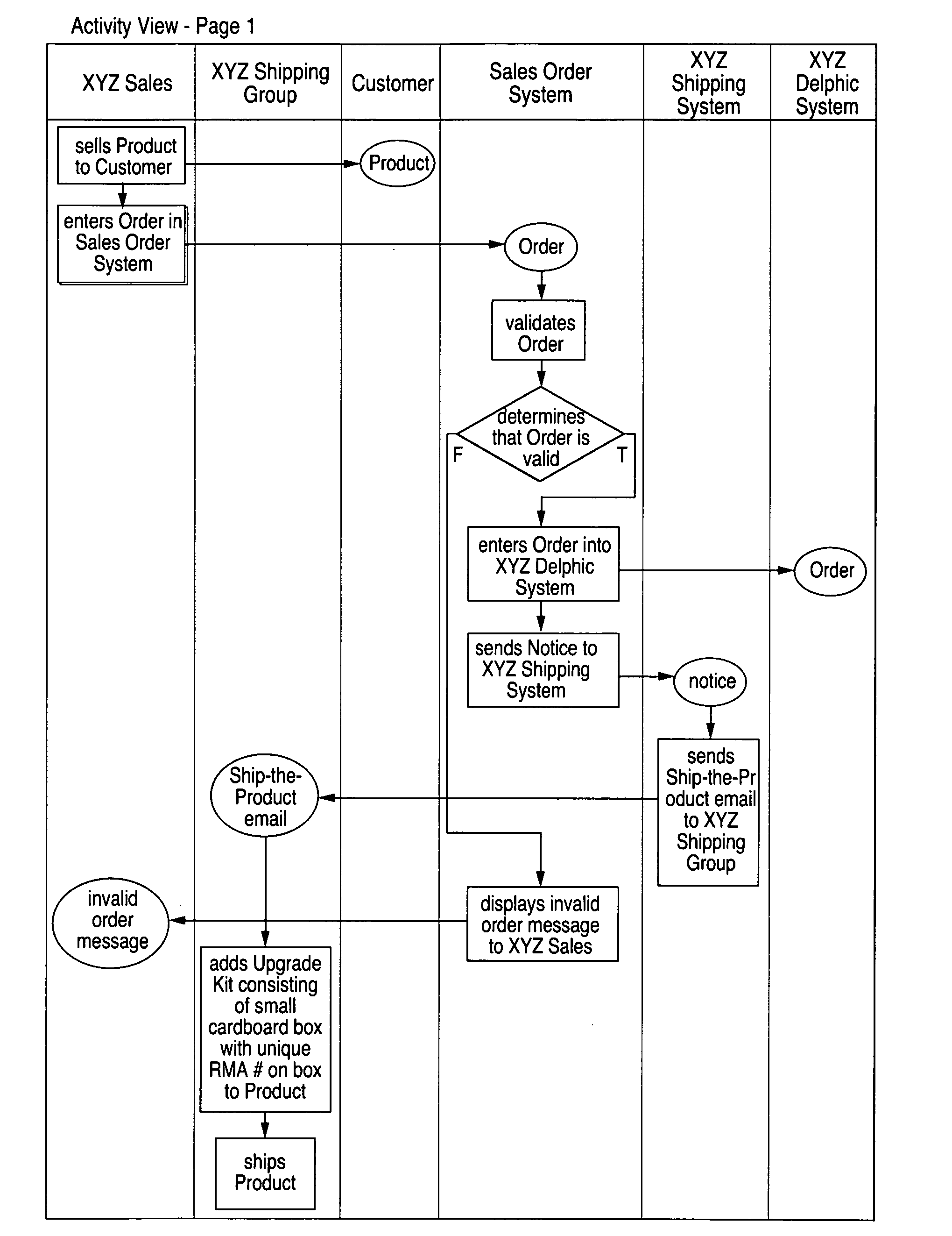
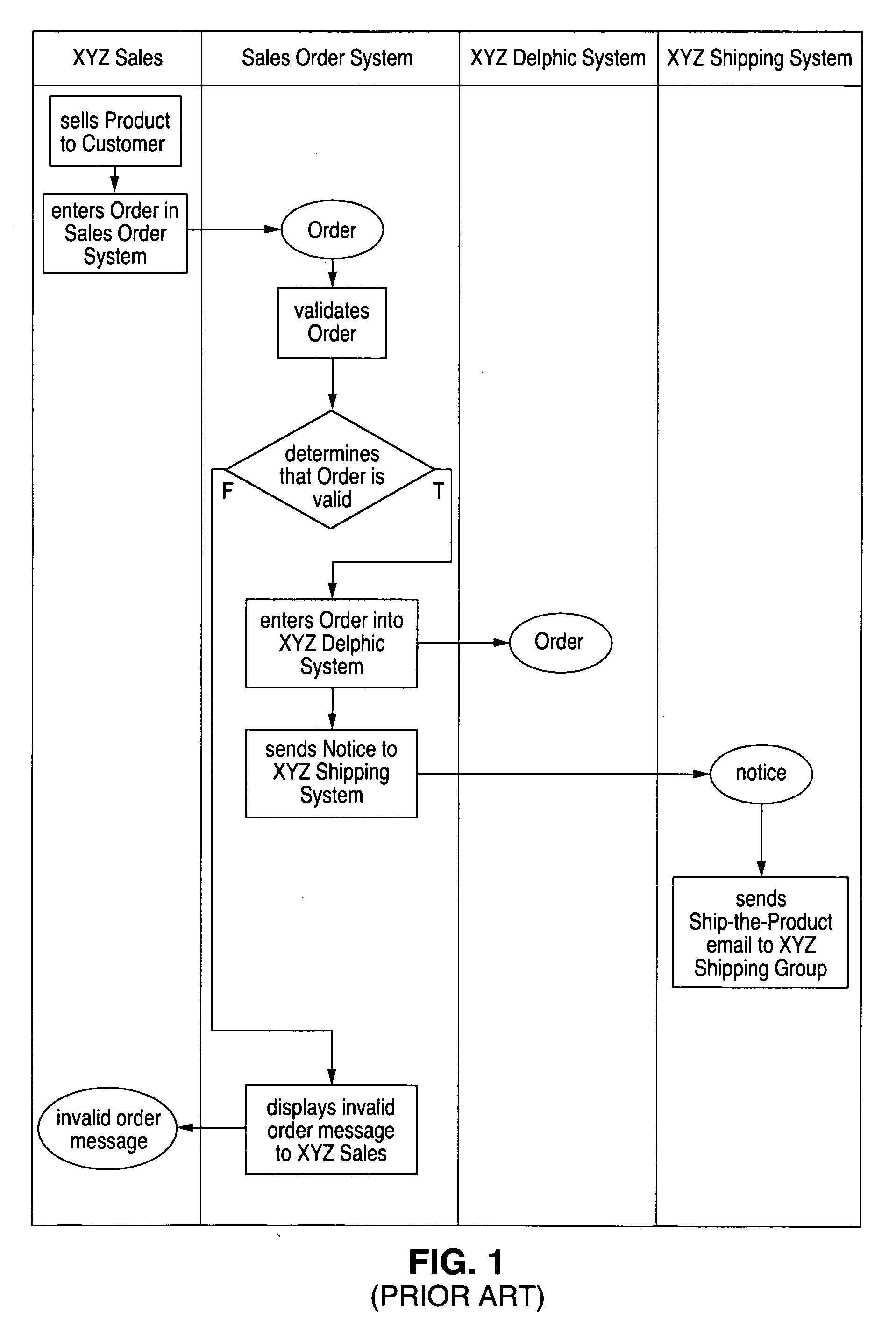
However, a serious problem exists in displaying large Activity Diagrams to users, reviewers and readers.
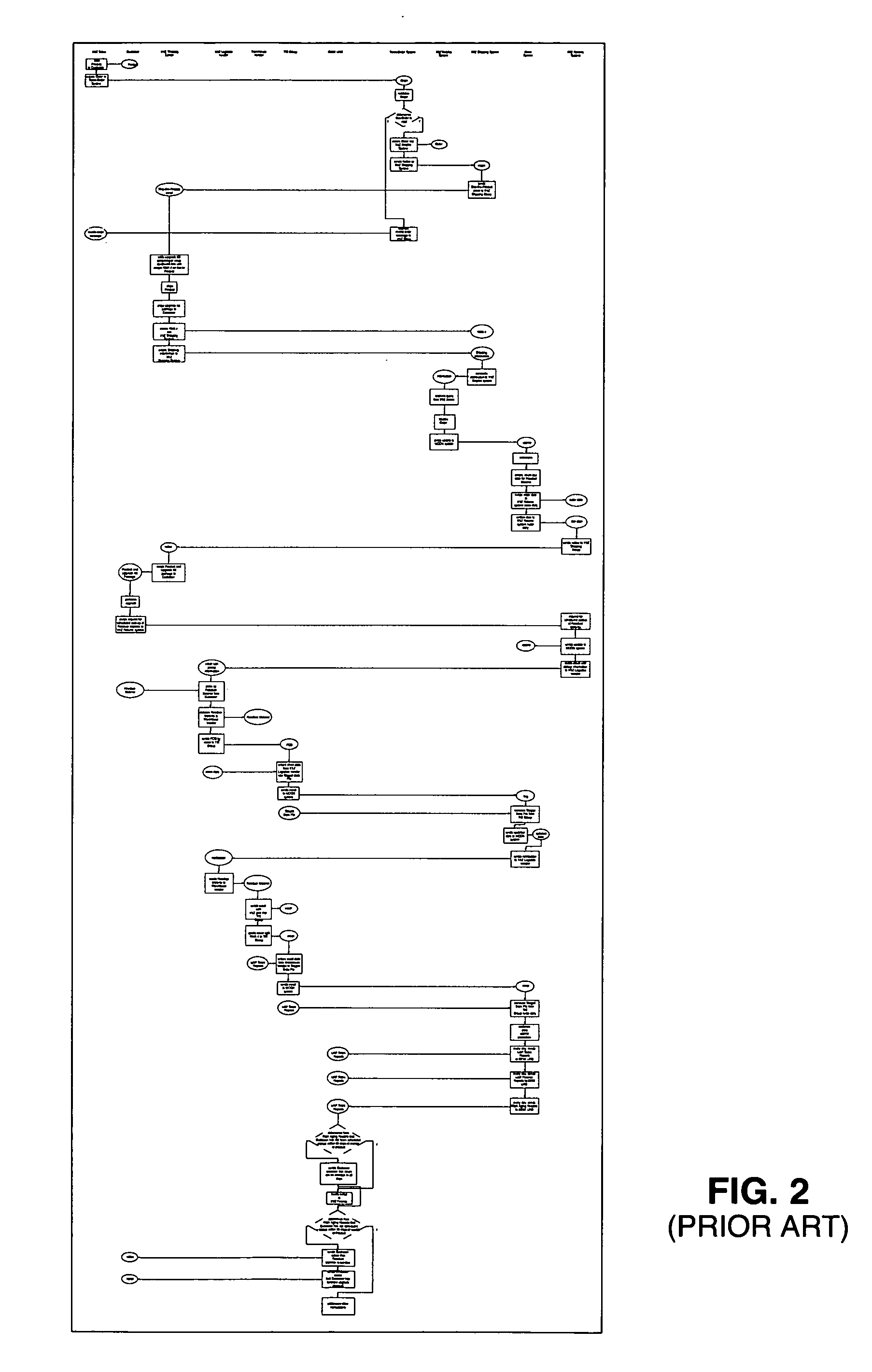
When the diagram becomes larger than can be easily viewed on a computer screen or in a printed document of standard page size, it either becomes illegible due to compression or it becomes difficult to navigate and to follow the flow of the process.
A problem arises, however, with a more extensive use case resulting in a larger Activity Diagram.
This “large diagram problem” has plagued modelers for many years.
Representing the diagram electronically, the modeler can allow the user to
zoom and pan, thereby resolving the legibility problem but limiting the
navigability to an electronic screen.
The problem becomes more acute when the Microsoft Word™ document is printed.
The printed document precludes the use of a
zoom feature, and the normal “solution” of creating a matrix of diagram pieces (e.g., 1-1, 1-2, 1-3, 2-1, 2-2, 2-3, 3-1, 3-2, 3-3, 4-1, etc.) produces serious
navigability problems.
Note that it is easily navigable, but illegible.
3(A)-3(AB) are legible, but navigating the flow is quite difficult due to the combination of both
horizontal and vertical navigation required.
1. “Introduction to UML” by Scott Ambler (http: / / www.agilemodeling.com / artifacts / activityDiagram.htm). Ambler describes the diagram reproduced in FIG. 4:It shows how activity diagrams can get large very quickly. “Even though it models the logic of a
single use case I was forced to have it wind around the
whiteboard because I ran out of space. Ideally the diagram should be wider, with the logic going from left-to-right across the board. Better yet, it would be nice to have more
whiteboard space.” (quoted from Scott Ambler)
2. Tablet UML (http: / / www.tabletuml.com / Help / WhatsNew.htm)Arranging Swim lanes: The
context menu for a swim lane in an Activity Diagram has a new option, Arrange . . . When you choose this option, Tablet UML will present you with a
list of swim lanes in the current diagram. You can rearrange these swim lanes, and you can also add and delete swim lanes. When you're done, Tablet UML will rearrange the swim lanes in the Activity Diagram and the contents of each swim lane as well.
3. DevShed (http: / / www.devshed.com / c / a / Practices / FiveStep-UML-OOAD-for-Short-Attention-Spans-Design-Repeat / 1 / Rearrange to Make a Legible DiagramConsider ways to make the
Component Diagram more legible:Try to avoid crossing lines whenever possible.Consider whether you may need to break the
Component Diagram into multiple diagrams to show various interactions.Hide extraneous details in the diagrams.Consider also that some rearrangements are worse than others. Save your work, and be ready to
undo and try other approaches. Aesthetics and
readability can involve a lot of
trial and error.Repeat and rearrange until you're comfortable that you have architecture that can fulfill the scenarios as depicted in the Activity Diagrams.
4.
Oracle JDeveloper™This is an example of a modeling product that provides the ability to hide swim lanes. The problem is that just hiding swim lanes is not enough. It provides a way to focus attention on just the selected actors, but it leaves out parts of the actual flow.


 Login to View More
  Login to View More