Presentation apparatus and presentation control method
- Summary
- Abstract
- Description
- Claims
- Application Information
AI Technical Summary
Benefits of technology
Problems solved by technology
Method used
Image

Examples
first embodiment
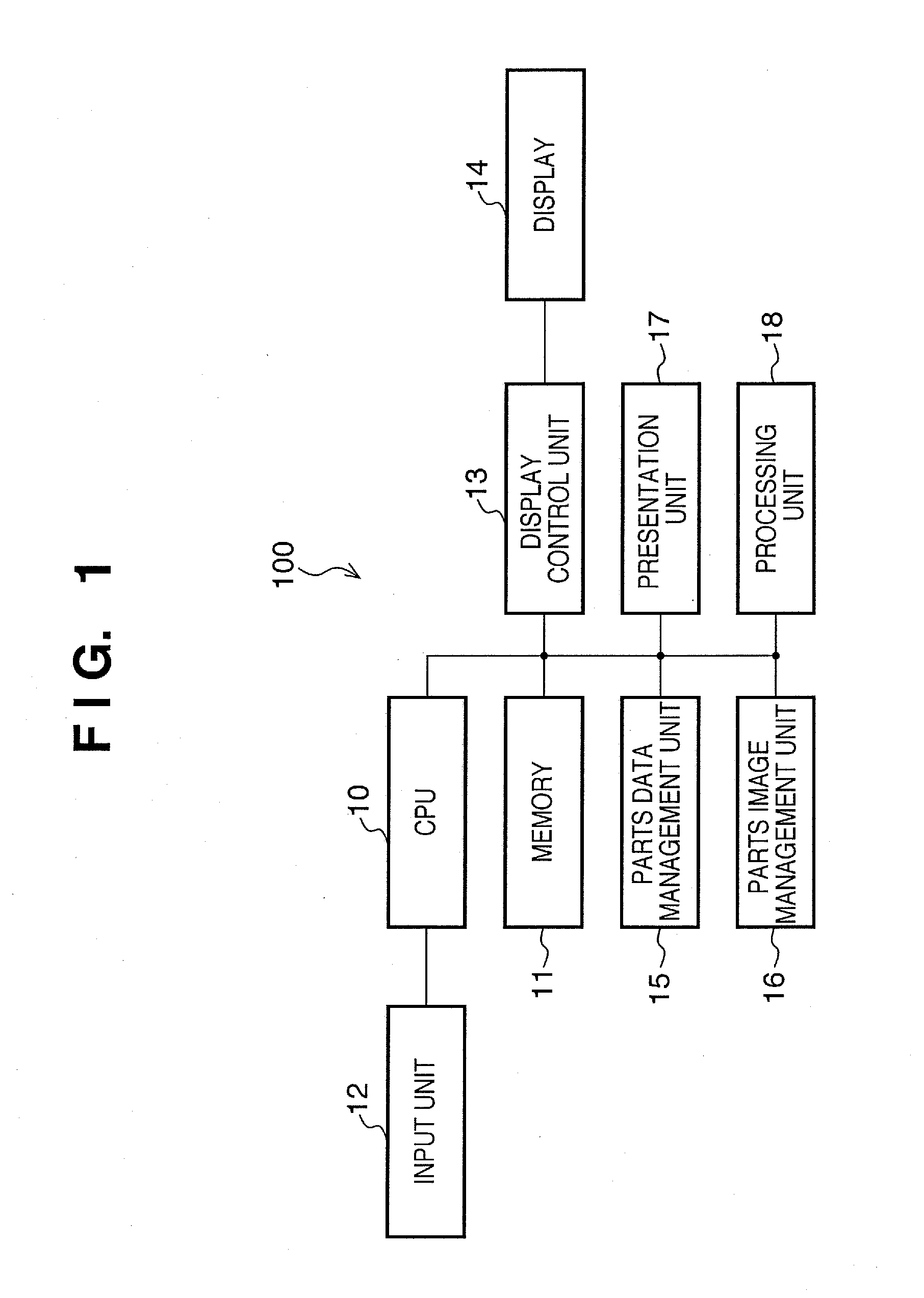
[0029]FIG. 1 is a block diagram depicting a configuration of a presentation apparatus 100 according to a first embodiment. In FIG. 1, a CPU 10 controls the presentation apparatus 100 overall, according to a control program that is stored in such as a memory 11. The CPU 10 is capable of performing storage of data in the memory 11, or a process on each respective input from an input unit 12. Such as an application program and / or a display data are also stored in the memory 11, which is possessed of such as a RAM, which is capable of functioning as a work space when the CPU 10 executes a program, as well as such as a ROM or a hard drive, which stores such as the application program and / or the display data.
[0030]The input unit 12 possesses such as a keyboard and / or a mouse, with which the user performs an input. A display control unit 13 controls an output to a display 14, which is a display monitor of the presentation apparatus 100, and which displays such as an application window, suc...
second embodiment
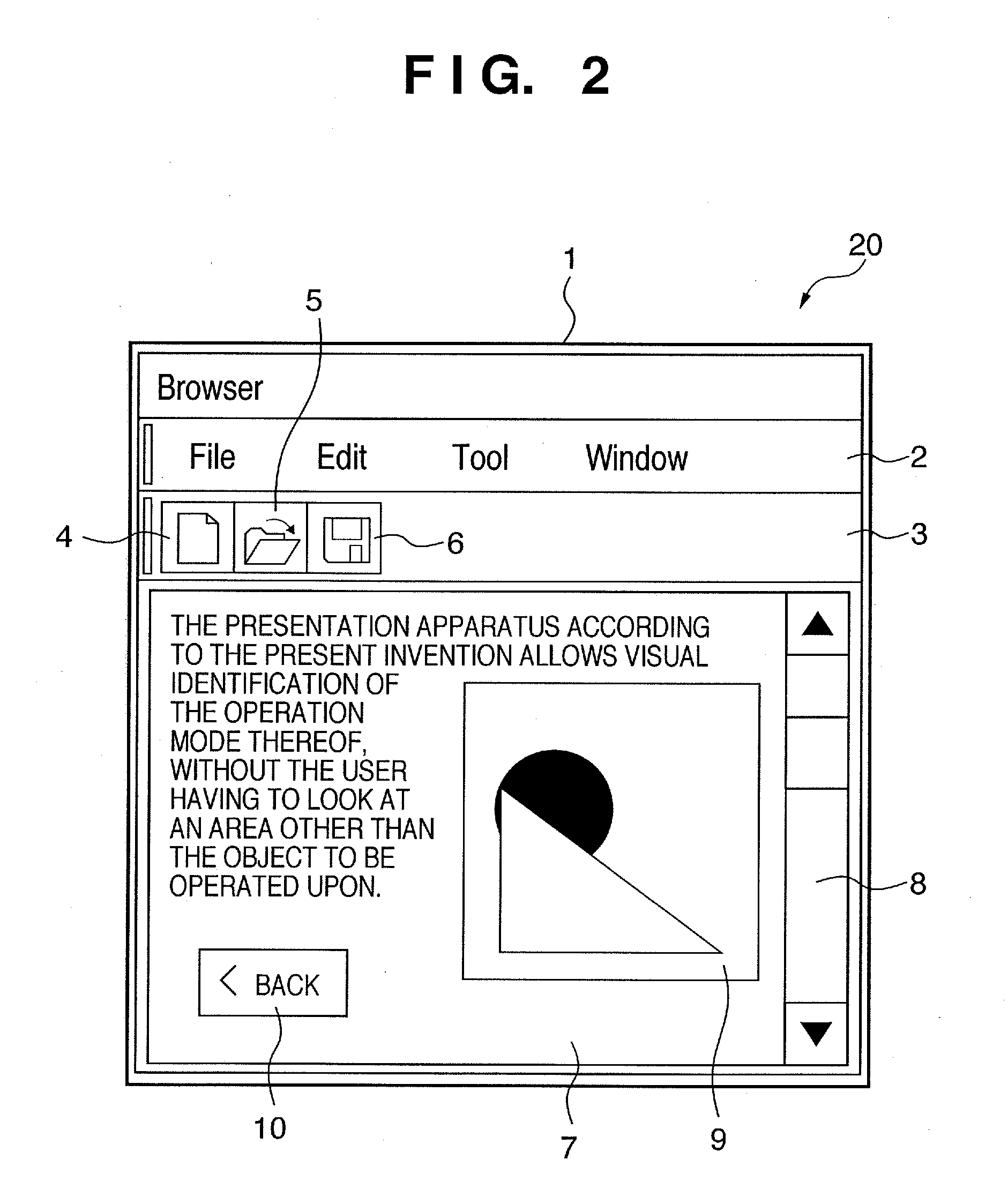
[0047]According to the first embodiment, the part image is changed by capturing the image of each respective part according to the parts data 30, and changed by applying a process thereto. According to a second embodiment, a display is performed that informs the user that the application is in the presentation mode, by capturing the image of the selected application window and / or screen area, i.e., the selected screen area, and changing the image thus captured in accordance with the processing rule. A configuration of a presentation apparatus according to the second embodiment is similar to the presentation apparatus according to the first embodiment, in FIG. 1.
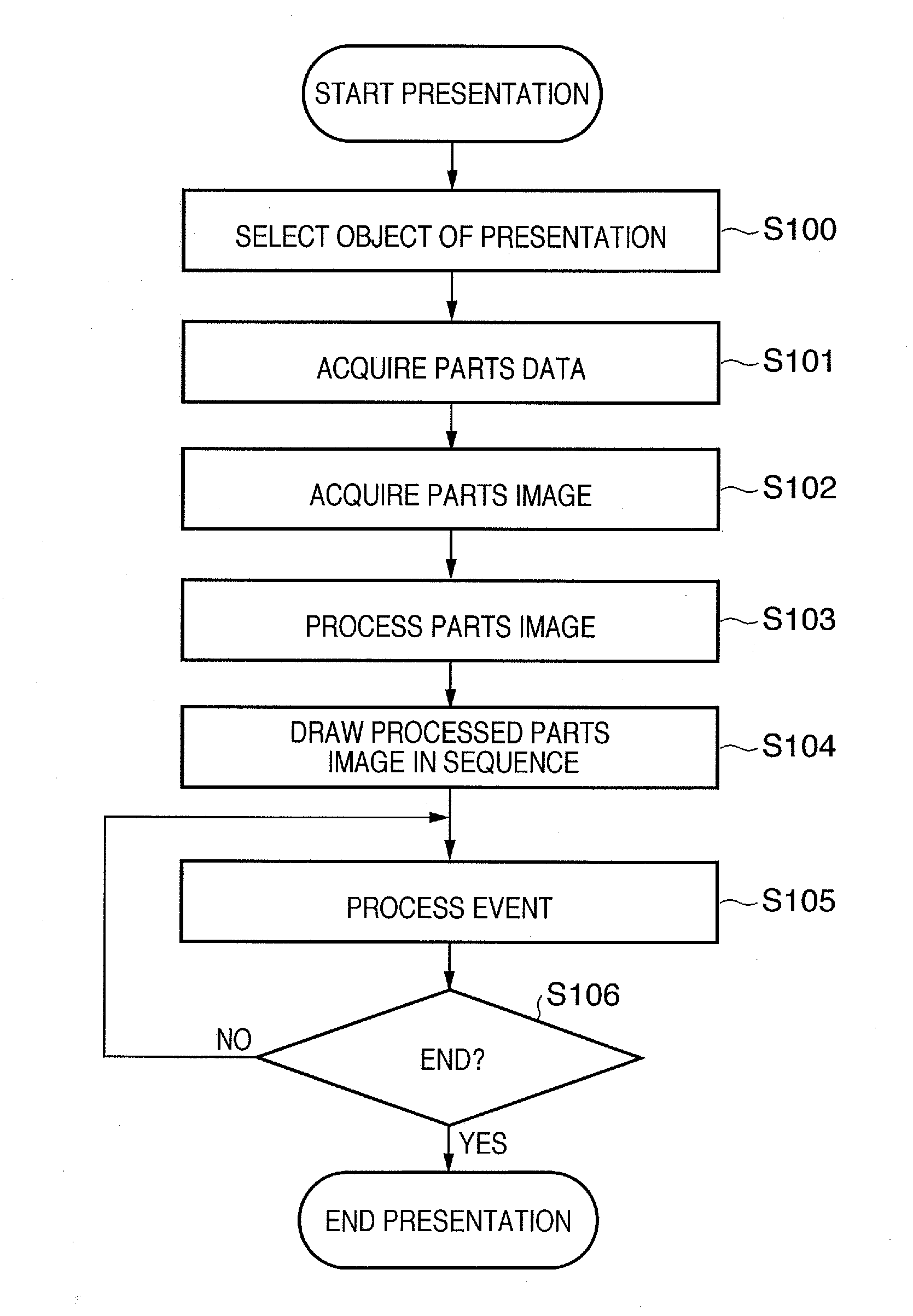
[0048]FIG. 6 is a flowchart that describes a process of creating a presentation mode screen, according to the second embodiment.
[0049]When the presentation commences, the presentation unit 17 detects the selected application window or screen area, i.e., the selected screen area, which is selected by the user as being intended...
third embodiment
[0053]Following is a description according to a third embodiment, wherein the presentation is performed by generating a background image from the component part whose drawing state is to be changed, drawing the background image in a transparent window, and positioning the transparent window over the application window. A configuration of a presentation apparatus according to the third embodiment is similar to the presentation apparatus according to the first embodiment, in FIG. 1.
[0054]FIG. 7 is a flowchart that describes a process of creating a presentation mode screen, according to the third embodiment. The transparent window is positioned over the application window to perform the presentation, according to the third embodiment.
[0055]When the presentation commences, the presentation unit 17 detects the selected application window or screen area, i.e., the selected screen area, which is selected as being intended for presentation, in step S300. In step S301, the presentation unit ...
PUM
 Login to View More
 Abstract
Description
Claims
Application Information
 Login to View More
 - R&D
- Intellectual Property
- Life Sciences
- Materials
- Tech Scout
- Unparalleled Data Quality
- Higher Quality Content
- 60% Fewer Hallucinations
Browse by: Latest US Patents, China's latest patents, Technical Efficacy Thesaurus, Application Domain, Technology Topic, Popular Technical Reports.
© 2025 PatSnap. All rights reserved.Legal|Privacy policy|Modern Slavery Act Transparency Statement|Sitemap|About US| Contact US: help@patsnap.com