Method and device for controlling terminal screen through mouse, mouse and storage medium
A technology for controlling terminals and mice, which is applied in the fields of mouse and storage media, and mouse control terminal screens, which can solve the problems of reducing the efficiency and accuracy of terminal control, inconvenience for users, etc., and achieve accurate and efficient control, improve efficiency, and facilitate operation Effect
- Summary
- Abstract
- Description
- Claims
- Application Information
AI Technical Summary
Problems solved by technology
Method used
Image



Examples
Embodiment 1
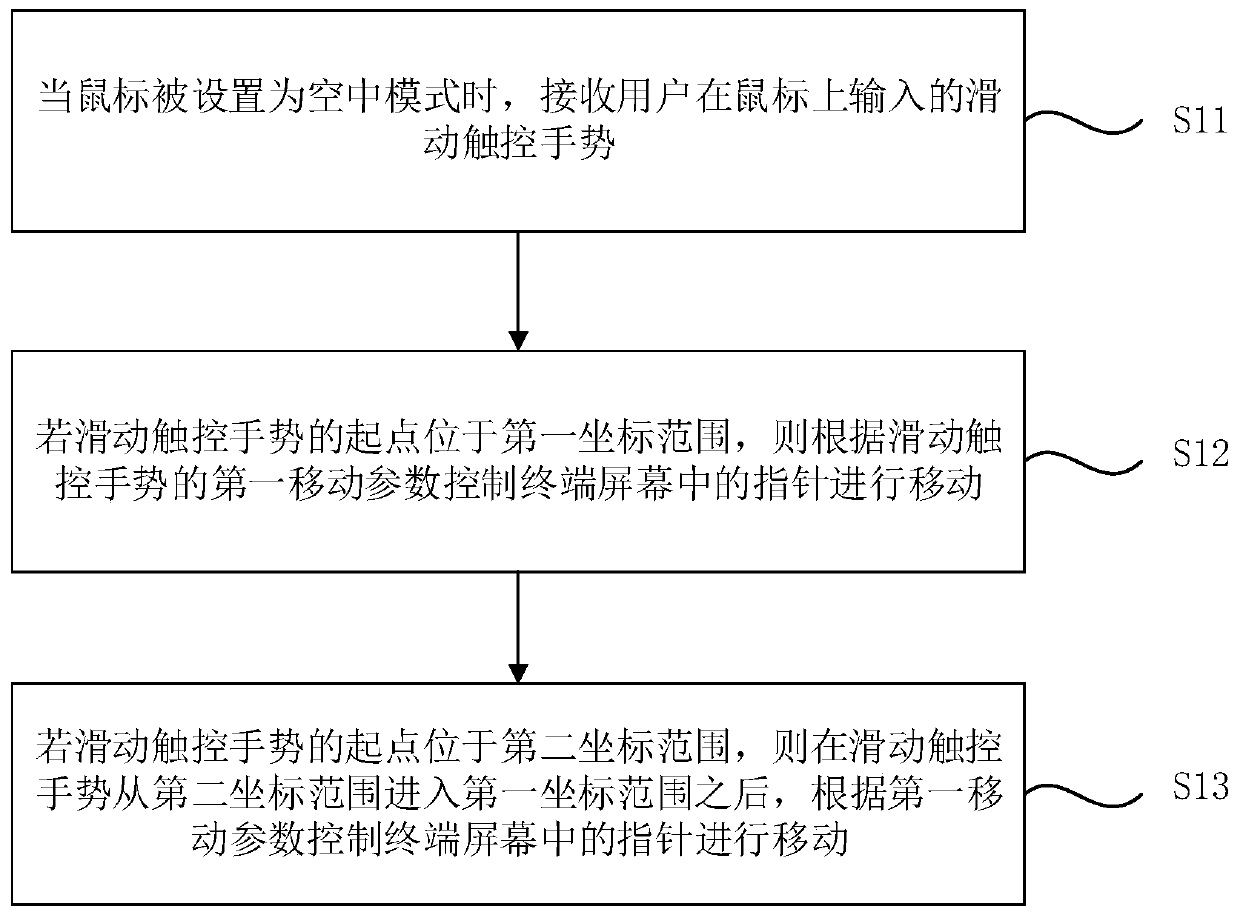
[0030] Figure 1A It is a flowchart of a method for controlling a terminal screen with a mouse provided in Embodiment 1 of the present invention. This embodiment is applicable to the situation where the user uses a mouse to remotely control the terminal screen. This method can be performed by the device for controlling the terminal screen with a mouse provided in the embodiment of the present invention. The device can be implemented by hardware and / or software. Generally can be integrated in the wireless mouse. Such as Figure 1A As shown, it specifically includes the following steps:
[0031] S11. When the mouse is set to the air mode, receive a sliding touch gesture input by the user on the mouse.
[0032] Wherein, the air mode of the mouse refers to a mode that is used when no supporting surface is needed for support, that is, a mode that can be held and used in the air. In this embodiment, the overall shape of the mouse is close to a flat cube, and the two larger surface...
Embodiment 2
[0047] Figure 2A It is a flowchart of a method for controlling a terminal screen with a mouse provided in Embodiment 2 of the present invention. The technical solution of this embodiment is further refined on the basis of the above technical solution. Specifically, in this embodiment, the second coordinate range can be used as the input range of the touch gesture for controlling page scrolling on the terminal screen, that is, in After receiving the sliding touch gesture input by the user on the mouse, the method further includes: if the sliding touch gesture is located in the second coordinate range, controlling the page on the terminal screen to scroll according to the first movement parameter. Correspondingly, such as Figure 2A As shown, it specifically includes the following steps:
[0048] S21. When the mouse is set to the air mode, receive a sliding touch gesture input by the user on the mouse.
[0049] S22. If the sliding touch gesture is located in the second coord...
Embodiment 3
[0063] image 3 A schematic structural diagram of a device for controlling a terminal screen with a mouse provided in Embodiment 3 of the present invention. The device can be implemented by hardware and / or software, and generally can be integrated into a wireless mouse to implement the functions provided by any embodiment of the present invention. The method of controlling the terminal screen with the mouse. Such as image 3 As shown, the device includes:
[0064] The gesture receiving module 31 is used to receive the sliding touch gesture input by the user on the mouse when the mouse is set to the air mode;
[0065] The first pointer control module 32 is configured to control the pointer in the terminal screen to move according to the first movement parameter of the sliding touch gesture if the starting point of the sliding touch gesture is located in the first coordinate range;
[0066]The second pointer control module 33 is configured to control the cursor on the termina...
PUM
 Login to View More
 Abstract
Description
Claims
Application Information
 Login to View More
PatSnap Eureka turns technology decisions into work you can execute. Powered by our Innovation Knowledge Graph, it runs expert workflows across engineering, life sciences, materials and intellectual property. Get your review-ready output in minutes.


