
Method and system for dynamic generation of Perl language debugging tool
- Summary
- Abstract
- Description
- Claims
- Application Information
AI Technical Summary
Problems solved by technology
Method used
Image

Examples
Embodiment Construction
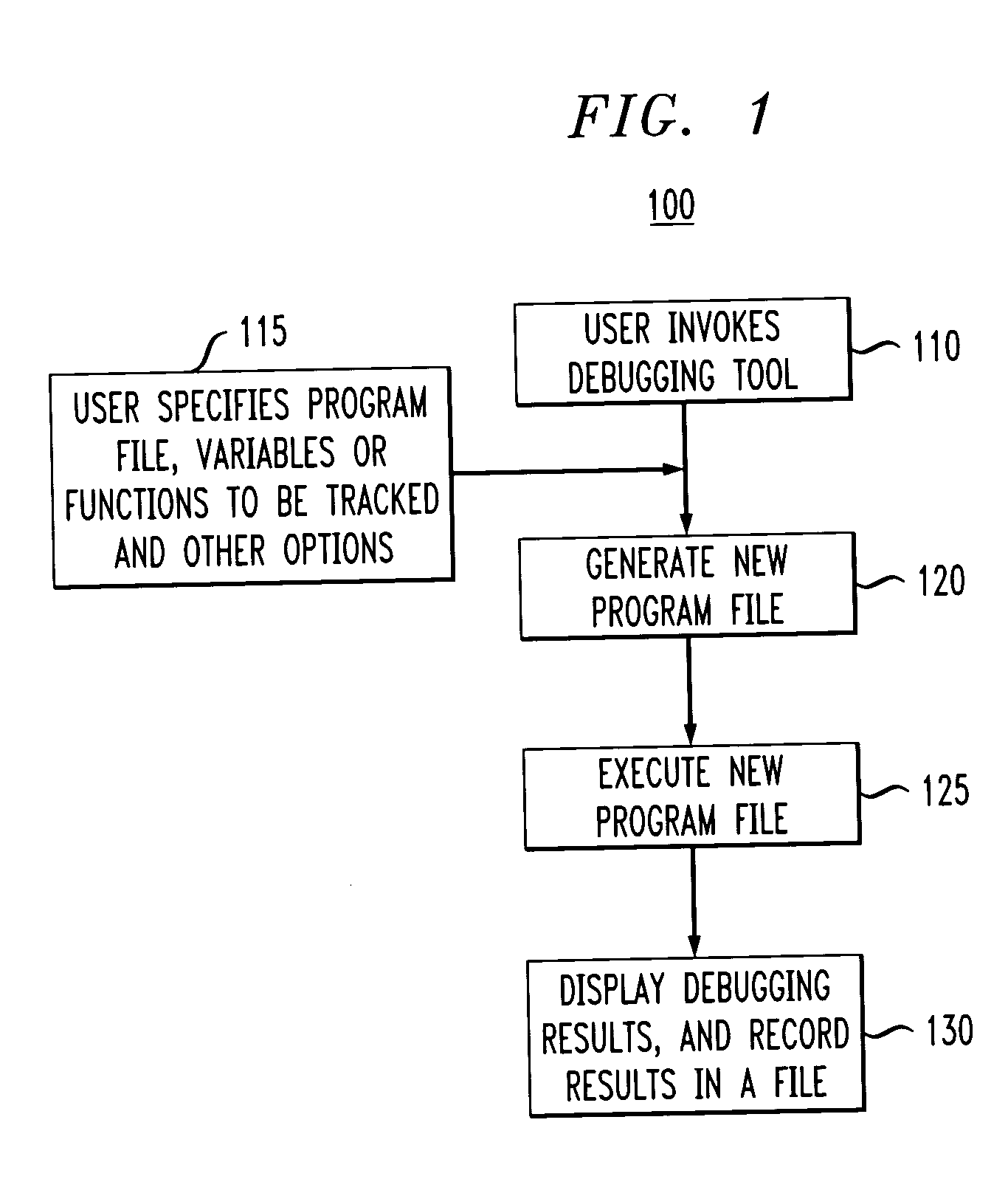
[0023]FIG. 1 illustrates a flow chart of an exemplary process 100 for generating a real-time Perl-debugger tool in accordance with one aspect of the invention. In this illustrated aspect, a user may invoke the real-time debugging tool using well-known methods at block 110. For example, a user may access the real-time debugging tool disclosed by entering the tool's executable file name using an input device, such as a keyboard. Or a user may access the real-time debugging tool executable file using a Graphical User Interface (GUI) and a pointing device, such as a computer mouse, light-pen, touch screen, etc.
[0024] At block 115, a user may then select a Perl-language based executable program file and select constants, variables, vectors, arrays, functions or similar quantities that are desired to be monitored. At block 120, a new program file is generated containing statements or operations that make reference or refer to the quantities selected. For example, a reference to a quantit...
PUM
 Login to View More
 Abstract
Description
Claims
Application Information
 Login to View More