
Graphical user interface
a user interface and graphical technology, applied in the field of graphical user interfaces, can solve the problems of affecting the operation of windows, affecting the user experience, and becoming more graphic intensive,
- Summary
- Abstract
- Description
- Claims
- Application Information
AI Technical Summary
Benefits of technology
Problems solved by technology
Method used
Image

Examples
Embodiment Construction
I. Continuous View Space
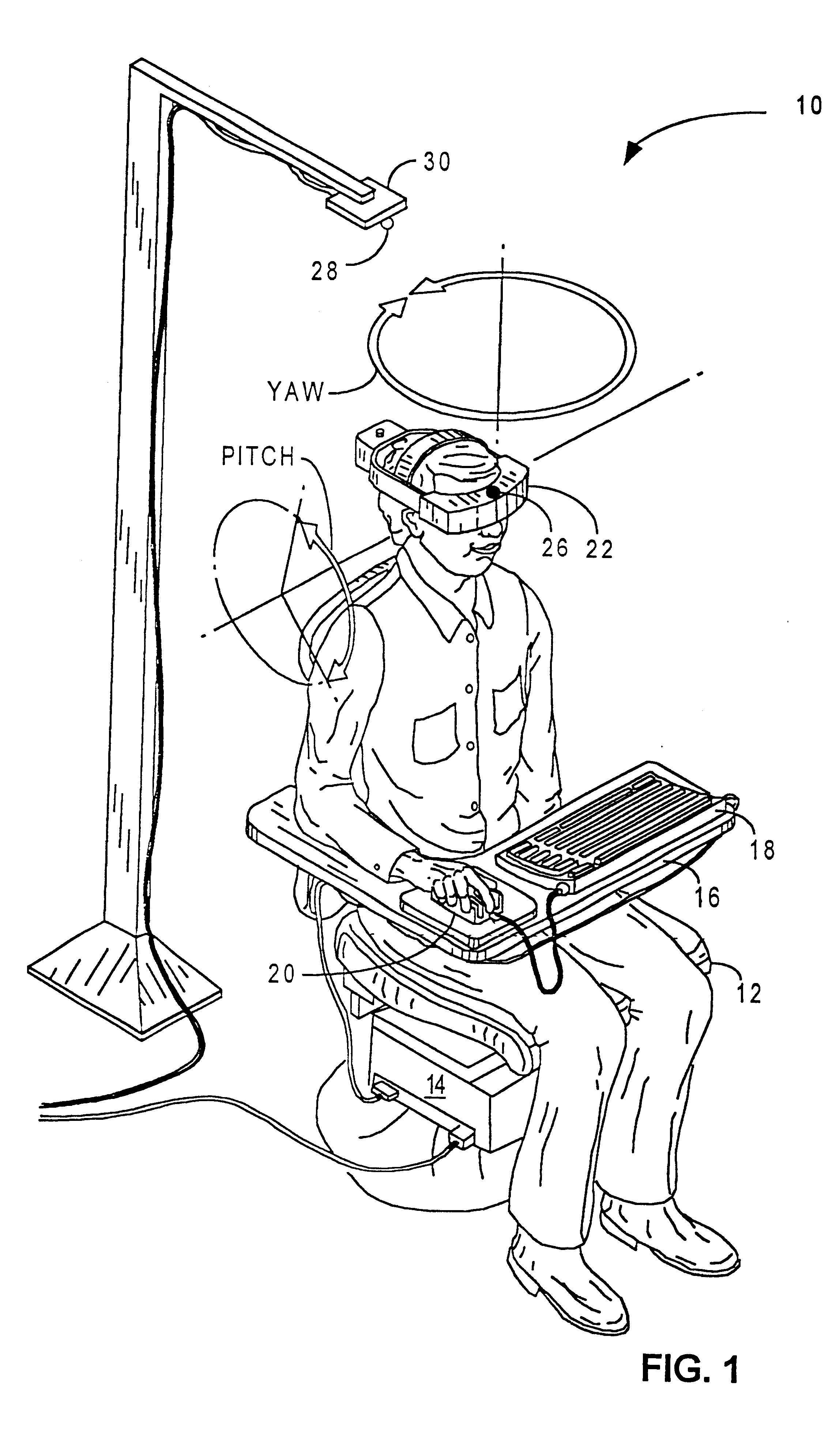
Referring to FIG. 1, a computer operator using the video display system of the present invention is shown. The video display system 10 includes a swiveling chair 12, a computer 14 mounted at the base of the chair 12, a platform 16 for supporting computer peripheral devices such as a keyboard 18 and a mouse 20, a head mounted display 22 and a position sensor 24 (housed inside computer 14), including a transmitter 26 mechanically coupled to the head mounted display 22 and a receiver 28 mechanically connected to a stationary reference point 30. The reference point can be located above the user's head as illustrated in FIG. 1, at the base of the chair 12, or any other stationary location in the vicinity of the video display system 10.
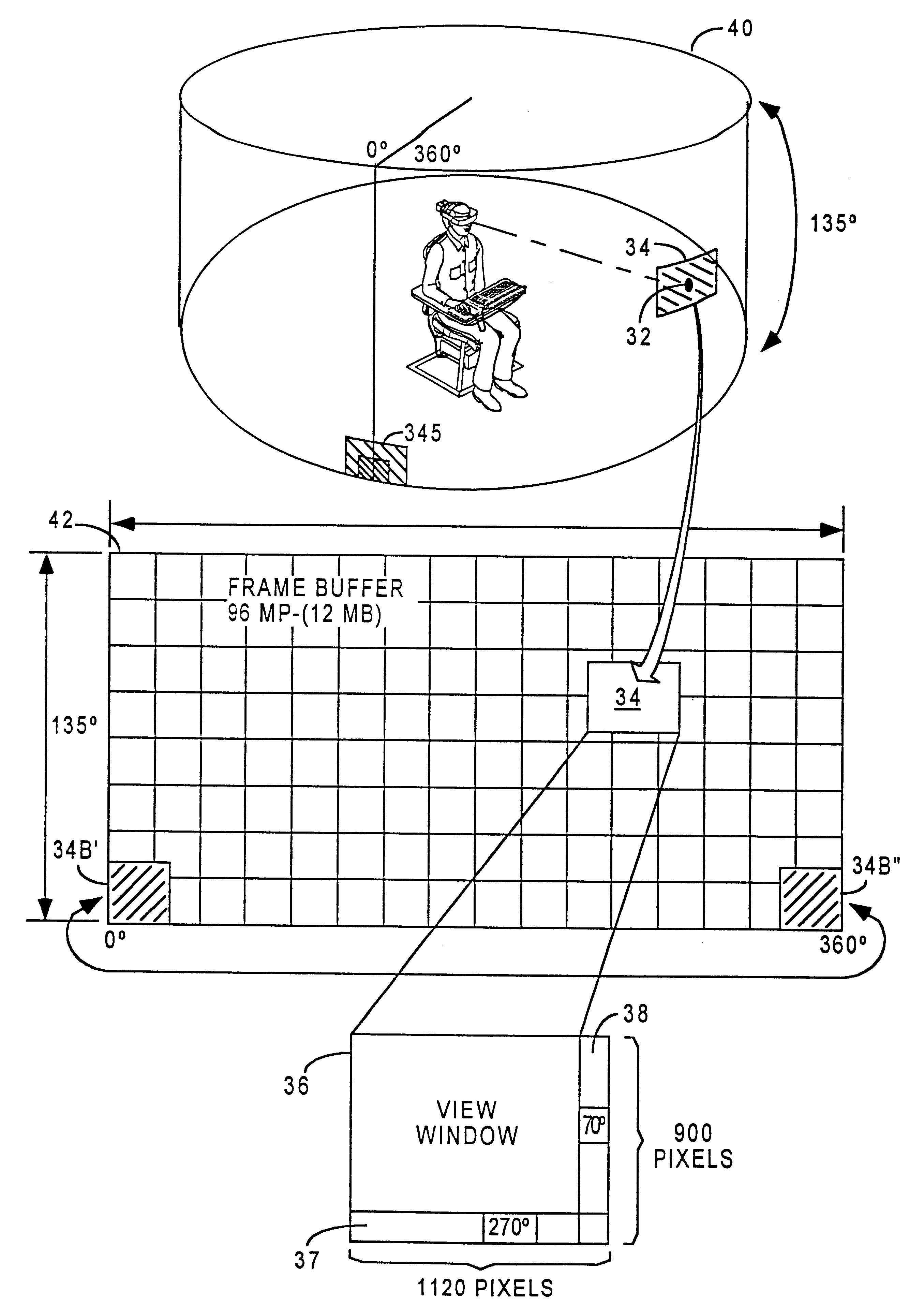
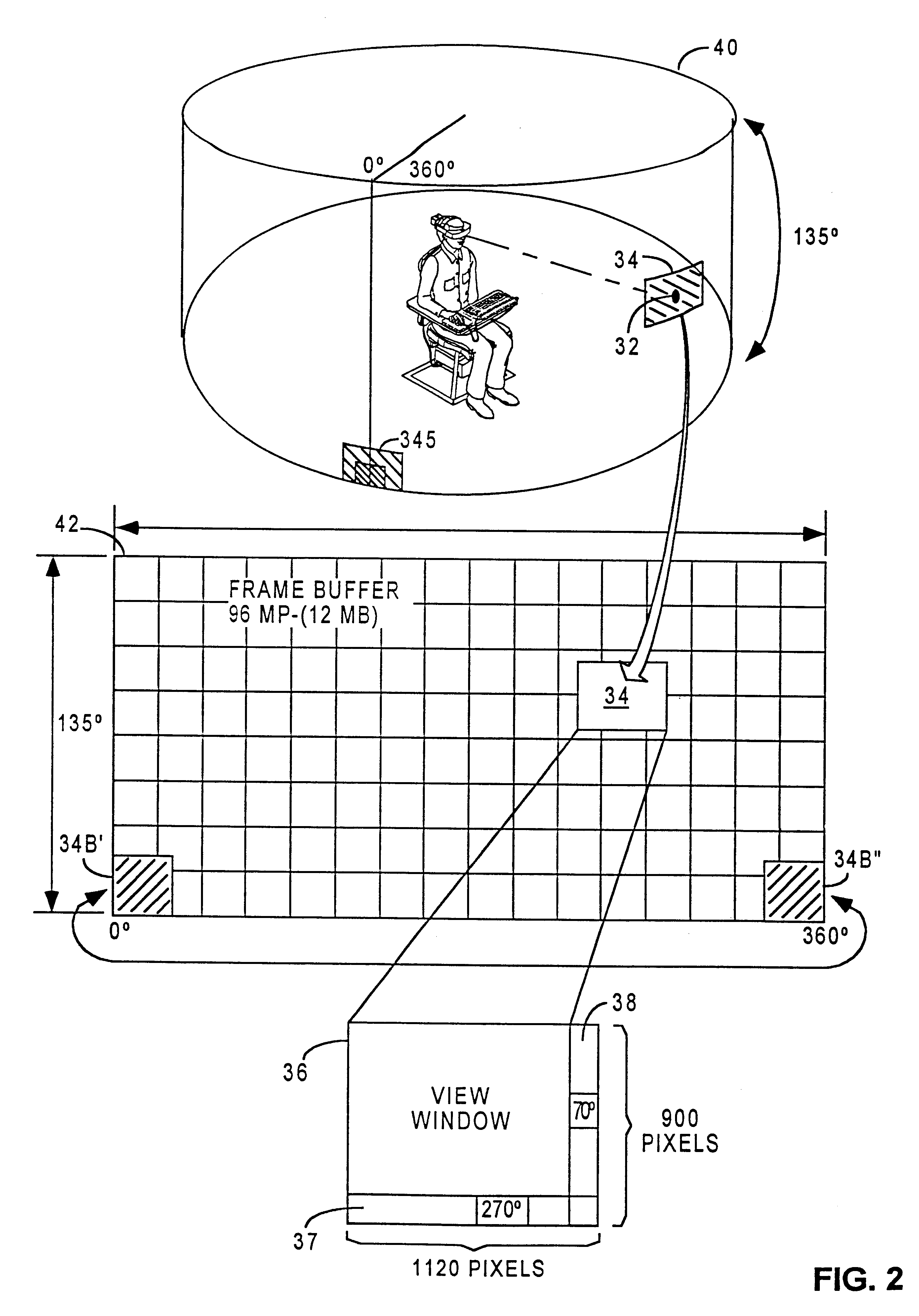
Referring to FIG. 2, the relationship between a frame buffer, a view port and a view window in a virtual view space in the video system 10 is illustrated. The virtual view space 40 is the total image area in the video display system ...
PUM
 Login to View More
 Abstract
Description
Claims
Application Information
 Login to View More